How to Create Character Explainer Videos That Go Viral
The complete guide to creating Character Explainer videos that get millions of views. Learn the hooks, formats, and strategies top creators use to go viral on TikTok, YouTube Shorts, and Instagram Reels.
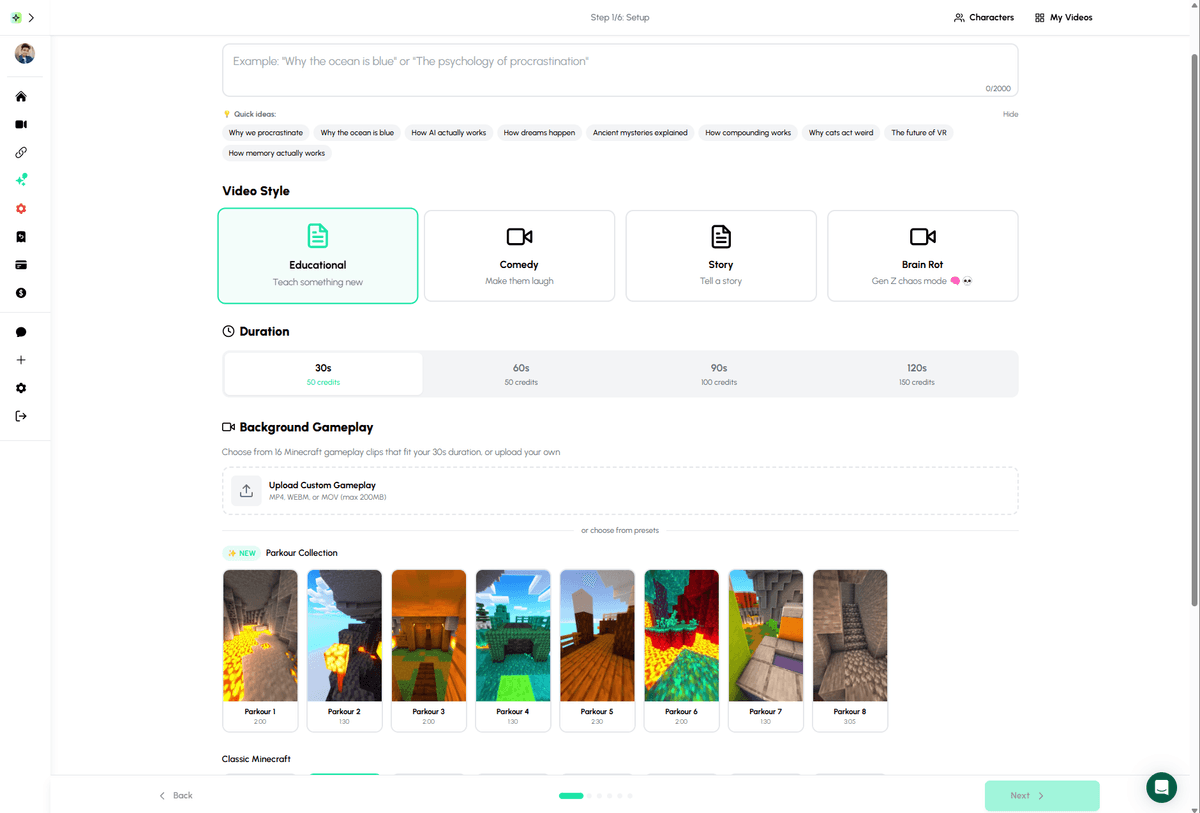
Create viral Character Explainer videos in just a few clicks
See Character Explainer in Action
Watch how easy it is to create viral character videos
Quick Demo (45 seconds)
Character Videos Trailer
Why Character Explainer Videos Go Viral
Understanding the psychology behind the format's success
Recognizable Voices
Familiar character voices trigger instant recognition and emotional connection. Viewers stop scrolling when they hear Peter Griffin or SpongeBob.
Dual Engagement
Satisfying backgrounds (Minecraft parkour, slime, etc.) keep eyes on screen while the voice delivers value. Two hooks, one video.
Shareable Format
The humor + information combo makes viewers want to share. Comments, saves, and shares all boost algorithm performance.
Character Explainer videos are designed to capture attention and go viral
How to Create Viral Character Explainers
Follow these 5 steps to create videos that get views
Choose a Viral Topic
Pick topics that have built-in engagement: hot takes, surprising facts, relationship advice, or controversial opinions (kept safe). The topic should feel like a conversation between friends.
Topics That Work:
Select Your Character
Match the character to your content style. Peter Griffin for funny/casual takes, Stewie for intellectual content, SpongeBob for wholesome advice. The character should feel natural saying your script.
Peter Griffin
Funny takes
Stewie
Smart content
SpongeBob
Wholesome
Custom
Clone any voice
Write a Killer Hook
The first 2 seconds determine if someone watches. Start with something that creates curiosity, shock, or strong emotion. Don't ease into it - hit hard immediately.
Hook Examples:
- "If you do this, you're actually a genius..."
- "POV: You finally realize why you're still broke"
- "The reason no one talks about this is..."
- "I need to tell you something nobody will..."
Generate in AutoClips
Open Character Explainer, select your character and voice, choose a satisfying background, paste your script, and generate. The AI handles voiceover, lip-sync, captions, and rendering.
AutoClips handles:
Post, Analyze, Iterate
Upload to TikTok, YouTube Shorts, and Instagram Reels. Track which topics and hooks perform best. Create more of what works, drop what doesn't. Consistency beats perfection.
6 Tips to Make Your Videos Go Viral
Strategies that separate 100-view videos from 1M-view videos
Hook in First 2 Seconds
Start with a shocking statement, question, or controversial take that makes viewers stop scrolling.
Example:
"This one habit is keeping you broke..."
Use Pattern Interrupts
Change the visual or audio every 3-5 seconds to maintain attention throughout the video.
Example:
Switch backgrounds, add sound effects, zoom in/out
End with a Loop
Make your ending flow into the beginning so viewers watch multiple times, boosting algorithm performance.
Example:
End with a question that the video answers
Controversy (Safe)
Take a strong stance on a topic people care about. Avoid hate, but strong opinions drive engagement.
Example:
"Everyone says X but actually..." format
Satisfying Backgrounds
Minecraft parkour, soap cutting, slime, or oddly satisfying content keeps eyes on screen.
Example:
Match background energy to content tone
Character Match
Match the character voice to the content type. Peter Griffin for funny takes, Stewie for intellectual content.
Example:
Right character + right content = viral
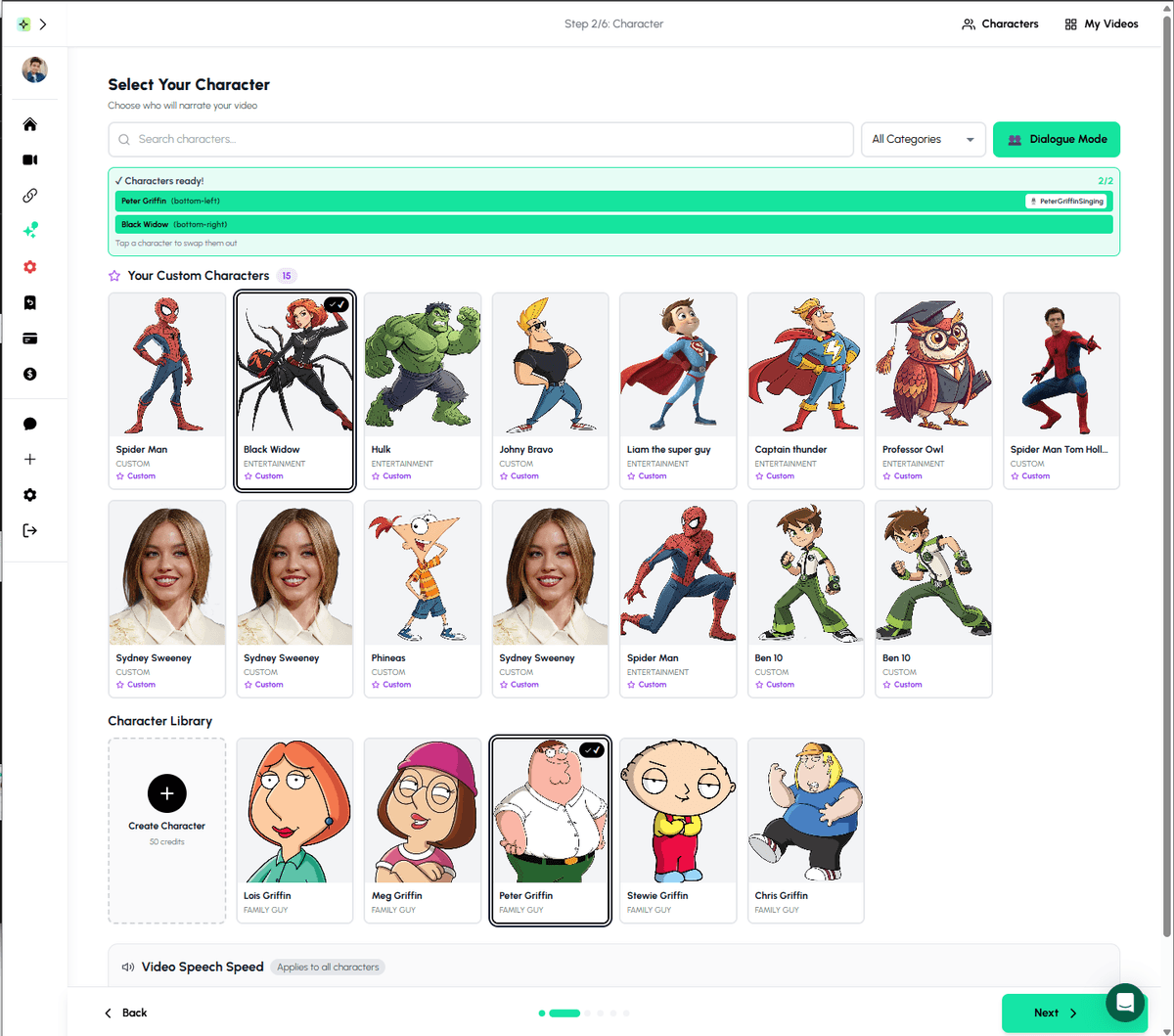
Choose from dozens of character voices or create your own custom character
100 Content Ideas to Get You Started
Life Advice
- • Signs you're more mature than you think
- • Why being alone is actually a superpower
- • Things you should never tell people
- • Habits that make people respect you instantly
- • Why the quiet ones are usually the smartest
Psychology Facts
- • Why people who do X are actually Y
- • The psychology behind why you can't sleep
- • Why some people are always late
- • What your music taste says about you
- • Signs someone is secretly jealous of you
Money & Success
- • Why you're still broke (it's not what you think)
- • Habits of people who became millionaires young
- • Things rich people never buy
- • The real reason most people stay poor
- • Side hustles nobody talks about
Relationships
- • Green flags in a relationship people ignore
- • Why the one who cares less has more power
- • Signs someone actually likes you
- • Things people say when they're lying
- • Why some people attract toxic partners
AI voice cloning brings your favorite characters to life with just a few clicks
Frequently Asked Questions
What are Character Explainer videos?
Character Explainer videos feature cartoon characters (like Peter Griffin, Stewie, SpongeBob, or custom characters) talking over satisfying gameplay backgrounds. The character appears to explain or narrate a topic while viewers are engaged by both the voice and the visual background.
Why do Character Explainer videos go viral?
They combine multiple viral elements: recognizable character voices grab attention, satisfying gameplay backgrounds keep viewers watching, and the educational/entertaining content provides value. The format is optimized for short attention spans and algorithm engagement.
How much does it cost to make Character Explainer videos?
With AutoClips, each Character Explainer video costs just 50 credits (~$0.25). This includes voice cloning, gameplay background, captions, and final rendering. You can create 4 videos for about $1.
What topics work best for Character Explainer videos?
Topics that work best include: hot takes and opinions, life advice, interesting facts, controversial topics (kept safe for monetization), life hacks, and entertainment commentary. The key is content that feels like a character talking to a friend.
Can I clone any voice for Character Explainer videos?
AutoClips offers voice cloning for popular characters and the ability to upload custom voice samples. You can use pre-built character voices or create your own unique character voice.
How long should Character Explainer videos be?
For YouTube Shorts, TikTok, and Instagram Reels, keep videos between 30-60 seconds. For longer YouTube content, 2-5 minutes works well. Shorter videos generally perform better for viral potential.
The viral formula: Right character + compelling hook + perfect timing = millions of views