Stop Waiting for Google. Start Creating Viral Videos Right Now.
Everyone's talking about the Google AI video generator, but can it actually help you go viral on TikTok and YouTube? We break down what Google's Veo really offers, where it falls short for creators, and why a dedicated tool gets you results today, not someday.
What Is the Google AI Video Generator?
Google's AI video generator, known as Veo, is a text-to-video model that turns written prompts into short video clips. It can generate realistic scenes, cinematic shots, and creative visuals from a few sentences of text. On the surface, it looks like the future of video creation. And honestly, the raw output is impressive.
But here's what nobody tells you: looking cool in a demo and actually helping you grow a channel are two completely different things. Google built Veo as a research project and a cloud API. It was not designed with creators in mind. It does not write scripts for you. It does not add voiceovers. It does not create captions or pick music. And it definitely does not post your video to TikTok while you sleep.
If you want to create one beautiful 8-second clip for a film project, Google's tool is fascinating. But if you want to build an audience, go viral, and make money on social media, you need something built specifically for that. That's where the gap between a tech demo and a creator tool becomes obvious.
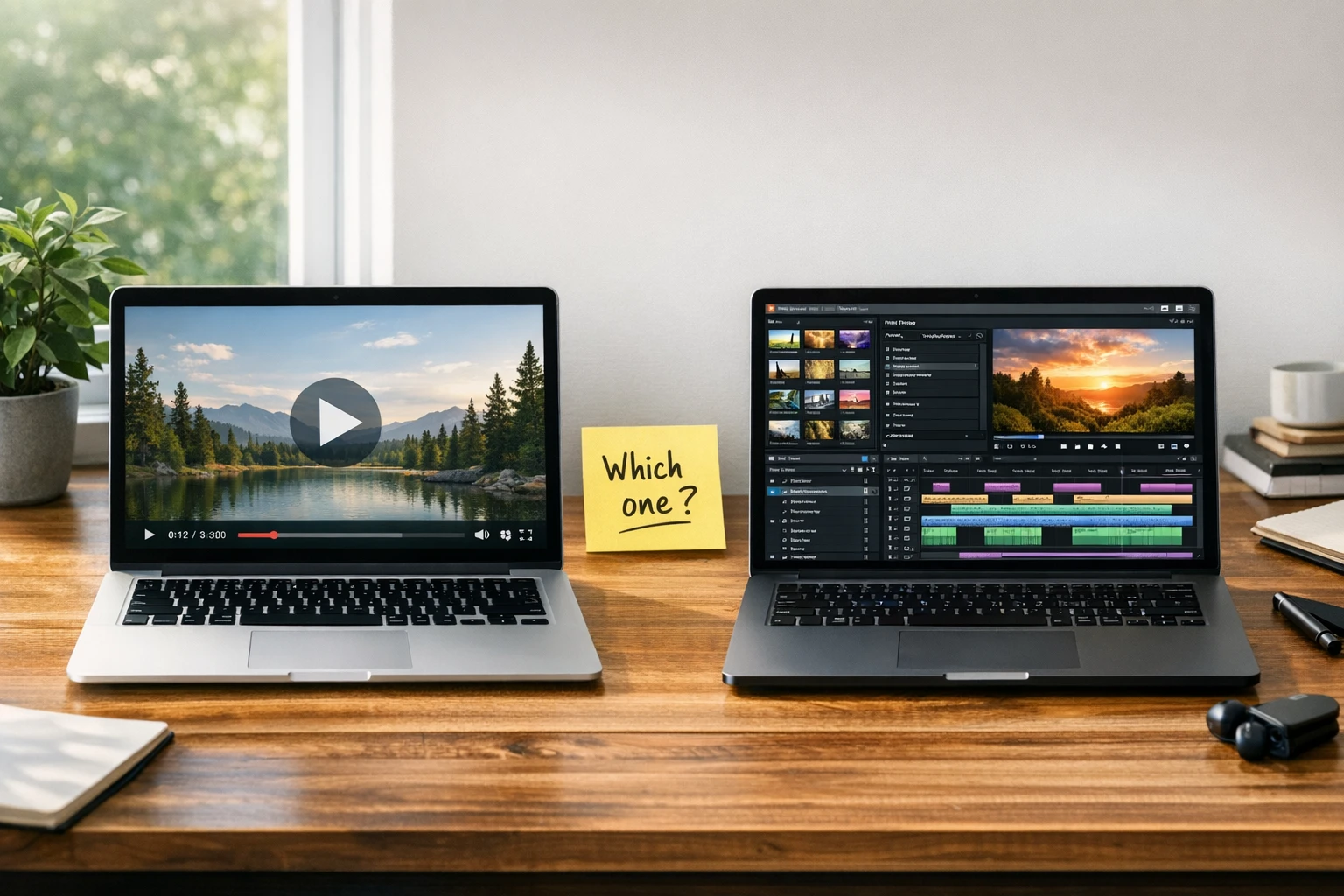
What Google Veo Actually Does Well
Let's be fair. Google's video AI is genuinely impressive in certain areas. If you are a filmmaker, advertiser, or visual effects artist, there are things to get excited about. Here is what it does well:
Cinematic Visual Quality
Veo can generate photorealistic video clips with impressive lighting, camera movement, and scene composition. The visual fidelity is among the best in AI video generation.
Text-to-Video Prompts
Type a description and get a video clip back. The model understands complex prompts about scenes, actions, and styles. Great for generating stock-style footage from text.
Image-to-Video Extension
You can give Veo a still image and it will animate it into a short video clip. Useful for bringing concept art or photos to life with motion.
Google Ecosystem Integration
Veo connects with Google Cloud and other Google products. If you are already deep in the Google ecosystem, the API access makes it easy to plug into existing workflows.
Where the Google AI Video Generator Falls Short for Creators
Here is the honest truth. If your goal is to build an audience, grow followers, and make money from video content, the Google AI video generator was not built for you. It was built for developers, researchers, and enterprise customers. Here is everything it is missing:
No Character Voices or Voice Cloning
Veo generates visuals only. There are no voiceovers, no character voices, no voice cloning. You cannot create a video where a cartoon character explains something to your audience. You get silent footage and nothing else. If you want the kind of talking character videos that go viral on TikTok, check out Character Explainer videos instead.
No Auto-Posting to Social Media
Google's tool gives you a raw clip. That's it. You still have to download it, open an editor, add audio, add captions, export it, then manually upload to TikTok, YouTube, Instagram, and Facebook one by one. There is no scheduling, no automation, no posting pipeline. For fully automated posting, see how AI video automation works.
No Gaming or Satisfying Backgrounds
The most viral faceless content on TikTok and YouTube uses Minecraft parkour, Subway Surfers, or satisfying soap-cutting backgrounds to keep viewers watching. Google's video AI has no concept of this. You cannot add a split-screen gaming background to hold attention while your character talks.
No Script Writing or Content Pipeline
Creating a viral video is not just about the visuals. You need a hook, a script, a voiceover, captions, music, and sound effects. Google gives you one piece of that puzzle. Everything else is on you. With Autoclips, you type one idea and get a complete, ready-to-post video.
Limited Access and High Cost
Veo is not a free tool you can just sign up for. Access is through Google Cloud APIs or limited preview programs. For individual creators, this means waitlists, API complexity, and enterprise-level pricing that does not make sense for someone posting TikToks.
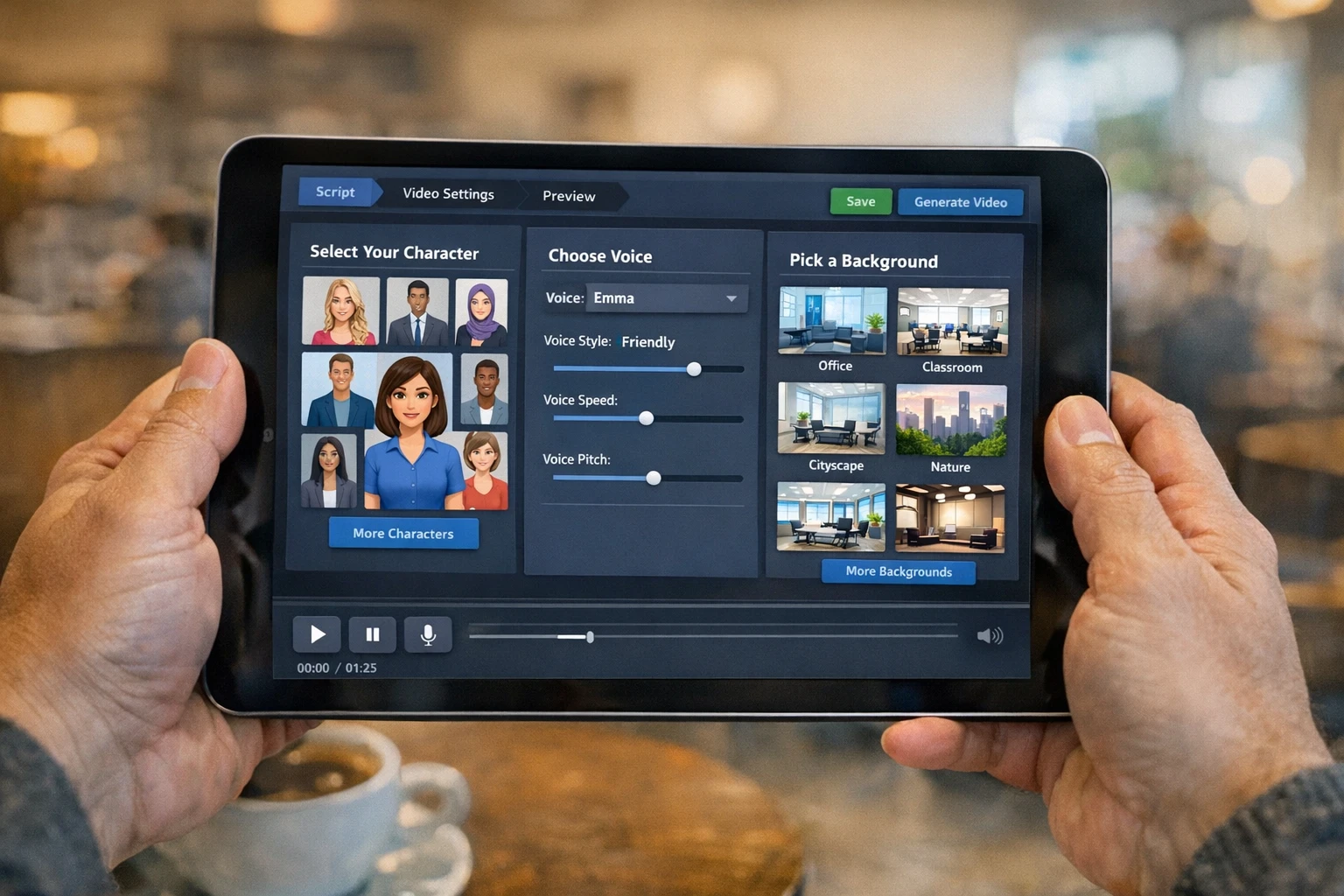
What a creator-focused video tool actually looks like: scripts, voices, characters, and auto-posting
Why Creators Choose Autoclips Over Google AI Video Generator
Built for people who want to go viral, not build cloud infrastructure
Go Viral Without Showing Your Face
Create character explainer videos where cartoon characters talk over satisfying gameplay backgrounds. Clone any voice. Never be on camera. This is the exact format getting millions of views on TikTok right now, and Autoclips makes it in minutes.
Voice Cloning Built In
Want your videos to sound like a specific character or personality? Clone any voice and use it across all your content. Google's tool generates silent clips. Autoclips gives you the voice that makes people stop scrolling and listen.
Auto-Post to 4 Platforms
Set up video automation once and Autoclips posts to TikTok, YouTube, Instagram, and Facebook every single day. No downloading. No uploading. No manual work. Wake up to new followers every morning.
Stunning 3D Animated Videos
Turn any idea into a cinematic 3D animated video that stops the scroll. No animation skills needed. No expensive software. Just type your idea and watch it come to life in Hollywood quality. Try it for just 700 credits (~$3.50).
Gaming Backgrounds That Hook Viewers
Minecraft parkour, Subway Surfers, satisfying soap cutting. These split-screen backgrounds are proven to keep viewers watching until the end. Google has nothing like this. Autoclips has them all built in and ready to use.
Videos from Just $0.25
A Character Explainer video costs just 50 credits (~$0.25). A Faceless video costs 100 credits (~$0.50). Even a full 3D animation is only 700 credits (~$3.50). Compare that to Google Cloud API pricing where you pay per second of generated video at enterprise rates.
Google Veo vs Autoclips: Feature-by-Feature Comparison
See exactly what each tool offers for content creators
| Feature | Autoclips | Google Veo |
|---|---|---|
| AI Script Writing | ✗ | |
| Character Voices & Voice Cloning | ✗ | |
| Gaming/Satisfying Backgrounds | ✗ | |
| Auto-Post to TikTok | ✗ | |
| Auto-Post to YouTube | ✗ | |
| Auto-Post to Instagram & Facebook | ✗ | |
| 3D Animation Studio | ✗ | |
| Captions & Subtitles | ✗ | |
| Music & Sound Effects | ✗ | |
| Cinematic Video Generation | ||
| Ready-to-Post Videos | ✗ | |
| Free Plan Available | ✗ | |
| Cost per Video | From $0.25 | Enterprise pricing |
Looking for more AI video tools? Check out our AI YouTube video generator guide and YouTube Shorts AI generator.
Two Very Different Workflows
What it actually takes to post a video with each tool
With Google Veo
- ✗Apply for access or set up Google Cloud API
- ✗Write your own script separately
- ✗Generate a short silent video clip
- ✗Record or generate voiceover elsewhere
- ✗Open video editor to combine everything
- ✗Add captions, music, and effects manually
- ✗Export and upload to each platform one by one
Total time: 2-4 hours per video
With Autoclips
- Sign up free (no waitlist, no API keys)
- Pick your video style (Character, Faceless, or 3D)
- Type your idea or let AI generate the script
- AI creates voice, images, captions, and music
- Download or auto-post to TikTok, YouTube, Instagram, Facebook
Total time: Under 5 minutes
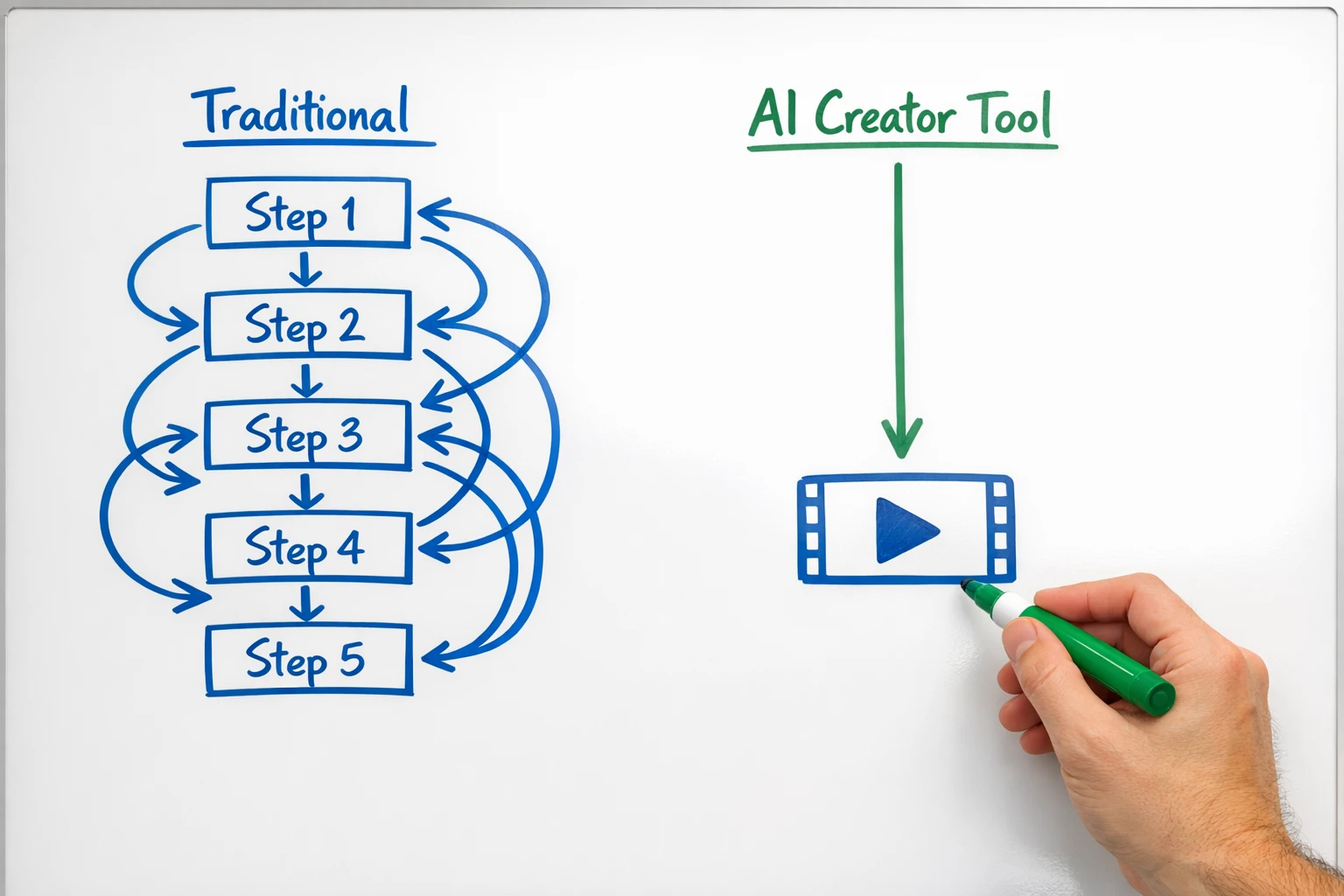
One tool gives you a clip. The other gives you a complete content business.
Who Should Actually Use Google Veo (And Who Should Not)
Google's video AI is not a bad product. It is just not a product for most creators. If you are a visual effects studio, a filmmaker experimenting with AI-generated b-roll, or an enterprise company building AI into your video pipeline, Veo might make sense for you. The visual quality is real and the technology is genuinely impressive.
But if you are a creator who wants to grow on TikTok, build a YouTube Shorts channel, make money from faceless content, or turn your ideas into viral videos without spending hours editing, then the Google AI video generator is not going to get you there. You need a tool that was built from the ground up to solve your specific problem: creating engaging, ready-to-post content fast.
That is exactly what Autoclips does. Every feature exists because creators asked for it. Character voices exist because faceless channels need them. Gaming backgrounds exist because they keep watch time high. Auto-posting exists because nobody wants to manually upload to four platforms every day. The difference is simple: Google built a technology. Autoclips built a solution.
For more on how creators are using AI to build real income streams, the YouTube Creator Academy and the TikTok Creator Portal have great free resources on growing your audience with short-form content.
Three Ways to Create Videos (All Better Than Raw Clips)
Pick the style that matches your content goals
Character Explainer
Cartoon characters explain topics over Minecraft, Subway Surfers, or satisfying backgrounds. Clone any voice. Go viral without showing your face.
50 credits (~$0.25) per video
Learn more →Faceless Videos
Complete videos with AI images, professional voiceovers, captions, and music. Perfect for educational content, motivation, finance, and story channels.
100 credits (~$0.50) per video
3D Animation Studio
Turn any idea into a stunning cinematic 3D animated video. No animation skills needed. The kind of content that makes people stop scrolling and share.
700 credits (~$3.50) per video
Learn more →The Real Question: Do You Want a Tech Demo or Results?
Every few months, a big tech company drops a new AI video demo and the internet loses its mind. Google Veo. OpenAI Sora. Meta MovieGen. They all look incredible in the announcement videos. And then you try to actually use them and realize they were never designed for what you need.
You do not need a tool that generates a pretty 8-second clip. You need a tool that generates a complete video with a hook that grabs attention in the first 2 seconds, a script that keeps people watching, a voice that makes them feel something, captions they can read on mute, and music that sets the mood. And then you need that video posted to your accounts automatically so you can focus on your next idea instead of spending your evening uploading to four different apps.
That is the difference between a technology showcase and a creator tool. Google is showing what is possible. Autoclips is giving you what is useful. And right now, while everyone else is on a waitlist for the next shiny demo, you could be posting your first video and starting to build an audience that actually makes you money.
Frequently Asked Questions
Everything you need to know about Google AI video generator vs creator tools
Stop Waiting. Start Creating.
Google's AI video tool is a technology preview. Autoclips is a creator machine. While the tech world debates which model generates the best 8-second clip, you could be posting viral videos, growing followers, and building an income stream that works while you sleep. Your first video is free.
No credit card required • No waitlist • First video free