
Countdown Trap AI Video: Ticking-Clock Fruit Thrillers, With Prompts
A Countdown Trap AI video is a short thriller: someone powerful is trapped with a timer on screen, everyone fails, the person nobody listens to saves them at 00:01, and a clue in the picture shows it was an inside job. Here are the beats, prompts to copy, and how to make one in Autoclips.
Quick answer
- The shape: the trap already ticking with the time on screen, panic, the ignored one spots something, the insider does one small wrong thing, the save at 00:01, then the twist seen in the picture.
- The countdown is a sign on the device in every trap scene: "00:47", "00:09", "00:01".
- The twist must be visible: the second key on the bodyguard's belt, a CCTV frame, a matching scratch.
- In Autoclips: open Fruit AI Stories, pick Countdown Trap, type one line like "The CEO is stuck in a sealed vault with sixty seconds of air, and the new cleaner knows the code".
What is the Countdown Trap format?
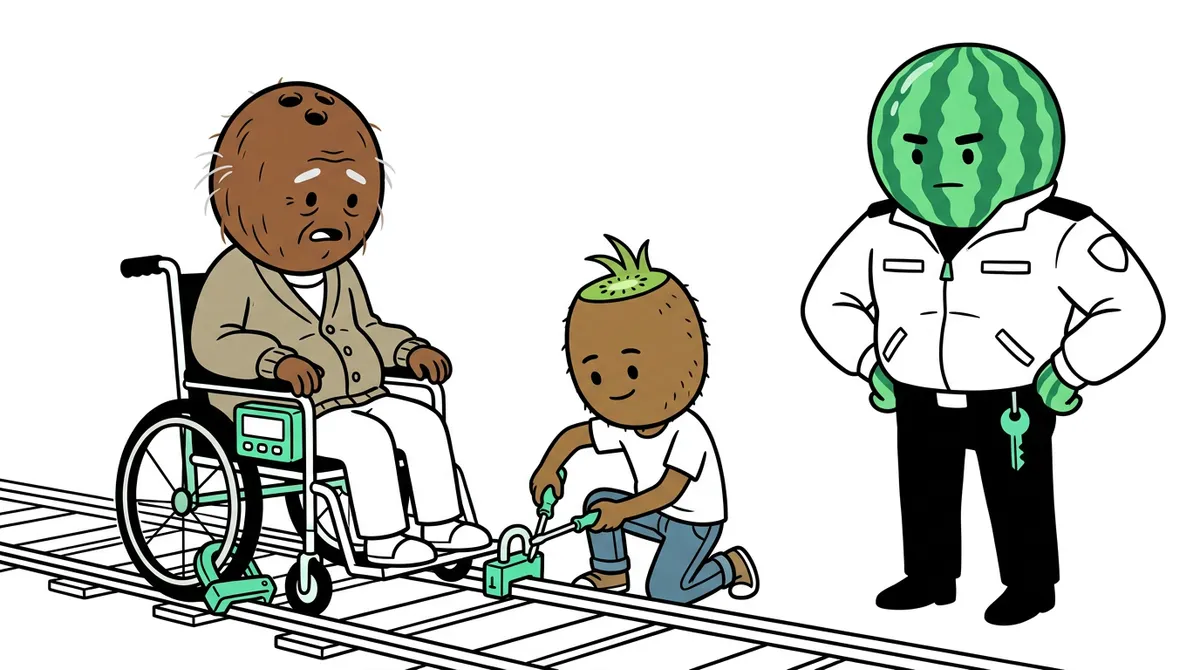
A billionaire grandpa is chained in his wheelchair on a railway line. A timer on the chair reads 02:00. The family screams, the bodyguard calls for help, and the "useless" grandson everyone ignores kneels down and says, "The bolt is in backwards." He gets it open at 00:01.
And then the camera finds the thing nobody noticed: a second key on the bodyguard's belt. It was never an accident. The last line points at who planned it, and that is Part 2.
Countdown Trap is one of the nine viral story formats in Fruit AI Stories. It is the most thriller-like of them, and it suits channels that already post fruit drama.
The beats of a Countdown Trap video
The clock must be on screen in every trap scene and dropping each time. The twist is the beat you never cut.
| Beat | What happens on screen |
|---|---|
| Hook | The trap already ticking; line one says the time ("Forty seconds, and it's welded shut!"). |
| The panic | Experts and family fail; the clock keeps dropping on screen. |
| The ignored one | The underdog spots something and is pushed aside ("Get the cleaner out of here."). |
| The plant | The viewer sees the insider do one small wrong thing: pocket a key, glance at a camera. |
| The attempt | The underdog works the lock while the clock shows single digits. |
| The save | Free at 00:01. One breath, one look. |
| The twist + last line | The clue pays off on screen (the CCTV, the second key), then "Who gave you that key?" Cut. |
Why Countdown Trap videos work
- A clock is pure tension. Numbers dropping on screen keep people watching to the end.
- An underdog hero. The cleaner, the intern, the "useless" grandson finally being right is satisfying.
- A second twist. The save is the payoff, and the inside job is the bonus that drives Part 2.
- It reads on mute. The timer, the lock and the key tell the story without sound.
Countdown Trap prompts you can copy
Write the timer as text on the device in every scene prompt, and drop it each time. Plant the insider's clue in an early scene, small but in focus.
A billionaire grandpa is locked in his wheelchair on a train track with a two-minute timer, and only his "useless" grandson keeps calm, until he notices the bodyguard's second key.
| What it is for | Copy this prompt |
|---|---|
| Story idea (one line) | A billionaire grandpa is locked in his wheelchair on a train track with a two-minute timer, and only his "useless" grandson keeps calm, until he notices the bodyguard's second key. |
| Character picture: the trapped one | An elderly man with a whole coconut for a head and a normal human body, frightened expression, a dark pinstripe suit with a tartan blanket on his knees, sitting in a metal wheelchair, full body, 3D animated cartoon style, soft cinematic lighting, vertical 9:16 frame, plain background. |
| Character picture: the ignored one | A young man with a whole kiwi for a head, calm focused eyes, a plain white t-shirt and jeans, a small screwdriver in hand, full body, 3D animated cartoon style, soft cinematic lighting, vertical 9:16 frame, plain background. |
| Scene 1: the hook | At dusk on an old railway line, the coconut grandpa is chained in his wheelchair between the rails; a red digital timer on the chair reads "02:00"; a pear-headed relative screams beside him. Medium shot. |
| Scene 2: the plant | A watermelon-headed bodyguard in a dark suit stands back from the panic, quietly slipping a small silver key into his belt pocket. Close-up on his hand and face. |
| Scene 3: the save | The kiwi grandson kneels at the wheelchair lock with the screwdriver; the timer reads "00:01"; the chain falls open. Tight close-up. |
| Scene 4: the twist | The grandpa, safe, looks up at the bodyguard; the silver key glints on his belt. The grandson's eyes follow it. Two-shot. |
| Caption / hook line | Two minutes. Welded shut. And someone in this shot planned it. #fruitstory #part1 |
More Countdown Trap story ideas
- The CEO is stuck in a sealed vault with sixty seconds of air, and the new cleaner knows the code.
- A bride's car locks itself on the way to her wedding, with a timer on the dashboard.
- A lift stops between floors with a mayor inside and a countdown on the panel; the intern spots the cut wire.
- A famous chef is locked in a walk-in freezer before the final; the dishwasher hears the timer.
- A grandma is trapped in a smart house that starts a countdown; her grandson's old phone is the key.
How to make a Countdown Trap AI video in Autoclips
Fruit AI Stories puts the countdown on the device in every trap scene, drops it each time, and plants the insider's clue so the twist is seen, not said.
- 1
Open Fruit AI Stories
Sign in to Autoclips and open Fruit AI Stories from AI Studio. The screen asks one question, "What is your story?", and shows the formats as cards: the viral story formats first, then the reel formats. Countdown Trap is one of the story formats.
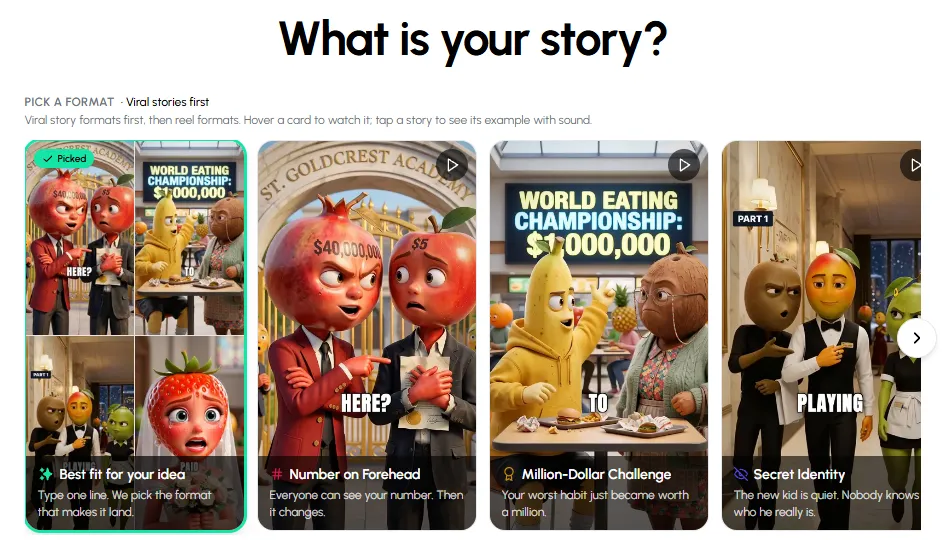
The format picker in Fruit AI Stories. - 2
Pick Countdown Trap
Tap the Countdown Trap card. A preview opens with an example video you can play with sound, the format's beats in plain words, and three starter ideas. Press Use this format.
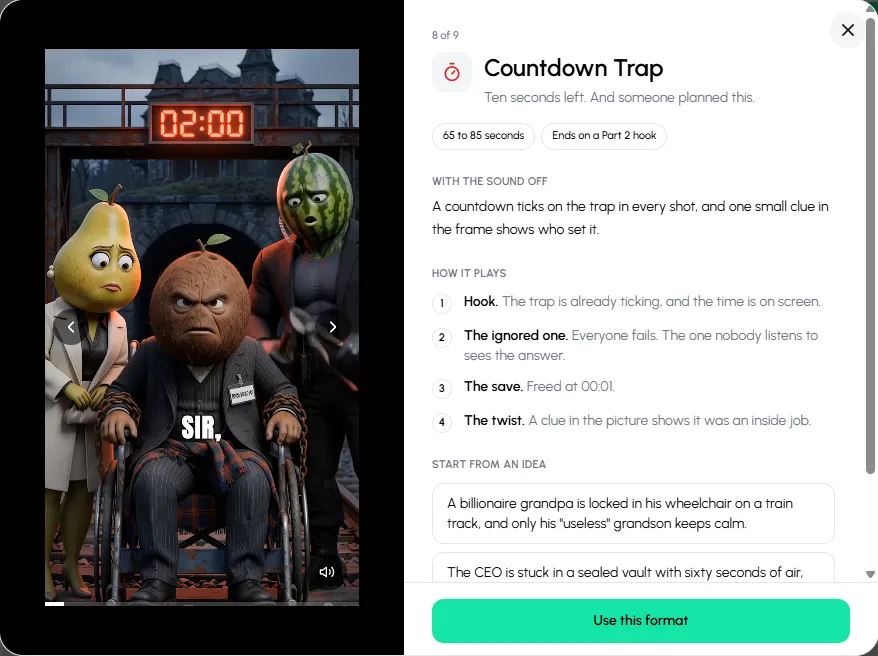
Tap the Countdown Trap card to watch an example and read how it plays, then press Use this format. - 3
Type your idea in one line
Type the story in one sentence, for example: "A billionaire grandpa is locked in his wheelchair on a train track, and only his useless grandson keeps calm". You don't need to write the beats; the format adds them. Already have a script? Click I already have a script and paste it, and your lines are kept.
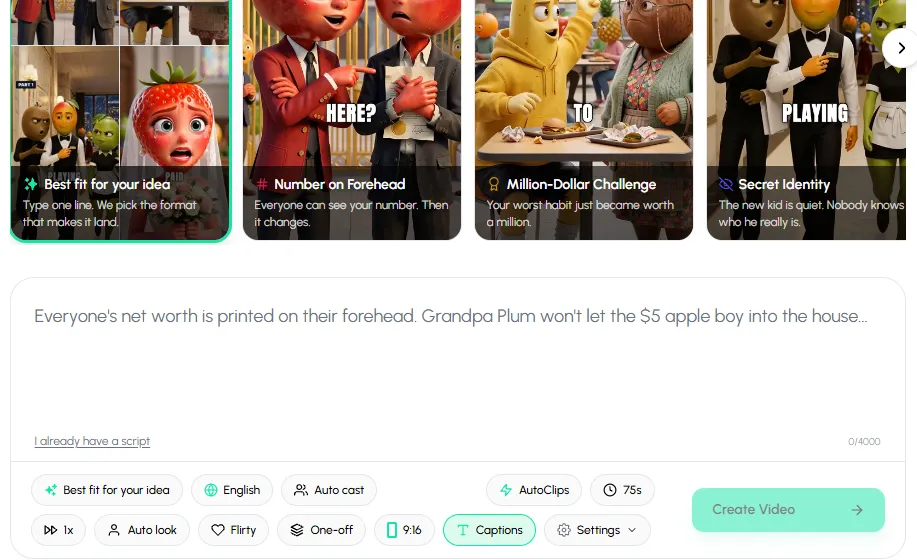
One line in the box, then set language, cast, length and captions underneath. - 4
Set language, cast and length
Pick the language the characters speak, let Autoclips cast the fruit characters (or pick your own from Characters), and choose a length: 65, 75 or 85 seconds. Leave Captions on, because most people watch with the sound off.
- 5
Create the video, then make Part 2
Press Create Video. Autoclips writes the script in the Countdown Trap shape, draws the cast so they look the same in every scene, animates each scene, voices every line and adds captions. You can check the cast before the scenes are made. When it's done, press Create Part 2 on the project in Your Stories to continue the same story with the same characters.
Pick Countdown Trap and type who is trapped and where. The clock and the twist come with it.
Open Fruit AI StoriesMistakes that sink a Countdown Trap video
- A clock that doesn't move. Every trap scene needs a lower number than the last.
- No ignored hero. If the experts save the day, there is no story.
- An unfair twist. Show the insider doing one small wrong thing before the save.
- Too much explaining at the end. One cold line or one question, then cut.
- Violence. Keep it a puzzle under pressure. Nobody needs to get hurt for it to be tense.
Want a different shape? See Emotional Plot Twist AI video guide and The Test AI video guide, or the full list of AI fruit video prompts for every format. New to fruit stories? Start with how to make fruit story videos.
Made with Autoclips
Real videos people made in the app. Tap one to watch it with sound.
Frequently asked questions
What is the countdown trap AI story format?
It is a short thriller format: a powerful character is trapped by a device with a countdown on screen, everyone fails, the person nobody listens to solves it at the last second, and a clue shows the trap was an inside job.
How do I show the timer in AI video?
Write it as text on the device in each scene prompt, for example a red digital display reading "00:09". Lower it every scene. In Autoclips the format does this for you.
How long is a Countdown Trap video?
In Autoclips a Countdown Trap video is 65, 75 or 85 seconds, long enough for every beat and short enough for Shorts, TikTok and Reels.
Who should the hero be?
Someone everyone ignores: a cleaner, a new intern, the grandson the family calls useless. Their win is the emotional payoff.
How do I end Part 1?
After the save, show the clue that it was an inside job and end on one line: "Why does your bodyguard have the other key?" That is your Part 2 hook.
Can I make it in other languages?
Yes. Pick the language before you create the video and every line is written and voiced in it.
Make your first Countdown Trap video
Type one line, pick Countdown Trap, and Autoclips writes, casts, animates and voices it for you.
Make a Countdown Trap videoAyaz Alam · Founder of Autoclips
Ayaz builds Autoclips and makes the tutorials on its YouTube channel. Every step in these guides is tested in the app before it is published.