
Rich vs Poor AI Fruit Video: The Format, the Beats and Prompts to Copy
A Rich vs Poor AI fruit video is a short reel where a rich fruit character mocks a worker to their face, and by the end has to ask that same worker for something only they control. Here are the beats, prompts you can copy, and how to make one from one line in Autoclips.
Quick answer
- The shape: the insult with a number in it, a witness takes a side, the worker does the honest thing with nobody watching, the rich one doubles down, needs the worker, the truth is said in front of everyone, and one object changes hands.
- The worker never gets angry. They answer in one calm line, and the facts do the rest.
- The reveal is backed by something in the picture: the key, the receipt with their name, the long line at their shop across the street.
- In Autoclips: open Fruit AI Stories, pick Rich vs Poor, type one line like "A rich grape mocks the valet, then needs his car keys back".
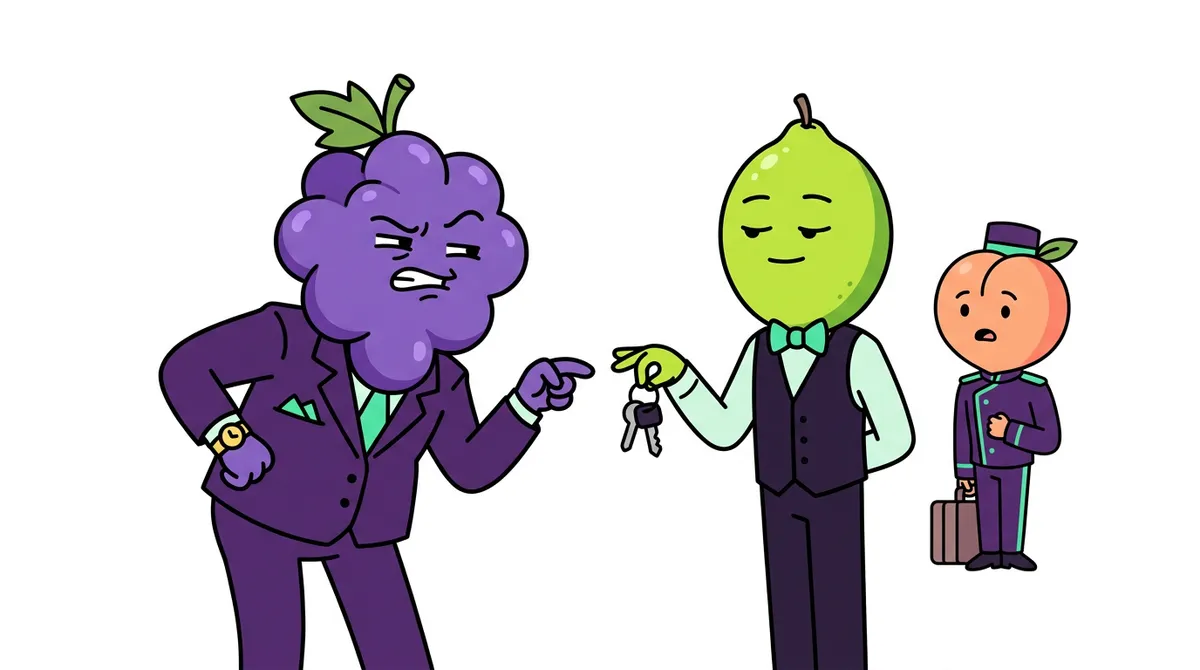
What is a Rich vs Poor fruit video?
A grape in a purple suit tosses his keys at the valet and says what he thinks the valet is worth, with a number in it. The valet, a calm lime, answers in one line. A bellhop standing nearby takes a side. Later, somewhere else, the valet returns a wallet he found, and nobody is watching.
Then the grape needs something only the valet controls. Someone who knows the valet says who he really is, in front of everyone, while the proof is right there in the shot. The reel ends on one line said to the grape's face as an object passes from one hand to the other.
Rich vs Poor is one of the five reel formats in Fruit AI Stories, the shorter, punchier family next to the story formats. Its cousin in 3D is the rags to riches animated short.
The beats of a Rich vs Poor video
Seven beats in 30 to 65 seconds. The verdict line and the object changing hands are the ending, and the reel cuts right after.
| Beat | What happens on screen |
|---|---|
| Hook | The paying one says out loud what the worker is worth, with a number. The worker answers in one calm line. |
| Setup | A third person present takes a side in their own words and says what these two are to each other. |
| Honest middle | Somewhere else, the worker does it properly with nobody watching. One silent beat shows their hands. |
| Pressure | The rich one pushes again, more publicly, and commits to something they can't take back. |
| Turn | The rich one needs something only the worker controls, and has to ask face to face. |
| Reveal | Someone else states the worker's real standing, with the proof in the shot. |
| Verdict | One line to the rich one's face while one object changes hands. Cut. |
Why Rich vs Poor videos work
- Instant sides. Nobody roots for the guy in the purple suit.
- Calm beats loud. The worker never shouting makes the ending hit harder.
- Proof on screen. The key, the receipt, the queue: a muted viewer gets it.
- Short and rewatchable. Under a minute, with a last line people quote.
Rich vs Poor prompts you can copy
Put the money where people can see and hear it: one number in the first line, and one object everyone can name that changes hands at the end.
A rich grape mocks the hotel valet for being "a $12-an-hour kid", then finds out at the front desk who signed the valet's paycheck, and the hotel's deed.
| What it is for | Copy this prompt |
|---|---|
| Story idea (one line) | A rich grape mocks the hotel valet for being "a $12-an-hour kid", then finds out at the front desk who signed the valet's paycheck, and the hotel's deed. |
| Character picture: the rich one | A middle-aged man with a whole bunch of purple grapes for a head and a normal human body, sunglasses, smug sneer, a shiny purple suit and gold watch, full body, 3D animated cartoon style, soft cinematic lighting, vertical 9:16 frame, plain background. |
| Character picture: the worker | A young man with a whole lime for a head, calm steady eyes, a neat black valet vest, white shirt and bow tie, holding a set of car keys, full body, 3D animated cartoon style, soft cinematic lighting, vertical 9:16 frame, plain background. |
| Scene 1: the hook | Outside a palm-lined hotel entrance, the grape throws his car keys at the lime valet and laughs; a peach-headed bellhop beside a luggage cart frowns. Medium two-shot. |
| Scene 2: honest middle | No dialogue. In the car park, the lime finds a fat leather wallet on the back seat and places it carefully in a "LOST PROPERTY" box. Close-up on his hands. |
| Scene 3: the verdict | At the front desk, the peach bellhop says "He owns the place, sir," as the lime hands the grape his keys back; the grape's face falls. Two-shot. |
| Caption / hook line | He called the valet a $12 kid. Then he needed his keys back. #fruitstory |
More Rich vs Poor story ideas
- A rich mango mocks the burger cashier, then needs the last table in her restaurant.
- A snobby customer insults the barber, then finds out he owns the salon chain.
- A rich girl laughs at the bus driver, then misses the only bus to her exam.
- A car dealer ignores a farmer in muddy boots, who pays cash at the next showroom.
- A landlord mocks his cleaner, fifteen years later she owns the building he rents his office in.
How to make a Rich vs Poor AI fruit video in Autoclips
Fruit AI Stories writes the insult, the silent honest beat and the verdict, and keeps the rich one and the worker looking the same in every shot.
- 1
Open Fruit AI Stories
Sign in to Autoclips and open Fruit AI Stories from AI Studio. The screen asks one question, "What is your story?", and shows the formats as cards: the viral story formats first, then the reel formats. Rich vs Poor is one of the reel formats.
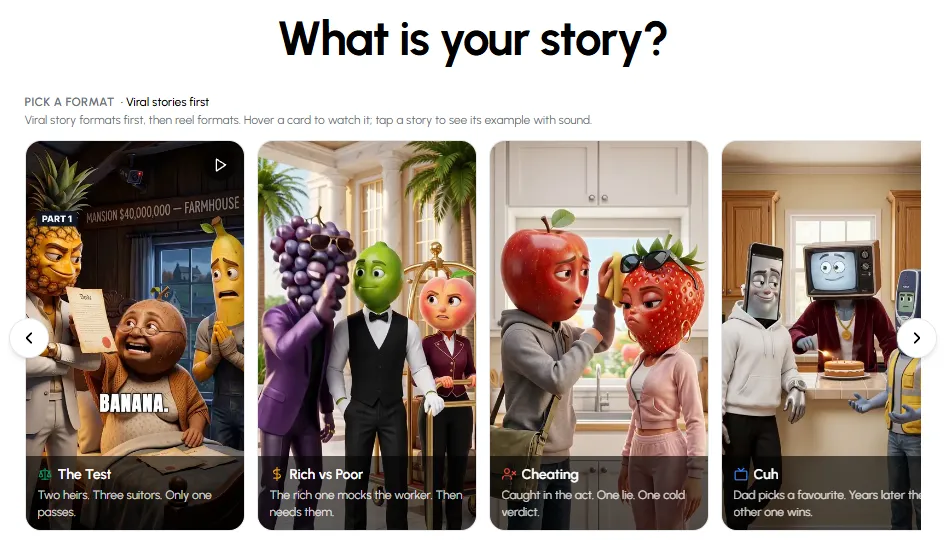
The format picker in Fruit AI Stories. - 2
Pick Rich vs Poor
Click the Rich vs Poor card. Hover over it first if you want to watch the example. If you're not sure which format fits, leave it on Best fit for your idea and Autoclips picks one from your line.
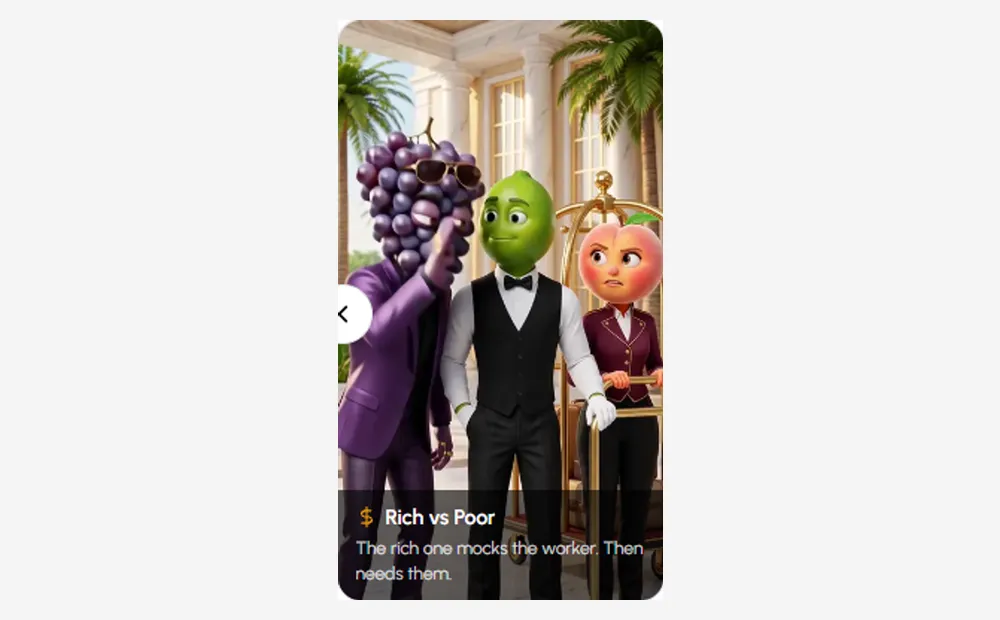
The Rich vs Poor card in the format picker. Hover it to watch an example. - 3
Type your idea in one line
Type the story in one sentence, for example: "A rich grape mocks the valet, then needs his car keys back". You don't need to write the beats; the format adds them. Already have a script? Click I already have a script and paste it, and your lines are kept.
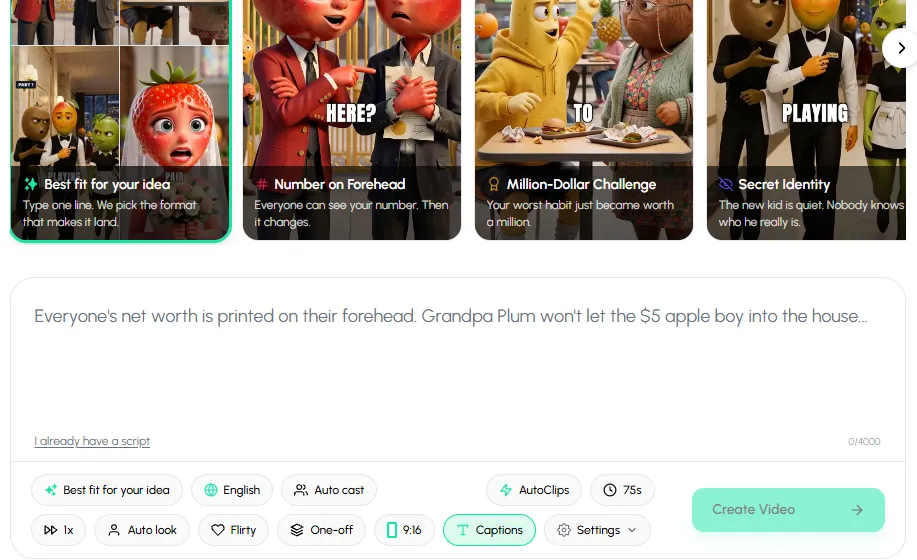
One line in the box, then set language, cast, length and captions underneath. - 4
Set language, cast and length
Pick the language, let Autoclips cast the fruit characters (or pick your own from Characters), and choose a length between 30 and 65 seconds. Leave Captions on, because most people watch with the sound off.
- 5
Create the video, then make Part 2
Press Create Video. Autoclips writes the script in the Rich vs Poor shape, draws the cast so they look the same in every scene, animates each scene, voices every line and adds captions. You can check the cast before the scenes are made. When it's done, press Create Part 2 on the project in Your Stories to continue the same story with the same characters.
Pick Rich vs Poor and type the insult and the place. The turn and the verdict come with it.
Open Fruit AI StoriesMistakes that sink a Rich vs Poor video
- An angry worker. The worker never needs to raise their voice. That is the point.
- The worker reveals it themselves. Someone else has to say who they really are.
- A badge or apron coming off. It's a cliché. Show proof that belongs to the story: the keys, the receipt, the queue.
- No number. "Twelve dollars an hour" in the first line is what makes it sting.
- A speech at the end. One line, one object changing hands, cut.
Want a different shape? See Cuh AI video guide and Impossible Commission AI video guide, or the full list of AI fruit video prompts for every format. New to fruit stories? Start with how to make fruit story videos.
Made with Autoclips
Real videos people made in the app. Tap one to watch it with sound.
Frequently asked questions
What is the rich vs poor fruit video trend?
It is a short AI reel format where a rich fruit character insults a worker, the worker stays calm and honest, and by the end the rich one has to ask the worker for something. Someone reveals the worker's real standing and the reel ends on one line.
What prompt do I use for a rich vs poor AI video?
Start with a one-line story that has a place, an insult with a number and a turn ("then needs his keys back"). Then make a picture of each character and one prompt per scene. The table above has a full set to copy.
How long is a Rich vs Poor video?
In Autoclips the reel formats run 30 to 65 seconds. Rich vs Poor works best around 45 to 60 seconds: long enough for the full turn, short enough to rewatch.
Does the worker have to be secretly rich?
No. They can own the place, be the boss, or simply hold the one thing the rich one needs. A time jump like "Fifteen years later" also works for the reveal.
Can I use my own characters?
Yes. Pick saved characters from Characters, or let Autoclips cast them. They keep the same look in every scene.
Is Rich vs Poor available on the free plan?
The reel formats, including Rich vs Poor, work on every plan. Every video uses credits, and longer lengths need a higher plan.
Make your first Rich vs Poor video
Type one line, pick Rich vs Poor, and Autoclips writes, casts, animates and voices it for you.
Make a Rich vs Poor videoAyaz Alam · Founder of Autoclips
Ayaz builds Autoclips and makes the tutorials on its YouTube channel. Every step in these guides is tested in the app before it is published.