
Clay Animation Maker: Stop Motion Apps vs AI, and Which One to Use
A clay animation maker is either an app that helps you photograph real clay frame by frame, or an AI tool that makes the clay look for you from a typed idea. If you want to sculpt and film, use a stop motion app like Stop Motion Studio, or Dragonframe for pro work. If you want talking clay videos for TikTok, Reels and Shorts without clay or a camera, use an AI claymation maker. Here is how each kind works and which one fits you.
Quick answer
- Two kinds of clay animation maker: stop motion apps that capture real clay one photo at a time, and AI tools that create the clay look from text.
- For real clay: Stop Motion Studio is the easiest start on a phone or computer; Dragonframe is the professional desktop tool.
- For talking clay videos without clay: Autoclips Claymation sculpts 1 to 4 of your characters in clay, writes the dialogue, voices them and makes a vertical video.
- Real clay takes hours per few seconds of video. AI takes a minute of your time, then renders, and uses credits.
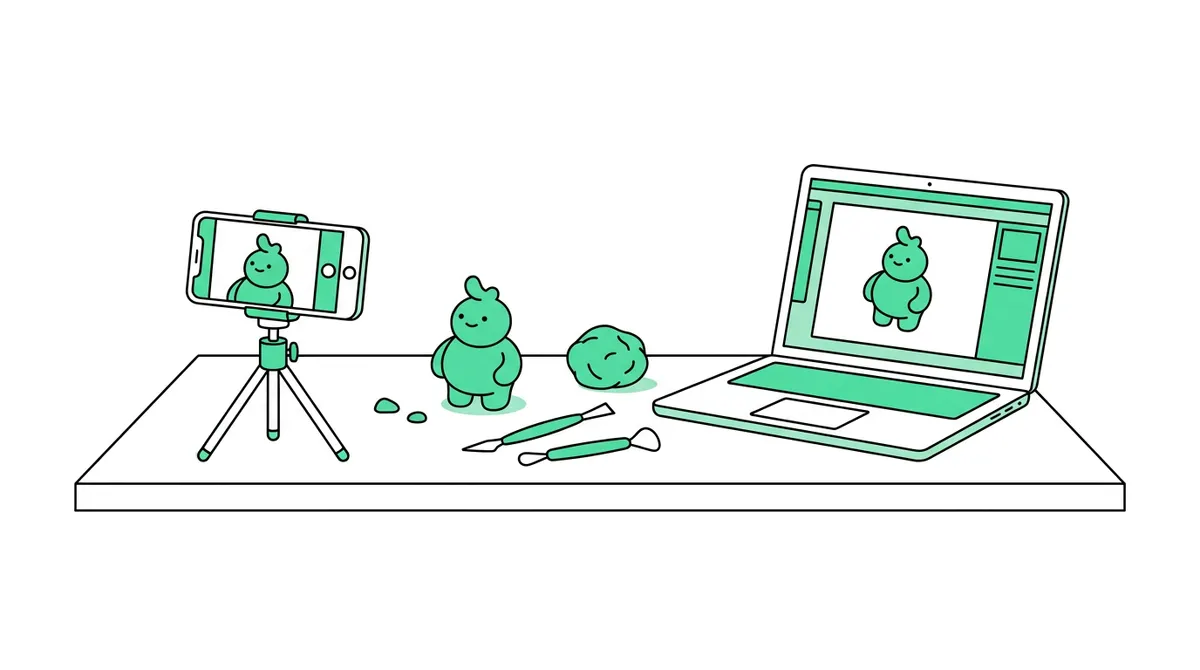
The two kinds of clay animation maker
Search for a clay animation maker and you'll find two very different things under the same name. Knowing which one you want saves you a lot of time.
| Stop motion app (real clay) | AI clay animation maker | |
|---|---|---|
| What you do | Sculpt figures, build a set, take one photo per tiny movement | Pick characters, type what happens |
| What the tool does | Captures frames, shows onion skin, plays them back | Creates the clay look, the movement, the voices and captions |
| Time for 30 seconds | Many hours (about 360 photos at 12 frames a second) | About a minute of your time, then it renders |
| Talking characters | Record voices, then shape mouths frame by frame | Built in, in many languages |
| The look | Truly handmade, every thumbprint real | Handmade-looking, made by AI |
| Cost | Free and paid apps, plus clay, lights, a stand | Credits per video |
| Best for | Learning the craft, art projects, school | Posting clay skits regularly on social media |
Stop motion apps for real clay
If you want to make clay animation by hand, these are the tools people use. Check each one's own site for current platforms and pricing.
Stop Motion Studio
The most common place to start. It runs on phones, tablets and computers, shows the previous frame as a see-through layer (onion skin) so you know how far to move the clay, and edits and exports the film in the same app. It has a free version and paid extras.
Dragonframe
The professional desktop tool for stop motion, used by studios. It controls cameras directly, handles lighting and motion control, and has tools for lip sync. Paid, and more than a beginner needs, but it's what to grow into.
Simple phone apps
Kids' and beginner apps like Piximakey on iPhone keep it to the basics: take photos, play them back, export. Good for a first try or a classroom.
What you need besides the app
- Oil-based modelling clay (plasticine). It doesn't dry out, so you can reshape it all day. Air-dry clay and play dough crack.
- A stand or tripod. The camera must not move between photos.
- Steady light. A lamp, not a window. Daylight changes and makes the video flicker.
- Patience. At 12 frames a second, one second of film is 12 photos. Most beginners use 12 instead of 24 to halve the work.
AI clay animation maker: how it works in Autoclips
Autoclips Claymation makes short talking clay skits: your characters, sculpted in clay, acting out a scene you type, in one continuous scene that builds to a punchline. It's made for TikTok, Instagram Reels and YouTube Shorts.
- 1
Choose who's in the skit
Open Claymation and press Choose your star. Pick 1 to 4 characters: saved characters, a photo you upload, or a new one the AI makes. Everyone gets the clay treatment automatically. The first pick is the star who drives the skit; the rest are supporting cast.
- 2
Type the situation and pick a vibe
Describe what happens in one line, like "Gym bro tries a yoga class for the first time", or click a suggestion. Then pick a vibe: Comedy, Romance, Drama, Action or Horror Comedy. The vibe sets the tone and the kind of punchline.
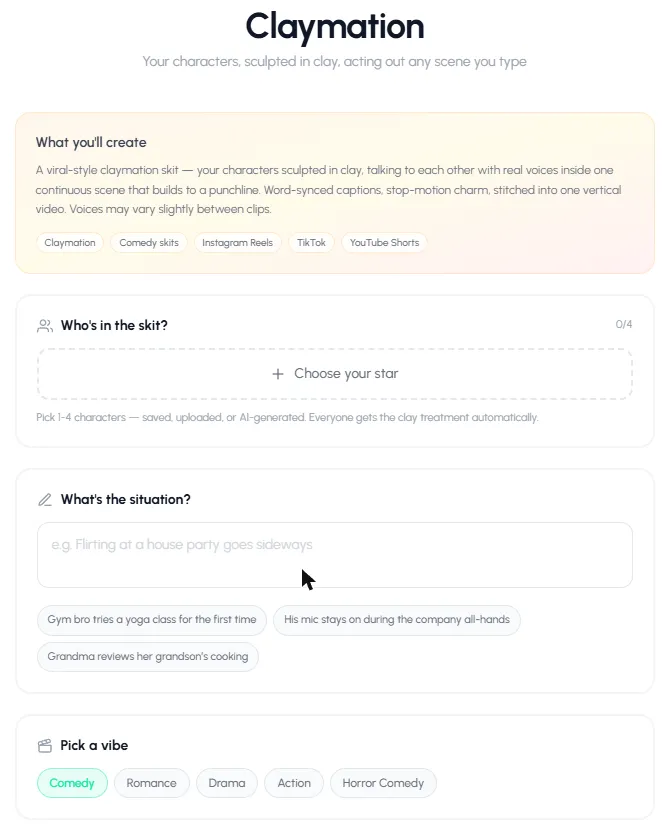
Cast, situation and vibe: the three choices that shape the skit. - 3
Choose the language, quality and length
Pick the spoken language: the cast speaks it and the captions are in it. Then the quality: Pro Max (8-second clips, best quality, fastest), Pro (10-second clips with the most cinematic motion) or Lite (quick, lower-cost 8-second clips).
Set 4 to 8 clips. Five 8-second clips make a video of about 40 seconds. The exact credit cost shows before you start.
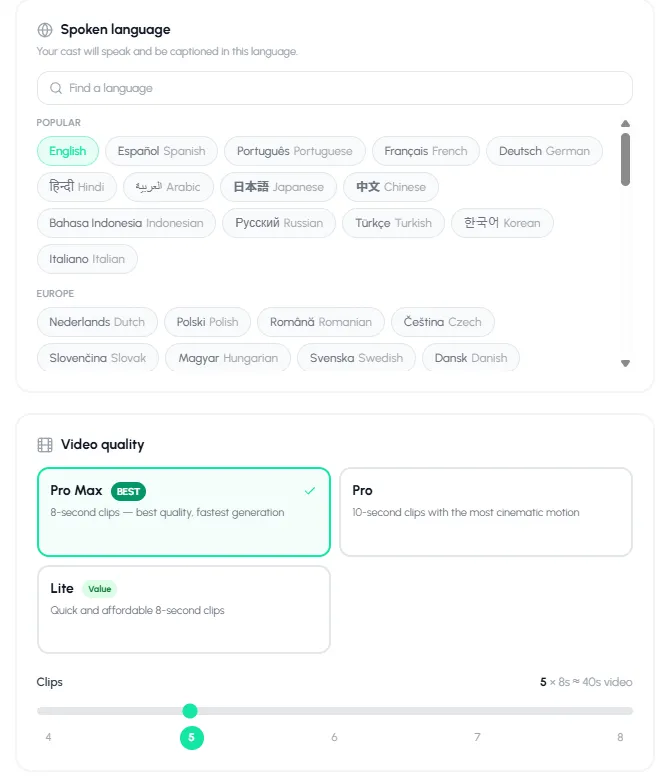
Language, quality and clip count. Clip count sets the length. - 4
Create the skit
Press Create My Skit. The AI writes the dialogue, draws each scene in clay, makes each clip with the characters talking, and joins them into one vertical video with word-synced captions. You're charged per clip as each one finishes, and a clip that fails is never charged.
- 5
Adjust, download and post
Change the caption style and position, then download the video. Autoclips also writes a title, description and hashtags you can copy in one click for posting.
Make your first clay skit. It takes about a minute to set up.
Open ClaymationWhich clay animation maker should you use?
- You love making things by hand, or it's for school: Stop Motion Studio and a block of plasticine.
- You want to make a stop motion short film to festival quality: Dragonframe, a good camera and lights.
- You want to post funny clay skits several times a week: an AI clay animation maker like Autoclips Claymation.
- You want both: sculpt your own character, photograph it, and upload that photo as a character in Claymation.
Need a story to make? See clay animation story ideas for 30 plots with endings. Deciding between clay and smooth 3D? Read claymation vs 3D animation. Want it in your browser with nothing to install? The claymation maker online page covers that, and the AI claymation video generator page shows examples.
Frequently asked questions
What is the best clay animation maker?
For real clay, Stop Motion Studio is the easiest to start with and Dragonframe is the professional choice. For talking clay videos without any clay, an AI claymation maker like Autoclips Claymation is fastest, because it creates the clay look, voices and captions for you.
Is there a free clay animation app?
Yes, several stop motion apps have free versions, including Stop Motion Studio. You still need clay, a stand and a lot of time. Autoclips is free to sign up for, but making a claymation video uses credits.
What app do people use for claymation on TikTok?
Handmade clay creators mostly use stop motion apps such as Stop Motion Studio. Many of the talking clay skits you see are made with AI tools instead, which create the clay look from characters and a written situation.
Can I make clay animation on my phone?
Yes. Stop motion apps run on phones for real clay, and Autoclips Claymation works in your phone's browser with nothing to install.
How long does it take to make a clay animation?
By hand, a 30 second video at 12 frames a second is about 360 photos plus voices and editing, so many hours. With AI, setting up takes about a minute and the video renders on its own.
Can I turn my own photo into a clay character?
Yes. In Autoclips Claymation, upload a photo when you choose the cast and that person or object is sculpted in clay automatically.
What clay is best for stop motion?
Oil-based modelling clay (plasticine), because it never dries out and you can keep reshaping it. Avoid air-dry clay and play dough, which crack and crumble under lights.
Make a talking clay video today
No clay, no camera. Pick characters, type a situation, and Autoclips makes the claymation skit.
Try the AI clay makerAyaz Alam · Founder of Autoclips
Ayaz builds Autoclips and makes the tutorials on its YouTube channel. Every step in these guides is tested in the app before it is published.