
Claymation vs 3D Animation: Which Style Is Right for Your Channel?
Claymation is physical figures moved and photographed one frame at a time, with a handmade, lumpy look. 3D animation is made on a computer, with smooth, polished characters. For a short-video channel, pick claymation for funny talking skits and pick 3D for emotional stories and explainers. Both can now be made with AI, and here is how to choose.
Quick answer
- Claymation: handmade look, thumbprints, a slightly jerky charm. Best for comedy skits with two to four talking characters.
- 3D animation: smooth, polished, cinematic. Best for underdog stories, family drama and "what would happen if" explainers.
- By hand, both take a long time: clay means hundreds of photos, 3D means learning modelling and rigging.
- With AI in Autoclips, Claymation makes a 30 to 80 second talking clay skit from a few choices, and 3D Animated Studio 2.0 makes a 20 to 90 second 3D short with full control over every step.
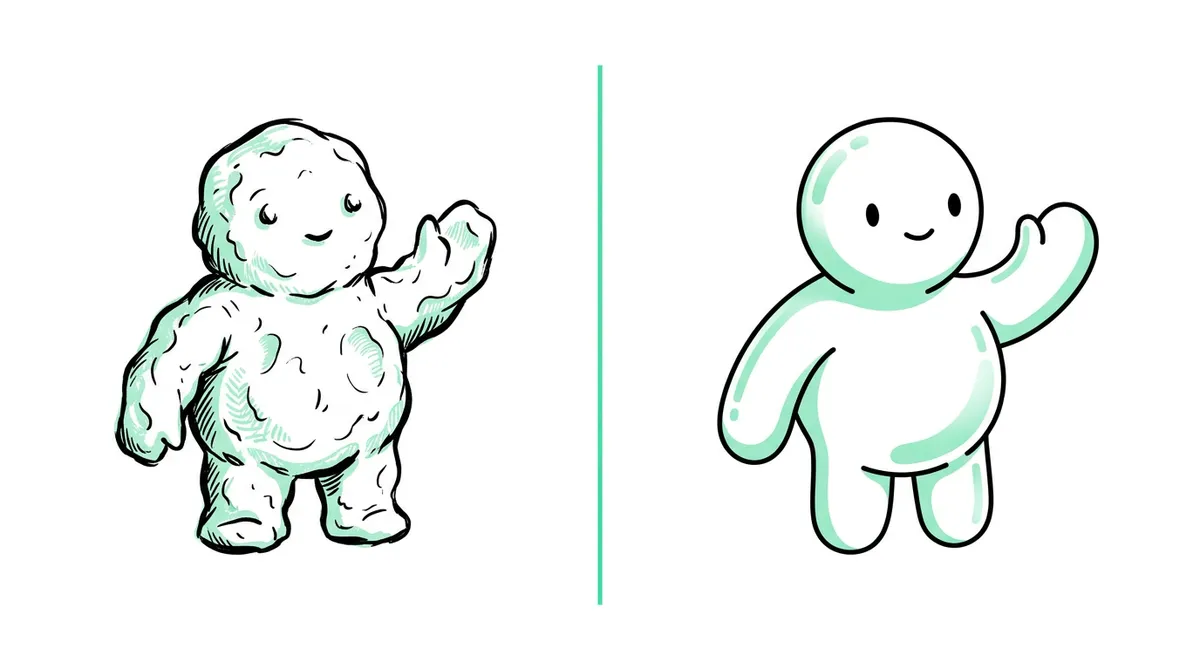
Claymation vs 3D animation: the difference
Claymation (clay animation) is a kind of stop motion. Real clay figures are reshaped a tiny bit between photos, and the photos play back as movement. 3D animation builds characters as digital models on a computer, poses them, and renders every frame. Some people call clay "3D" because the figures are three-dimensional, but in everyday use "3D animation" means computer-made.
| Claymation | 3D animation | |
|---|---|---|
| How it's made by hand | Sculpt, move, photograph, repeat | Model, rig, animate, light, render on a computer |
| Look | Handmade, thumbprints, soft lumpy edges | Smooth, glossy, cinematic |
| Movement | Slightly jerky, and that's the charm | Smooth and fluid |
| Feels like | Cosy, funny, a bit absurd | A small animated film |
| Best stories | Comedy skits, awkward moments, horror comedy | Underdog stories, family drama, explainers |
| Time by hand for 30 s | Hundreds of photos, many hours | Days, plus months to learn the software |
| Hardest part | Keeping figures and light steady | Learning the software |
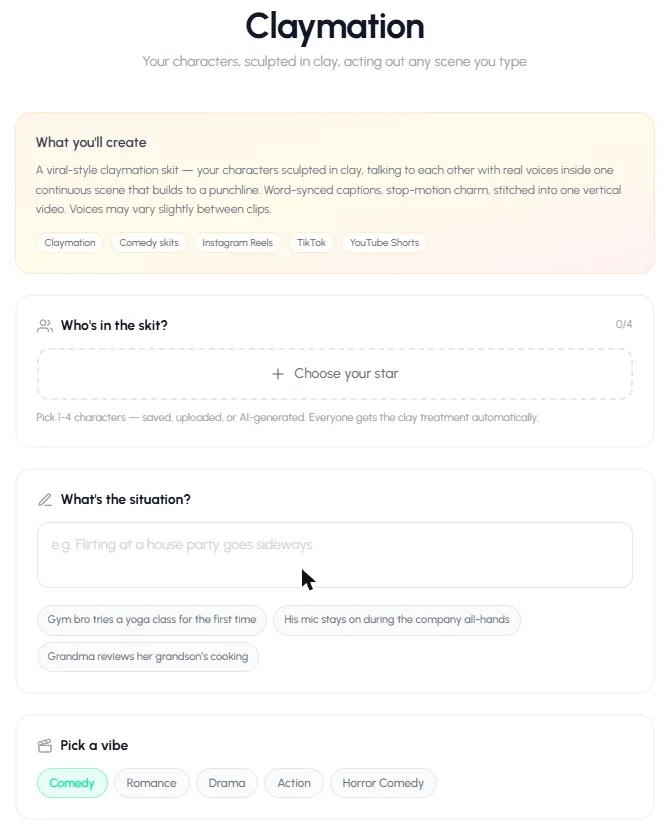
When to pick claymation
- Your videos are jokes. Setup, escalation, punchline. Clay makes absurd situations feel friendly.
- Your characters talk to each other. Two to four characters in one scene is what clay skits do best.
- You want to stand out. Clay looks different from almost everything else in the feed.
- You post often. The AI claymation flow has only a few choices, so a skit takes a minute to set up.
See clay animation story ideas for 30 plots that suit clay.
When to pick 3D animation
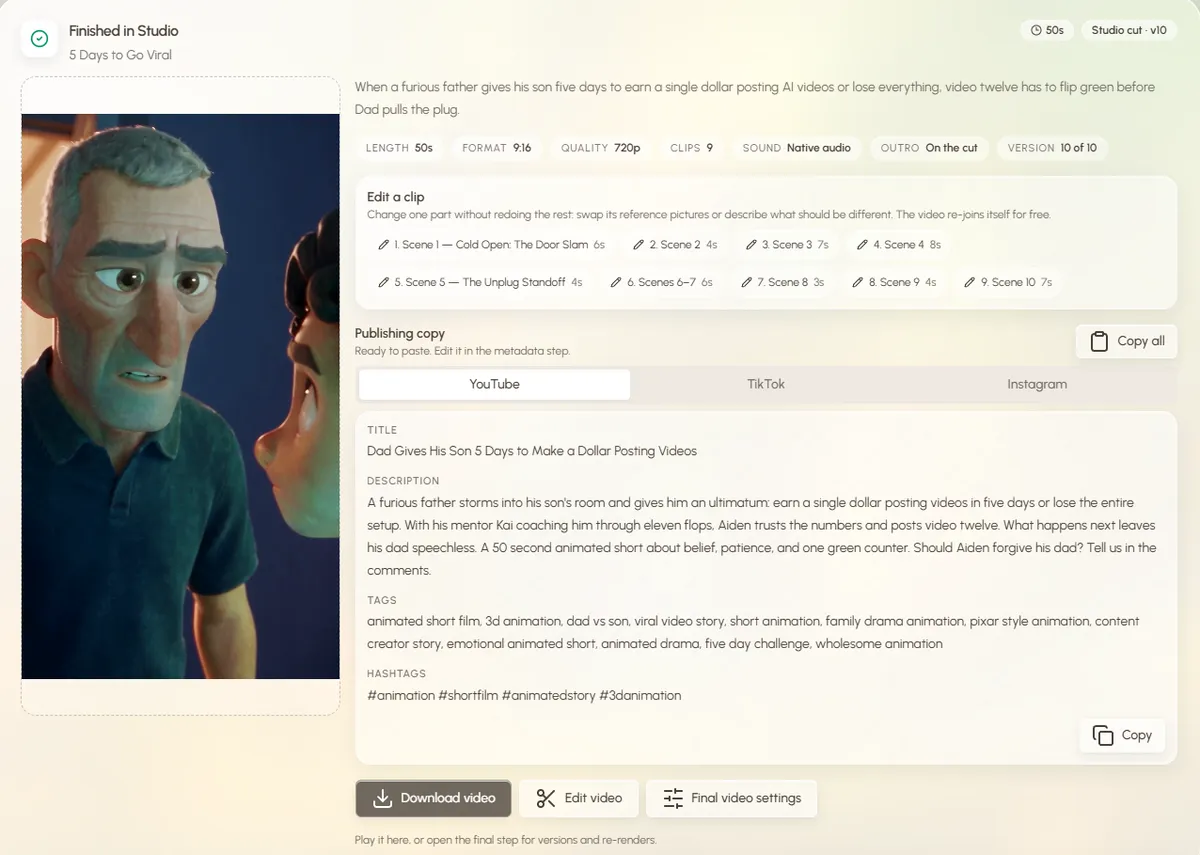
- Your stories are emotional. The polished 3D cartoon look makes viewers care about a character fast.
- You explain things. Inside-the-body views, science, history: 3D can show anything.
- You want a cinematic feel. Lighting, camera moves and close-ups read like a film.
- You want control over every shot. Scripts, characters, props and each clip can be checked and changed.
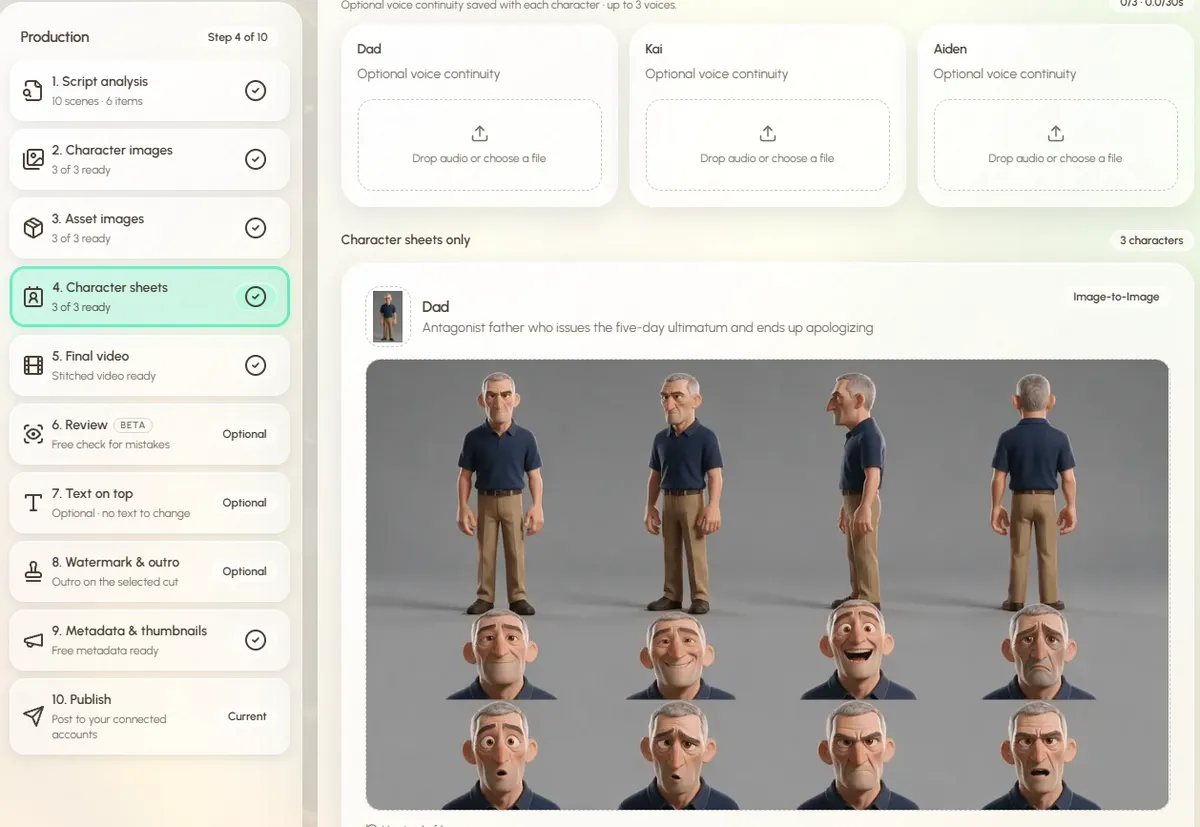
See Pixar-style AI animation for the 3D look, and rags to riches animated shorts for the 3D story format that does best on Reels.
AI claymation vs AI 3D animation in Autoclips
Autoclips has a tool for each style. They are built for different jobs:
| Claymation | 3D Animated Studio 2.0 | |
|---|---|---|
| You give it | 1 to 4 characters, a one-line situation, a vibe | A topic, an idea or your own script, plus optional pictures |
| Who speaks | The characters, to each other | A narrator, the characters, or both |
| Length | 4 to 8 clips of 8 or 10 s (about 32 to 80 s) | 20 to 90 seconds |
| Shape | Vertical | 9:16 by default, other shapes available |
| Steps you control | A few choices, then it makes the video | 10 steps: script, characters, props, sheets, clips, review, text, watermark, metadata, publish |
| Hands-off option | Always: it runs after you press create | Autopilot builds the whole video; Director lets you approve each step |
| Languages | Pick the spoken language from a list | Write in your language and the script follows it |
| Fixing one part | Redo a clip | Edit one clip and the video re-joins for free |
| Cost | Credits per clip, charged as each finishes | Credits for what you use |
Start with a clay skit: pick two characters, type one situation, and see it in clay.
Open ClaymationCan you use both on one channel?
You can, but most channels grow faster with one look, because viewers follow a format. A good way to choose: take one idea, make it once as a clay skit and once as a 3D short, post both a few days apart, and keep the style that holds viewers longer. Then stick to it for at least 20 videos before you judge it.
Want to see clay tools side by side, including handmade apps? Read clay animation maker. For examples of each style, see the AI claymation video generator and the AI 3D animation generator pages.
Frequently asked questions
What is the difference between claymation and 3D animation?
Claymation moves real clay figures a little between photos, so it looks handmade and slightly jerky. 3D animation is made on a computer from digital models, so it looks smooth and polished. Both can now be made with AI without the manual work.
Is claymation considered 3D animation?
Clay figures are three-dimensional, so some people group them together, but claymation is a type of stop motion. When people say "3D animation" they almost always mean computer-generated animation.
Which is easier, claymation or 3D animation?
By hand, claymation is easier to start (clay, a phone, an app) but slow to make. 3D needs months of learning software. With AI, claymation has fewer choices and is quicker to set up; 3D Studio gives more control over each step.
Which style gets more views on YouTube Shorts?
Neither wins every time. Clay skits stand out in the feed and suit comedy, while 3D stories suit emotional and explainer content. Test both on the same idea and keep the one your viewers watch longer.
Is claymation more expensive than 3D animation?
By hand, claymation costs less to start but takes more of your time per second. In Autoclips both use credits: Claymation charges per clip as each finishes, and 3D Studio charges for what you use, with an estimate before you start.
Can I make both styles with AI?
Yes. Autoclips has Claymation for talking clay skits and 3D Animated Studio 2.0 for 3D animated shorts, both from a typed idea.
Try both and see what your viewers like
Make one clay skit and one 3D short on the same idea, post both, and let the numbers pick your style.
Try ClaymationAyaz Alam · Founder of Autoclips
Ayaz builds Autoclips and makes the tutorials on its YouTube channel. Every step in these guides is tested in the app before it is published.