
Stickman Stop Motion: Make It by Hand, or Get the Look with AI
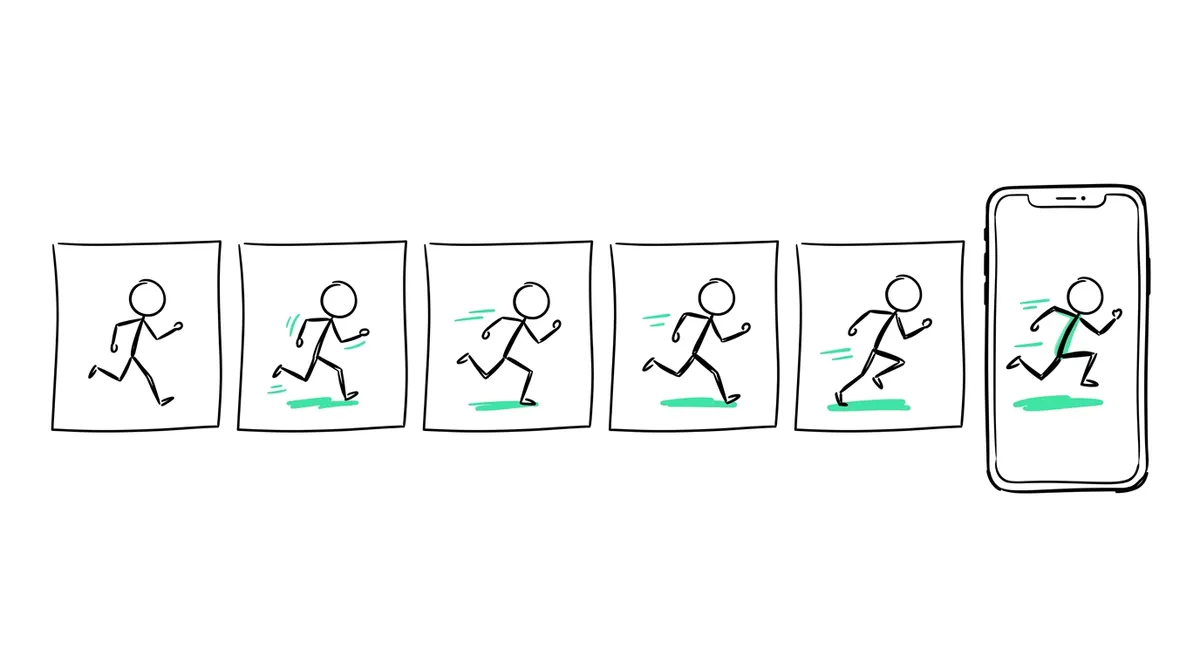
A stickman stop motion is a stick figure that moves because you photograph it, change it slightly, and photograph it again: drawn on sticky notes or a whiteboard, or built from clay or wire. You need a phone on a stand and a stop motion app. AI doesn't make frame-by-frame stop motion for you, but it can make a stickman video or a clay stickman skit with a similar handmade feel. Here are both ways, and what each one really does.
Quick answer
- By hand: draw or build a stick figure, move it a tiny bit between photos, take about 12 photos per second of video, and play them back in a stop motion app.
- Three easy ways: sticky notes or paper, a whiteboard, or a stick figure made of clay, wire or pipe cleaners.
- With AI (Autoclips): Stickman makes voiced stickman story videos from one line, and Claymation turns a character you upload, like your stick figure, into a talking clay skit.
- AI doesn't photograph frames for you, so it isn't true stop motion. It gets a finished video in minutes instead of hours.
How to make a stickman stop motion by hand
Stop motion is the oldest trick in animation: change something a little, take a photo, repeat. Stick figures are the easiest subject there is, which is why so many people start here.
| Method | What you need | Good for |
|---|---|---|
| Sticky notes or paper | A pad, a pen, a phone | Flipbook style, running and jumping |
| Whiteboard | A whiteboard, a marker, a cloth to erase | The classic "stickman vs. hand" style, where your hand joins in |
| Clay or wire figure | Plasticine, or pipe cleaners and a bead for the head | A 3D stickman that walks across a real table |
- Fix the camera. Put your phone on a stand or tape it to a stack of books. If it moves, the video shakes.
- Use steady light. A desk lamp, not a window: daylight changes and makes the video flicker.
- Open a stop motion app. Stop Motion Studio is a common free start. Turn on onion skin, so you see the last photo faintly while you set up the next one.
- Move a little each time. Arms and legs move a few millimetres per photo. Big jumps look jerky.
- Shoot 12 photos per second of video. A 10 second clip is 120 photos. 24 per second is smoother but doubles the work.
- Add sound last. Record a voice or add music and effects when the pictures are done.
What AI can and can't do for stickman stop motion
To be clear about it: AI tools don't take hundreds of photos of a figure for you, so what they make isn't true stop motion. What they can do is give you a finished stickman video, or a clay stickman, without the hours of shooting. In Autoclips there are two ways to do that.
1. A stickman story video (Stickman)
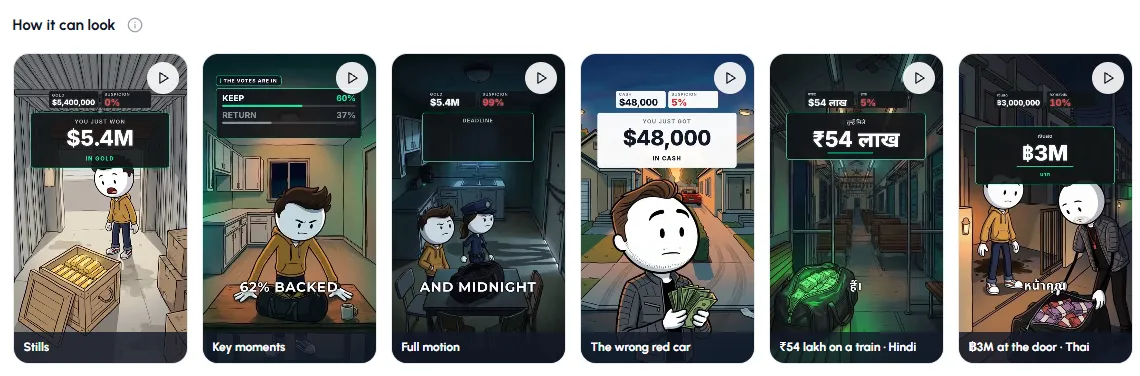
Stickman in Autoclips turns one line into a voiced stickman video, 30 to 120 seconds, with a round-headed stickman in painted scenes. You choose how much it moves: Stills (pictures with a slow camera move, no extra credits), Key moments (the scenes where someone acts are clips) or Full motion (every scene moves). Stills is the closest to a pose-to-pose, picture-by-picture feel.
The full guide is AI stickman video generator, and the looks you can pick are in stickman video styles.
2. A clay stickman skit (Claymation)
If you want the handmade, stop-motion feel, Claymation is the closer match. It sculpts your characters in clay and makes them act out a scene you type, with voices and captions. Upload a picture of your own stick figure when you choose the cast, or describe one, and it gets the clay treatment like any other character.
- 1
Add your stick figure as the star
Open Claymation, press Choose your star and upload a clear picture of your stickman (a drawing or a photo of your clay figure). Add up to three more characters if you want a cast.
- 2
Type what happens
One line, like "A stickman escapes from a sticky note and gets chased by a highlighter". Pick a vibe: Comedy, Romance, Drama, Action or Horror Comedy.
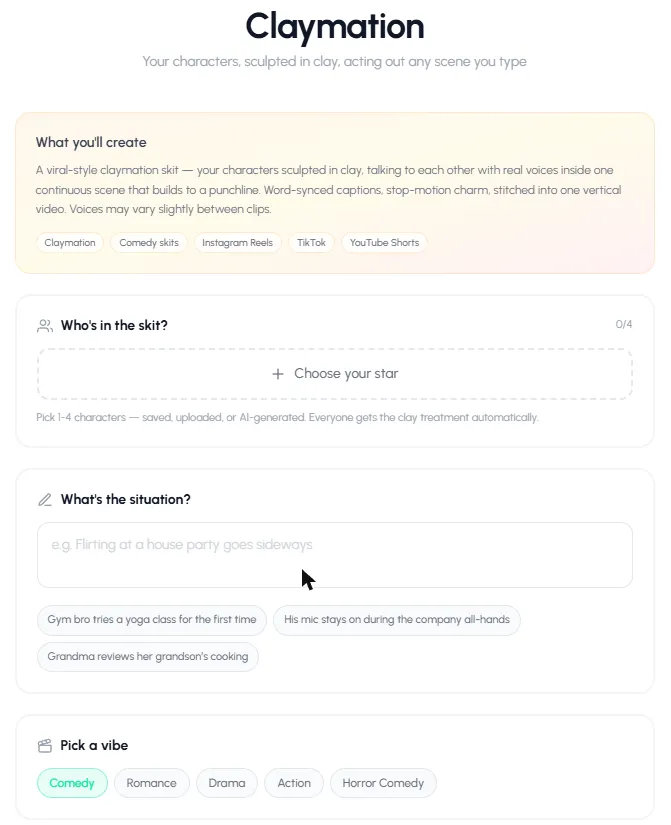
Choose your star, type the situation, pick a vibe. - 3
Pick language, quality and clips, then create
Choose the spoken language, the quality (Pro Max, Pro or Lite) and 4 to 8 clips, then press Create My Skit. Each clip is charged as it finishes, and failed clips are never charged.
- 4
Download and post
You get one vertical video with word-synced captions, plus a title, description and hashtags to copy.
Upload your stick figure and turn it into a talking clay skit.
Open ClaymationWhich way should you choose?
| You want... | Do this |
|---|---|
| To learn animation, or a school project | Make it by hand with a stop motion app |
| Real stop motion, every frame yours | By hand. AI can't do this part for you. |
| A stickman story channel on Shorts and TikTok | Autoclips Stickman |
| A handmade-looking clay stickman that talks | Autoclips Claymation with your figure as the star |
Comparing tools for clay work? See clay animation maker. For more about the clay format, read the stop motion AI video generator page and our clay animation story ideas.
Frequently asked questions
How do you make a stickman stop motion?
Draw or build a stick figure, fix your phone on a stand, and take a photo each time you move the figure a tiny bit. About 12 photos make one second of video. A stop motion app plays them back as a film.
What app is best for stickman stop motion?
A stop motion app with onion skin, like Stop Motion Studio, is the easiest start. If you only want to draw and animate a stickman on screen, a frame-by-frame app such as Pivot Animator or FlipaClip works too, though that is 2D animation rather than stop motion.
Can AI make a stickman stop motion?
Not in the true sense: AI doesn't photograph a figure frame by frame. It can make a finished stickman video, or turn your stick figure into a talking clay character, with a similar handmade feel in minutes.
How many frames do I need for a stickman stop motion?
At 12 frames per second, a 10 second video needs about 120 photos. At 24 frames per second it's 240. Most beginners use 12.
Can I turn my stick figure drawing into a clay character?
Yes. In Autoclips Claymation, upload the drawing when you choose the cast and it is sculpted in clay automatically, then acts out the scene you type.
What was the famous stickman stop motion video?
"Stickman vs. Hand" style videos, where a drawn stickman fights the animator's hand, are the best-known type. Many are made on paper or whiteboards with a phone and a stop motion app.
Skip the 300 photos
Upload your stick figure and type what happens. Autoclips makes it a talking clay skit, or a stickman story video.
Make a clay skitAyaz Alam · Founder of Autoclips
Ayaz builds Autoclips and makes the tutorials on its YouTube channel. Every step in these guides is tested in the app before it is published.