
AI Stickman Video Generator: Make Stickman Videos From One Line of Text
An AI stickman video generator turns one line of text into a finished stickman video: it writes the script, voices it, draws and animates every scene, adds captions and exports a vertical video you can post. Here is how it works in Autoclips, which format to pick, and how to get videos people actually finish watching.
Quick answer
- Open Stickman in Autoclips, pick a format (You Decide, True Story, Character Speaks, Explainer or Skit) and type one line, like "the man who got rich selling rocks".
- The AI plans the story, writes the script, picks a voice, draws every scene and animates the stickman. You choose length (30 to 120 seconds), language, motion and look.
- You get a vertical 9:16 video with captions and on-screen numbers, ready for YouTube Shorts, TikTok and Reels, and you can post it straight from the app.
- No drawing or editing skills needed. Setting up a 90-second video takes about a minute of your time.
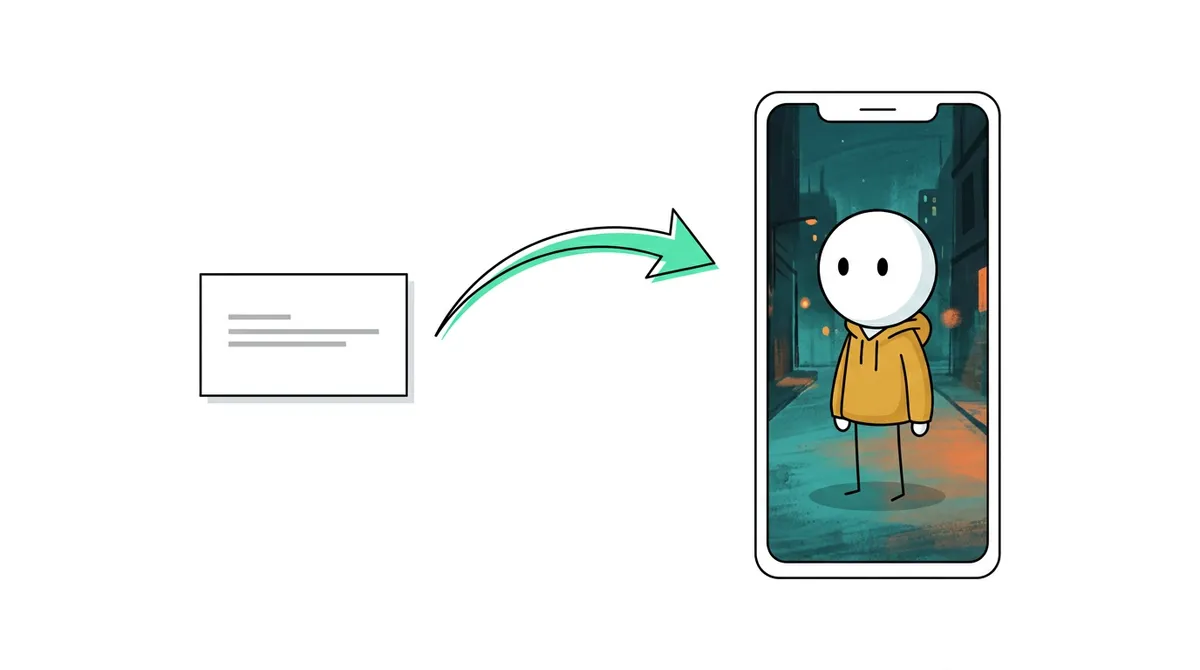
What an AI stickman video generator does
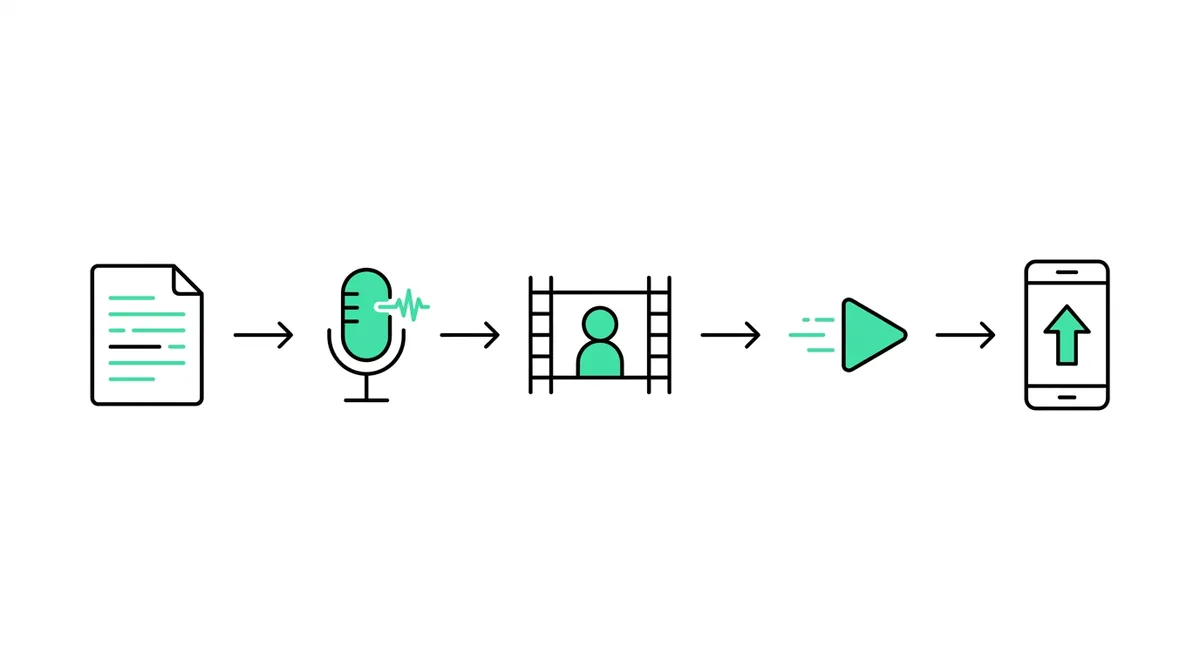
Stickman channels used to mean hours in an animation app, posing a stick figure frame by frame, then recording a voiceover and cutting it together. An AI stickman video generator does all of that from a sentence. You describe the video, and the tool handles the five jobs that take the time:
- Script. It researches the story or idea and writes a script with a hook in the first two seconds and an ending that lands.
- Voice. It reads the script in a natural voice, in the language you pick.
- Scenes. It draws each scene with the same stickman character, so your hero looks the same from the first shot to the last.
- Animation. It moves the character and camera, from simple still pictures up to full motion.
- Finishing. It adds captions, on-screen numbers and music, then exports a 9:16 video you can post.
The result looks like the stickman story channels you see on Shorts and TikTok: a round-headed character in painted scenes, a calm narrator, big numbers on screen when money or time is involved, and a cut every couple of seconds so the viewer keeps watching.
The 5 kinds of stickman videos you can make
Pick the format before you type anything. Each one writes a different kind of script.
| Format | What it makes | Best for |
|---|---|---|
| You Decide | A thriller where the viewer is the hero. Every part ends on a vote, and the comments decide what happens next. | Series that grow through comments. See You Decide stickman videos. |
| True Story | A real story told with a stickman, researched and narrated, with the real numbers on screen. | Money, business and history channels. See true story animation videos with AI. |
| Character Speaks | The stickman characters talk to each other in their own voices instead of a narrator. | Dialogue, drama and skits with more than one person. |
| Explainer | A stickman explains a topic step by step. | Education, science and "how it works" channels. See stickman explainer videos. |
| Skit | A short funny scene with a setup and a punchline. | Comedy and relatable moments. See stickman skit videos. |
How to make a stickman video with AI, step by step
- 1
Open Stickman and pick a format
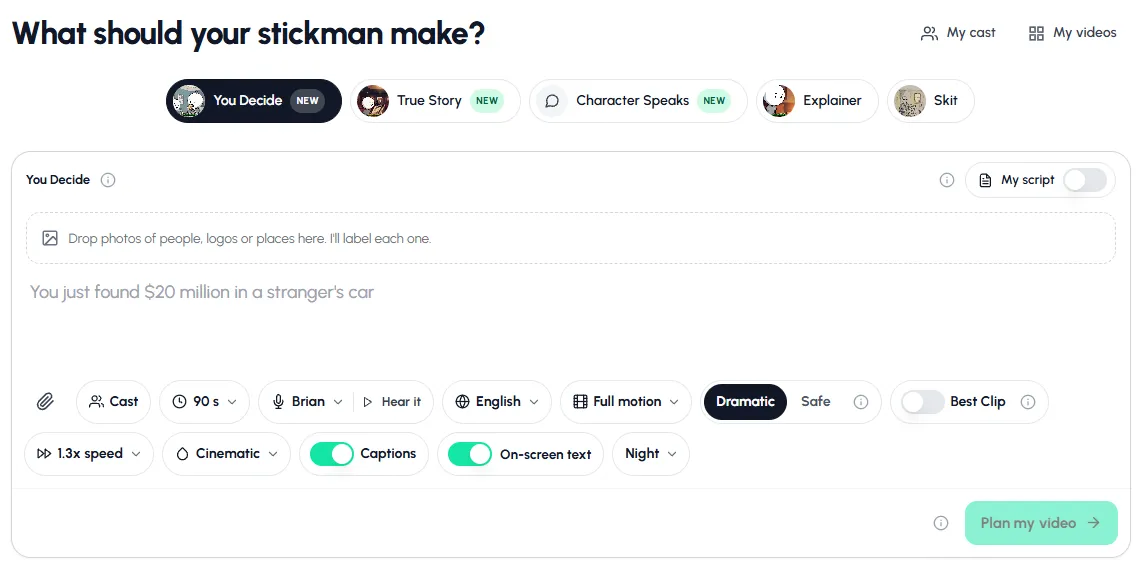
Sign in to Autoclips and open Stickman from the home page. Pick one of the five formats at the top. If you're not sure, start with True Story: real stories are the easiest way to get views, because the viewer already wants to know how it ends.
- 2
Type one line, or paste your own script
Type the idea in one sentence, like "The man who traded half of Domino's for a used Beetle". You don't need a script. If you have one, switch on My script and paste it: your exact words are spoken and nothing is rewritten.
No idea yet? Click one of the suggestions under the box. They are stories that already work as videos.
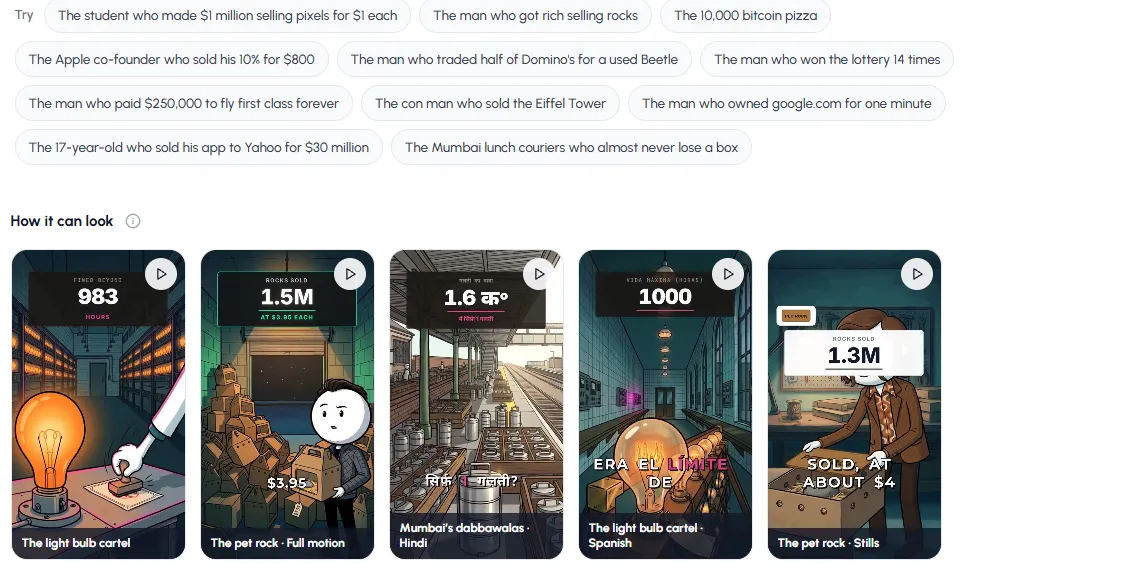
True Story mode suggests real stories that work as videos. Click one or type your own. - 3
Add people, logos or places (optional)
Drop photos into the box above your idea and the AI labels each one, then draws them into the story in the stickman style. Use Cast to pick characters you've used before, so a series keeps the same hero.
- 4
Set length, voice, language and look
Choose a length from 30 to 120 seconds. For Shorts and TikTok, 60 to 90 seconds is the sweet spot for a story.
Pick a voice and press Hear it to listen first. Pick the language: the script is written in that language, not translated word for word.
Choose how much it moves (still pictures, key moments, or full motion), a Dramatic or Safe tone, the speed, and a look: Cinematic, Horror Glow, Rainy Noir, Bright Day or Golden Epic. Leave Captions and On-screen text on: most people watch with the sound off.
- 5
Plan the video, check it, then make it
Press Plan my video. The planner researches the story and writes the scenes, and you can read the plan before anything is drawn. Change anything you don't like, then make the video.
In a hurry? Skip planning and make it now makes the classic stickman video straight away, without research.
- 6
Post it, or turn it into a series
When the video is ready, download it or post it to your connected YouTube, TikTok and Instagram accounts from the app. For You Decide videos, make Part 2 from the finished video and the comments pick what happens. To post on a schedule without doing anything, set up a Stickman series automation.
Try it with one of the suggested stories. It takes about a minute to set up.
Open StickmanWhat the videos look like
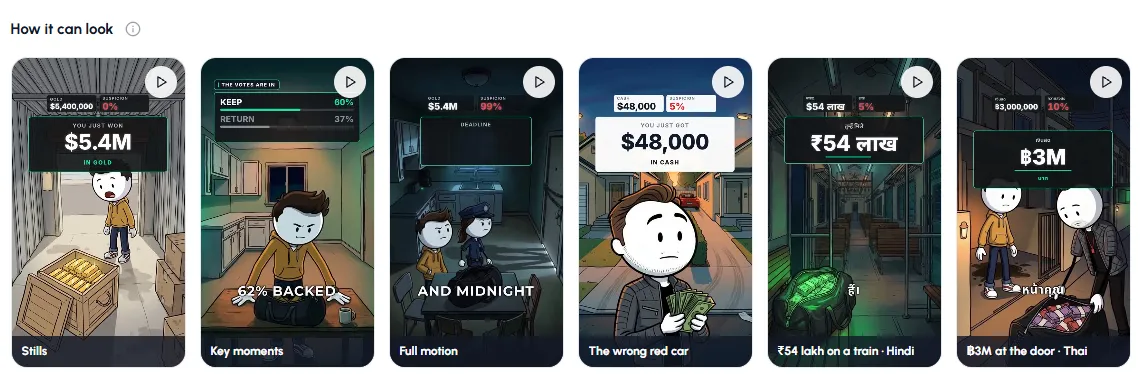
These were all made with the steps above. The same idea can be still pictures, key moments that move, or full motion, and it can be narrated in Hindi, Spanish, Thai and many other languages.
AI generator vs. animating a stickman yourself
Free animation apps like Pivot Animator (Windows) and FlipaClip (phone) are great if you enjoy animating and want full control of every frame. They don't write, voice or post anything, so a 60-second story takes hours. An AI generator is the other end: less control over each frame, but a finished video in minutes. Here is how they compare for a channel that posts often.
| Animation app (Pivot, FlipaClip) | AI stickman video generator | |
|---|---|---|
| Time for a 60 s video | Several hours | About a minute to set up |
| Script and research | You write it | Written for you, or paste your own |
| Voiceover | Record it yourself | Built in, many languages |
| Scenes and backgrounds | Draw them | Drawn for you, same character every scene |
| Captions and numbers on screen | Add them in an editor | Added automatically |
| Posting | Export and upload by hand | Post from the app or on a schedule |
| Cost | Free apps | Credits per video |
| Best for | Learning animation, one-off art | Running a channel that posts daily |
Want to try it by hand first? Our guides on stickman animation on PC and on mobile cover both ways.
7 tips for stickman videos people finish
- Put the number in the first line. "$7.3 million lands in your account by mistake" beats "A story about a bank error". Numbers stop the scroll.
- One hero, one problem. Stories with a single character who has to make a choice hold attention better than a list of facts.
- Keep it 60 to 90 seconds for Shorts and TikTok. Longer works for True Stories with a strong ending.
- Leave captions and on-screen text on. Most short videos are watched on mute.
- Use the same character across a series with Cast, so returning viewers recognise your channel.
- Match the look to the mood. Horror Glow for scary stories, Rainy Noir for crime, Bright Day for light and funny ones. See stickman video styles.
- End on a question in You Decide videos. "Keep the money or return it?" gets comments, and comments push the video to more people.
Can you make money with AI stickman videos?
Yes, the same way as any faceless channel: YouTube Partner Program and Shorts revenue, TikTok's creator rewards for longer videos, sponsorships, and sending viewers to your own product. Stickman stories suit money, business, history and true crime topics, which tend to pay more per view than general entertainment. What matters most is posting often with a consistent character and topic. We cover the numbers in do stickman videos make money, and the wider picture in how to start a faceless YouTube channel.
Made with Autoclips
Real videos people made in the app. Tap one to watch it with sound.
Frequently asked questions
What is the best AI stickman video generator?
The best one depends on what you post. For story channels on Shorts and TikTok, you want a tool that writes the script, keeps the same character in every scene, voices it in your language and adds captions, which is what Autoclips Stickman does. If you only want to animate a stick figure by hand, a free app like Pivot Animator or FlipaClip is enough.
Is there a free AI stickman video generator?
You can sign up for Autoclips for free and look around, but making a video uses credits, because every video is written, voiced and animated for you. Free animation apps exist, but you do all the drawing, voice and editing yourself. See how to make stickman videos for free for both options.
How long does it take to make an AI stickman video?
Setting it up takes about a minute: pick a format, type a line and choose your options. Planning and making the video then runs on its own, so you can leave the page and come back when it is ready.
Can I use my own script?
Yes. Switch on My script and paste it. Your exact words are spoken and nothing is rewritten. The AI still draws the scenes and animates the stickman to match.
What languages can the stickman talk in?
Many, including English, Hindi, Spanish and Thai. Pick the language before you plan the video and the script is written in that language, not translated word for word, so it sounds natural.
Can I make long stickman videos for YouTube?
Each Stickman video is 30 to 120 seconds, which fits Shorts, TikTok and Reels. For longer stories, make more parts: each part continues the same story with the same character.
Can it post the videos for me?
Yes. Connect your YouTube, TikTok or Instagram account and post from the app, or set up a Stickman series automation that makes and posts new parts on a schedule.
Do AI stickman videos get monetised on YouTube?
They can, as long as the content is original and adds something: a real story, your own angle, a consistent series. Channels that mass-upload copied scripts are the ones that get refused.
Make your first stickman video today
Type one line. Autoclips writes it, voices it, animates the stickman and gets it ready to post.
Make a stickman videoAyaz Alam · Founder of Autoclips
Ayaz builds Autoclips and makes the tutorials on its YouTube channel. Every step in these guides is tested in the app before it is published.