
You Decide Stickman Videos: Let Viewers Pick the Ending in the Comments
You Decide stickman videos are short stories where the viewer is the hero and each part ends on a choice, like "Keep the money or return it?". Viewers vote in the comments, and the winning choice is what happens in the next part. In Autoclips you type one line, make Part 1, then make Part 2 from the votes, or let an automation count them and post every part for you.
Quick answer
- Open Stickman, pick You Decide and type the situation, like "You win a storage unit for $500. Inside: 40 gold bars."
- Part 1 ends on a question with two one-word answers. Viewers comment their pick.
- Make Part 2 from the finished video. Count the votes from your posts or paste the comments, and the winner decides what happens. Same cast, same world.
- Or set up a Story series automation: it waits for votes (6 hours by default), counts the comments on TikTok, YouTube, Instagram and Facebook, then makes and posts the next part.
What a You Decide stickman video is
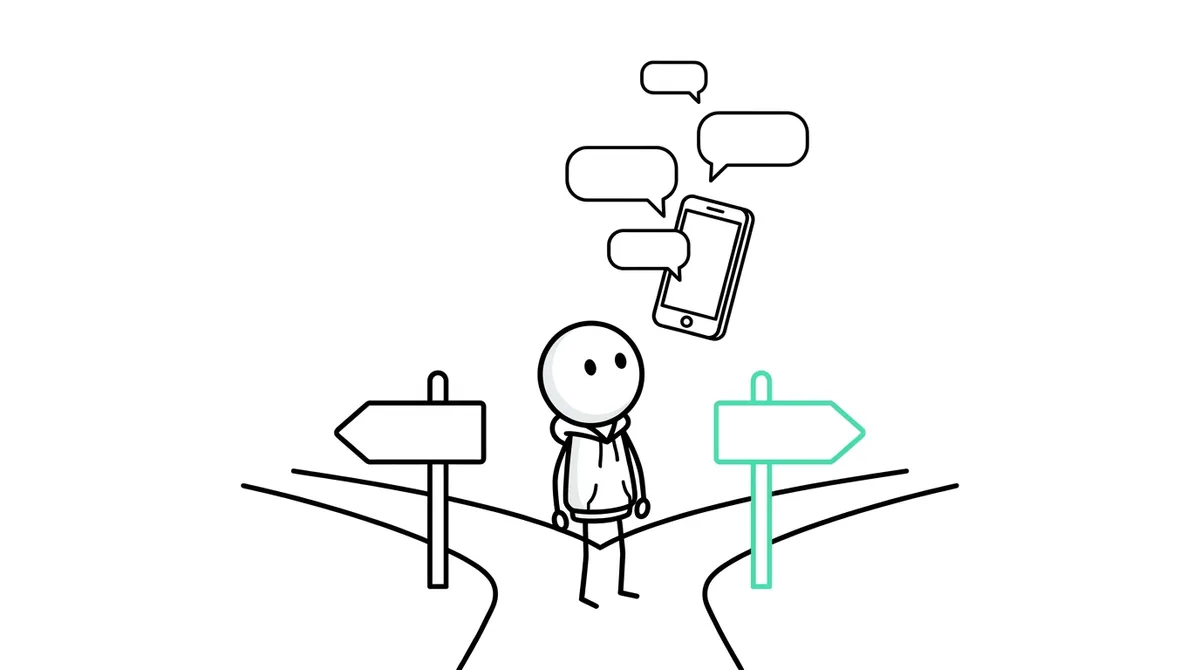
Search "you decide" on Shorts or TikTok and you'll see the pattern: a stickman (you) finds $5 million in a car, a stranger offers a deal, the timer runs out, and the video stops on a choice. "Comment KEEP or RETURN." The next part opens on what most people picked.
It works because every viewer becomes a player. Commenting is the price of seeing what happens, and comments push the video to more people. People also come back for the next part, which is what grows a channel.
| Normal story video | You Decide video | |
|---|---|---|
| Who is the hero | A character | The viewer ("you") |
| How it ends | The story ends | On a two-word choice |
| What viewers do | Watch | Vote in the comments |
| Why they come back | If they liked it | To see if their choice won |
How to make You Decide stickman videos, step by step
- 1
Open Stickman and pick You Decide
In Autoclips, open Stickman and pick You Decide at the top. It writes a thriller about "you" that ends on a vote.
- 2
Type the situation in one line
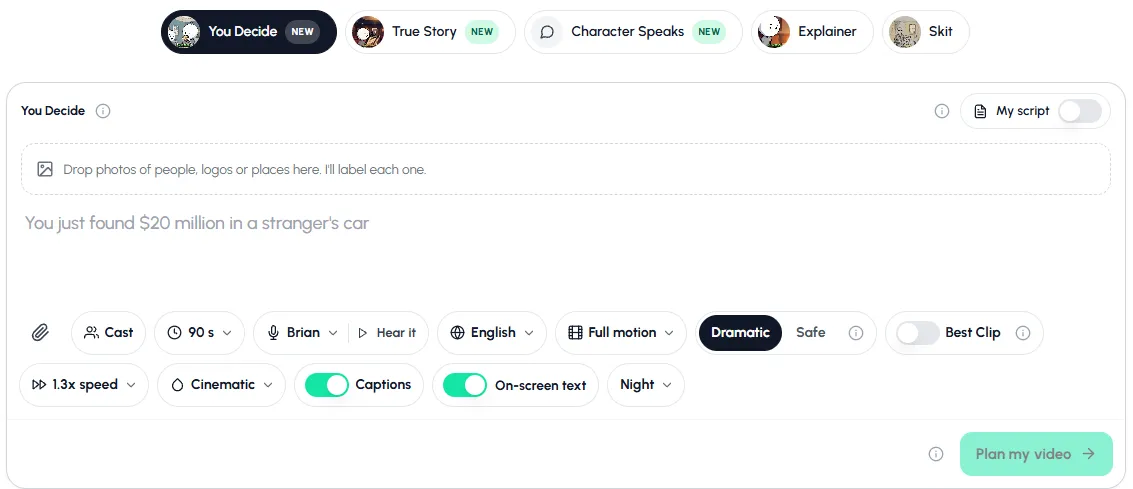
Put a big number and a problem in one sentence: "A wrong bank transfer puts $7.3 million in your account." You can add how it should end: "End on a vote: keep it or report it?"
Stuck? Click one of the suggestions under the box. Each one is a situation that already makes people want to vote.
Type the situation, set length, voice, language and motion, then plan the video. - 3
Set the options
Pick a length from 30 to 120 seconds, a voice (press Hear it), the language and how much moves: Stills, Key moments or Full motion. Use Cast to pick characters you've used before, so every part has the same hero. Keep On-screen text on: it shows the vote card at the end.
- 4
Plan, check and make Part 1
Press Plan my video. Read the plan, ask for changes if you want ("A bigger twist in the middle"), then make it. When it's ready, post it to YouTube, TikTok, Instagram or Facebook from the app, or download it.
- 5
Count the votes
Open the finished video and make the next part. Press Count votes from my posts to read the comments on your posts, or paste the comments in yourself. Pasted comments are counted on your device for free.
The counting is strict on purpose: one vote per line or per person, a comment with both words doesn't count, and @names or #hashtags never count as votes. If it's a tie, you pick the winner.
- 6
Make Part 2 from the winner
Tap the word that won. Part 2 opens on that choice with the same cast, the same places and the same narrator, and ends on a new vote. Keep going as long as people keep voting.
Try it with "You win a storage unit for $500. Inside: 40 gold bars." It takes a minute to set up.
Open You DecideUsing your own script with a vote
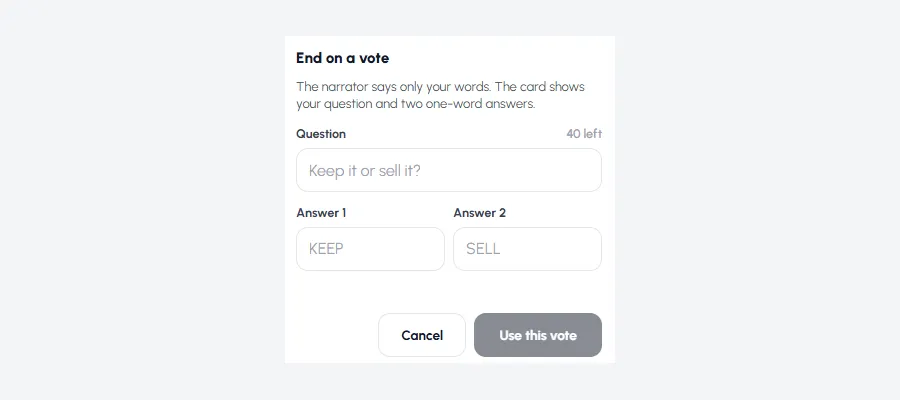
You can write the whole thing yourself. Switch on My script, paste your words and press End on a vote. Type the question (up to 40 characters, like "Keep it or sell it?") and two one-word answers. The narrator says only your words, and the card at the end shows your question and the two answers.
More on that in turn a script into a stickman video.
Let an automation run the whole series
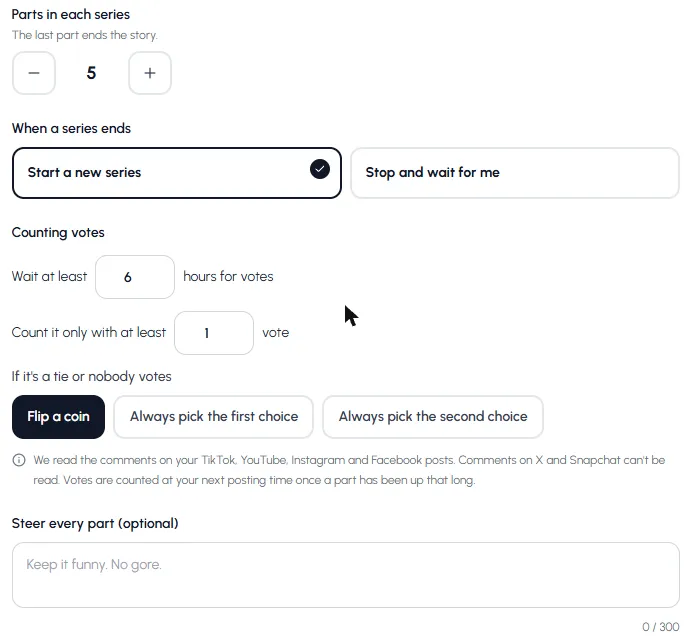
Making each part by hand is fine for one series. For a channel that posts every day, set up a Story series automation and pick You Decide. Each run makes the next part and posts it. Here is what you control:
- Story ideas: your own list (used one per series, in order) or fresh ideas on a theme like Crime and Mystery or Money and Finance.
- Parts in each series: 2 to 20 (5 by default). The last part ends the story, then it starts a new series or waits for you.
- Counting votes: wait at least 1 to 48 hours (6 by default), and only count once there are enough votes.
- Ties or no votes: flip a coin, or always pick the first or the second choice.
- Steer every part: one line like "Keep it funny. No gore.", and up to 4 characters who star in every part.
The full posting setup is in stickman videos for TikTok and Shorts. For automation in general, see the automation guide.
15 You Decide ideas that get comments
Good ones put a big number, a time limit or a stranger in the first line, and end on a choice where both answers feel risky.
- You find a bag with $2 million on the back seat of your Uber. Keep it or call the driver?
- A wrong bank transfer puts $7.3 million in your account. Spend it or report it?
- A stranger offers you $5 million to swap lives for a year. Accept or refuse?
- Your uncle leaves you a casino and $9 million of debt. Sell it or run it?
- A phone left in a taxi shows $4.2 million in crypto. Unlock it or hand it in?
- You wake up in a bank vault with $50 million and no memory. Hide or call for help?
- You have 24 hours to spend $1 billion or lose all of it. Go big or play safe?
- A thrift store coat has a winning lottery ticket in it. Cash it or find the owner?
- Your best friend wants half of the $3 million you found. Share or keep?
- A stranger knocks at 3 a.m. and says he is you from next year. Open or ignore?
- The elevator stops between floors and someone else is inside. Talk or stay quiet?
- Your boss offers you $1 million to take the blame. Take it or say no?
- You win a storage unit for $500. Inside: 40 gold bars. Sell or keep?
- The last flight out has one seat left. Take it or give it away?
- A voice on the radio knows your name. Answer or switch it off?
Want more channel-level ideas? See stickman YouTube channel ideas. For dark ones, stickman horror story videos shows the Horror Glow look.
Tips for more votes
- Make both answers tempting. "Keep the money or return it?" splits people. "Live or die?" doesn't.
- Use one-word answers viewers can type fast: KEEP, SELL, RUN, TRUST.
- Post the next part on time. If people vote and nothing happens, they stop voting.
- Say what won in the first second of the next part. It rewards the voters and hooks new viewers.
- Keep the same hero. Pick your character in Cast so the series feels like a show.
Made with Autoclips
Real videos people made in the app. Tap one to watch it with sound.
Frequently asked questions
What are You Decide videos?
Short story videos where the viewer is the hero and each part ends on a choice. Viewers vote in the comments, and the next part follows the choice that won.
How do I make a choose-the-ending video with AI?
In Autoclips, pick You Decide on the Stickman page and type the situation in one line. Part 1 ends on a vote. Then make the next part from the finished video and pick the winner, or let a series automation count the comments for you.
How are the comment votes counted?
You can count them from your posts in the app, or paste the comments and they're counted on your device for free. Each person or line counts once, a comment with both words is ignored, and @names and #hashtags never count. A tie means you pick.
Which platforms can votes be counted on?
TikTok, YouTube, Instagram and Facebook. Comments on X and Snapchat can't be read, and private YouTube videos get no comments.
How long does an automation wait for votes?
You choose between 1 and 48 hours, 6 by default. Votes are counted at your next posting time once a part has been up that long. You can also set a minimum number of votes.
Can each part have the same characters?
Yes. Every next part keeps the cast, the places and the narrator. In an automation you can pick up to 4 characters who star in every part.
How many parts can a You Decide series have?
When you make parts by hand, you can keep going for a long time. In a series automation you set 2 to 20 parts per series, and when one ends it starts a new series or waits for you.
Start your first You Decide series
Type one situation. Part 1 ends on a vote, and your viewers write Part 2.
Make a You Decide videoAyaz Alam · Founder of Autoclips
Ayaz builds Autoclips and makes the tutorials on its YouTube channel. Every step in these guides is tested in the app before it is published.