
Turn a Script into a Stickman Video (Your Words, Said Word for Word)
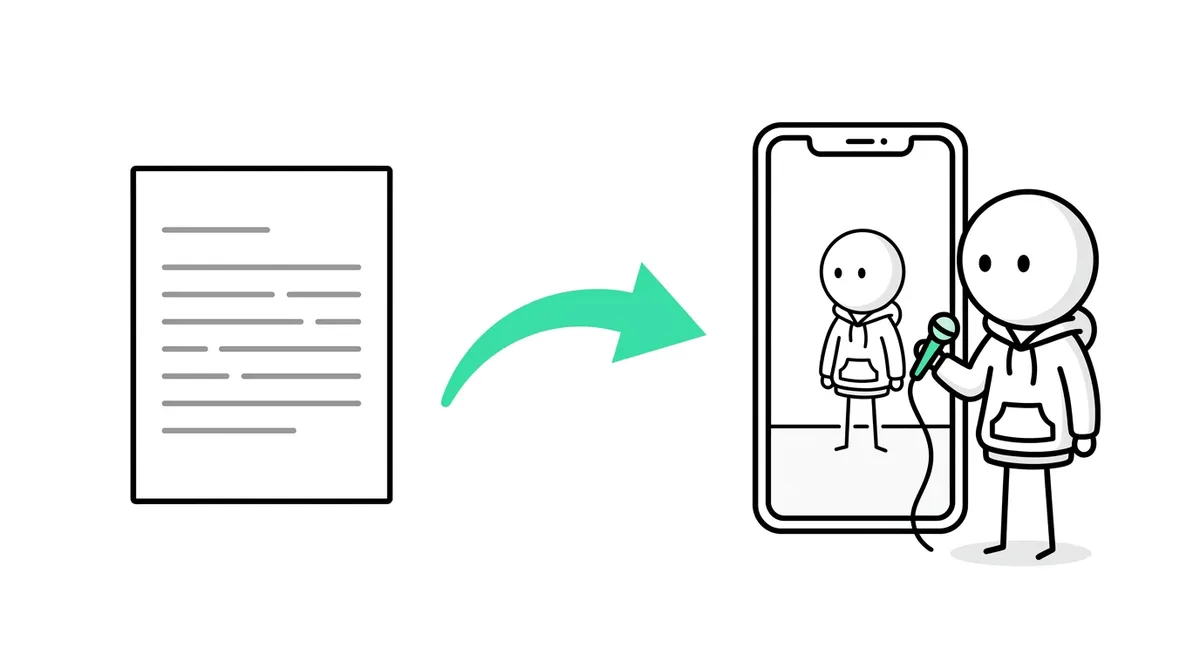
To turn a script into a stickman video, open Stickman in Autoclips, switch on My script and paste your words. Every word is said exactly as you wrote it. The AI casts the story, plans every picture around your lines and animates the stickman, and you see the whole plan before anything is made. Scripts can be up to 2 minutes long.
Quick answer
- Open Stickman, pick You Decide or True Story, switch on My script and paste your script (up to about 2 minutes of words).
- Pick Made-up story or True story. That only picks the look and music; your words stay exactly as they are.
- Screenplays are tidied first: names, headings and action lines are taken out of what's spoken, and you check every line before planning.
- Optionally End on a vote with your own question and two one-word answers. Then press Plan my video, read the plan and make it.
Why use your own script
Most AI stickman tools rewrite whatever you give them. That's fine for a quick idea, but not when you've researched a story, have a voice your audience knows, or a client signed off the words. My script is for those cases: the narrator says your script word for word, and the AI only decides what to show.
- You already write and want the visuals done for you.
- You run a true story channel and need the facts exactly as you checked them.
- You have a client or brand script that can't change.
- You want a consistent voice across a series, in your own phrasing.
How to turn a script into a stickman video
- 1
Open Stickman and switch on My script
In Autoclips, open Stickman, pick You Decide or True Story, then switch on My script at the top right of the box. The box changes to "Paste your script. Every word is said exactly as you write it."
- 2
Paste your script
Paste up to about 2 minutes of words. As you paste, a line under the box shows how long it will run, so you know if you need to cut.
If the script looks like another language, it offers to read it in that language. Pick the one you want before planning.
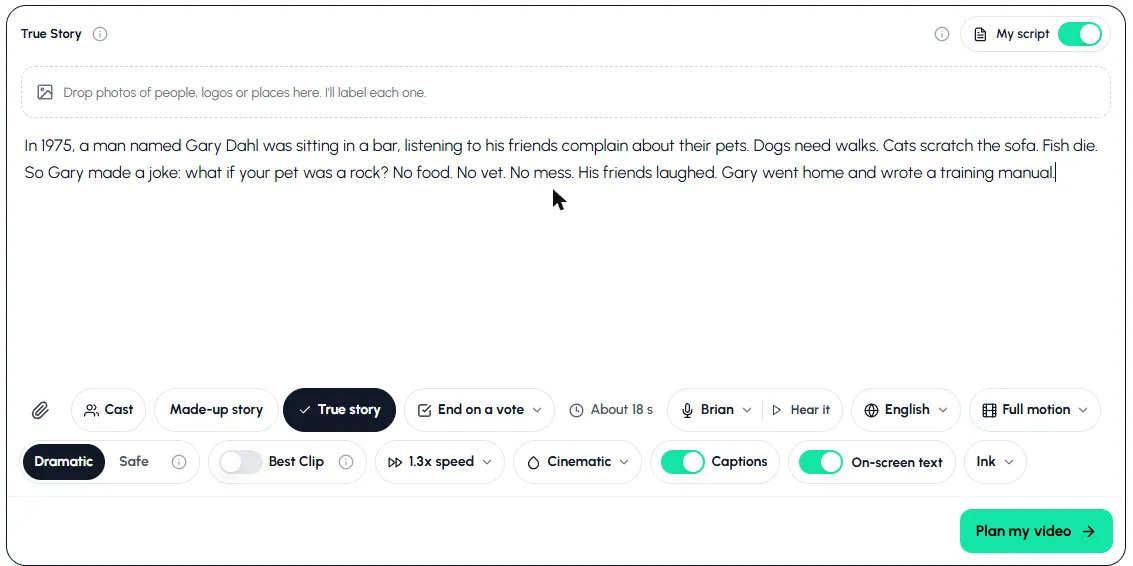
My script on: paste your words, pick Made-up story or True story, and set the rest. - 3
Pick Made-up story or True story
These two pills only pick the look, the music and the plan's label. Your words stay exactly as they are either way.
- 4
Add photos and set the options (optional)
Drop in photos of the people, logos or places in your script; they're labelled and drawn in the stickman style. Then pick the narrator (press Hear it), the language, how much moves (Stills, Key moments or Full motion), the look, captions and on-screen text.
- 5
End on a vote (optional)
Press End on a vote, type a short question (up to 40 characters, like "Keep it or sell it?") and two one-word answers. The narrator still says only your words; the card at the end shows the question and answers.
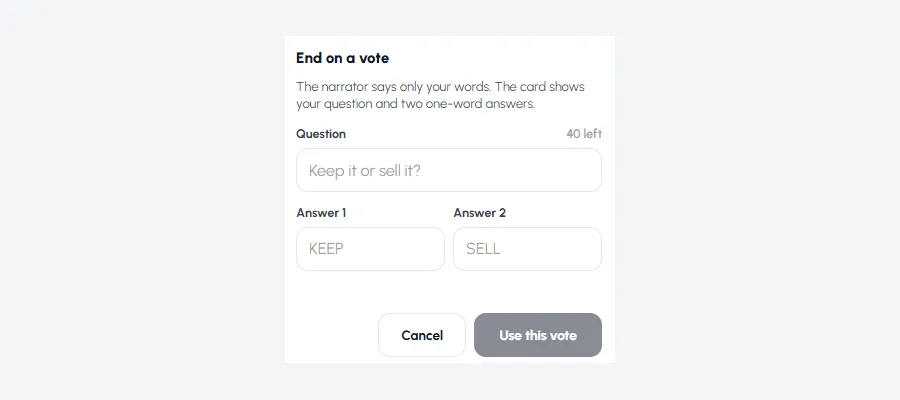
Your own vote at the end of your own script. - 6
Plan, check the pictures, then make it
Press Plan my video. The AI reads your script, casts it and plans every picture, and you see the whole plan with the price before anything is made. Ask for picture changes ("Make it night in the shop"). To change a spoken word, edit the line in Your script instead; that's free.
Paste a script you already have and see the plan before you spend anything on the video.
Try My scriptHow to format your script
Plain paragraphs work best. A few things the app understands:
| You write | What happens |
|---|---|
| Plain sentences | Read out exactly as written |
| [door slams] in square brackets | A sound cue: never shown in captions, the voice acts it out |
| Speaker names, scene headings, action lines (screenplay) | Taken out of what's spoken and used for the pictures. You check every line first. |
| Timestamps like 0:15 | Read out as written, so delete them |
| Numbers like $7.3 million | Read out, and good for on-screen text |
A script example you can copy
In 1975, a man named Gary Dahl was sitting in a bar, listening to his friends complain about their pets. Dogs need walks. Cats scratch the sofa. Fish die. So Gary made a joke: what if your pet was a rock? No food. No vet. No mess. His friends laughed. Gary went home and wrote a training manual. Six months later, he had sold over a million of them.
Notice the shape: a number and a place in the first line, short sentences, one turn ("So Gary made a joke"), and an ending with a big number. That's the pattern most true story animation videos use.
Continue your script as a series
When the video is done, make the next part from it and paste what happens next. Every word is said as you write it, with the same cast, places and narrator as the part before. The length comes from your words, up to 120 seconds. If Part 1 ended on a vote, write Part 2 for the answer that won. More on votes in You Decide stickman videos.
When not to use My script
- You only have an idea. Leave My script off and type one line. The planner researches and writes the script for you.
- You want the characters to talk. Character Speaks writes the dialogue itself and doesn't take a pasted script yet. It's English only for now.
- You're on the free plan. My script is on the paid plans.
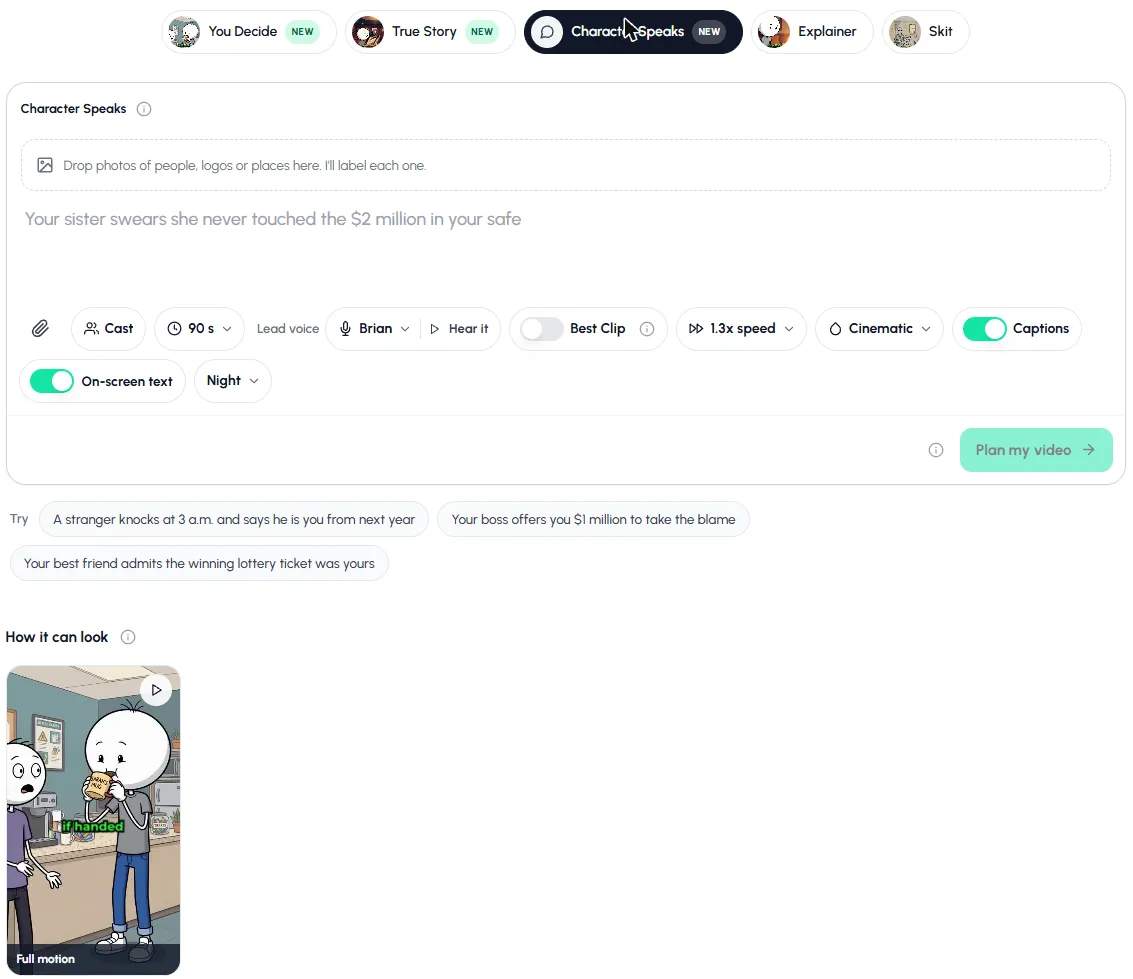
Not sure which format fits your script? The AI stickman video generator guide compares all five, and the AI story video generator page covers story videos beyond stickman.
Made with Autoclips
Real videos people made in the app. Tap one to watch it with sound.
Frequently asked questions
Can I turn my own script into a stickman video?
Yes. In Autoclips, open Stickman, switch on My script and paste it. Every word is said exactly as you wrote it, and the AI casts the story and plans every picture around your lines.
Will the AI change my script?
No. With My script on, nothing you wrote is rewritten. Changes you ask for in the plan only touch the pictures, places and cast. To change a word, edit the line in your script.
How long can my script be?
Up to about 2 minutes of spoken words, because each Stickman video is at most 120 seconds. The box shows the length as you paste. Longer scripts can be split into parts.
Can I paste a screenplay with character names?
Yes. Names, headings and action lines are taken out of what's spoken and used for the pictures. You see how it will be spoken and can edit any line before planning.
Can I add sound effects to my script?
Put them in square brackets, like [door slams]. They never show in captions, and the voice acts them out.
What languages can my script be in?
Many. If your script looks like a language other than the one you picked, the app asks which one to read it in.
Is My script free?
My script is on the paid plans. You see the price of the plan and the video before anything is made.
Your words, animated
Paste your script. Autoclips casts it, draws every scene and says every word as you wrote it.
Paste your scriptAyaz Alam · Founder of Autoclips
Ayaz builds Autoclips and makes the tutorials on its YouTube channel. Every step in these guides is tested in the app before it is published.