
Stickman Videos for TikTok and Shorts: Make, Post and Automate Them
Stickman videos for TikTok and Shorts should be vertical (9:16), 60 to 90 seconds for stories or 10 to 15 seconds for skits, with captions on and a hook in the first two seconds. Autoclips makes them in that shape by default, posts them to TikTok, YouTube, Instagram and Facebook from one place, and a Story series automation can make and post a new part every day, counting comment votes between parts.
Quick answer
- Every Autoclips Stickman video is vertical 9:16, which fits TikTok, YouTube Shorts and Instagram Reels without cropping.
- Stories run 30 to 120 seconds; 60 to 90 is the sweet spot. Skits run about 10 to 15 seconds and loop.
- Connect your accounts once and post to TikTok, YouTube, Instagram and Facebook from the app.
- For daily posting, create a Stickman automation: Explainer, Skit or Story series. A series makes the next part on schedule and, for You Decide, counts the comment votes first.
The right shape for each platform
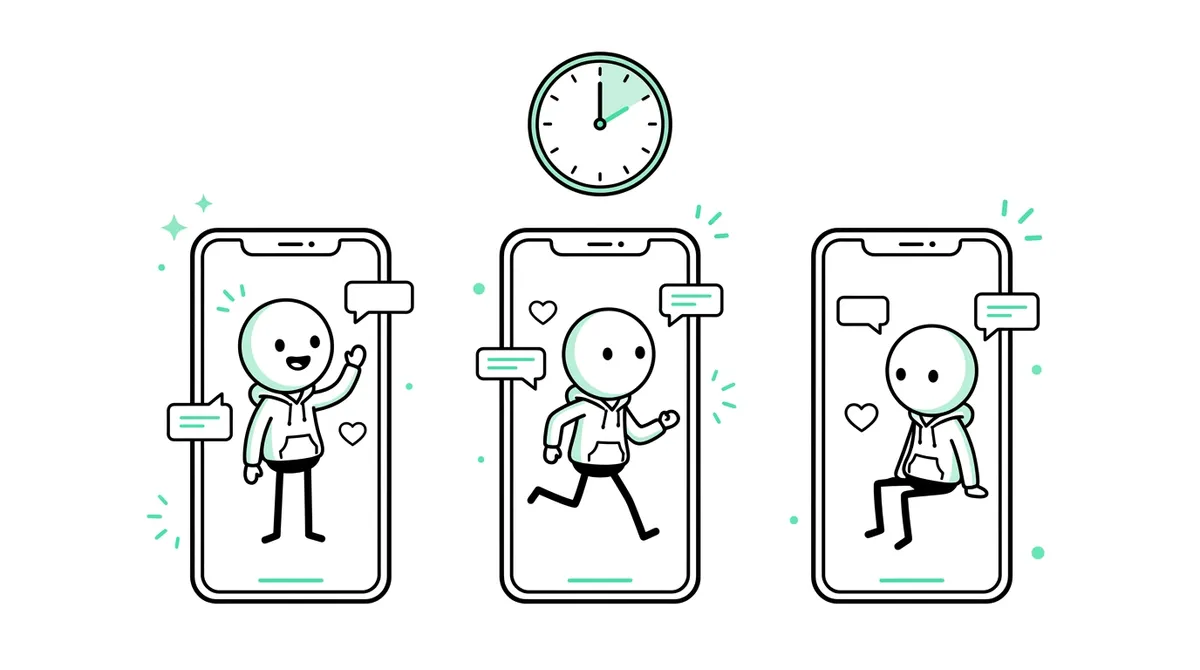
All three short-video feeds want the same thing: a vertical video, captions, and a reason to keep watching in the first two seconds. The differences are small.
| YouTube Shorts | TikTok | Instagram Reels | |
|---|---|---|---|
| Shape | Vertical 9:16 | Vertical 9:16 | Vertical 9:16 |
| Best stickman length | 60 to 90 s stories | 60 to 90 s stories; over 1 minute if you want creator rewards | 30 to 60 s, or skits |
| What grows you | Viewers who watch to the end and come back | Watch time and comments | Shares and saves |
| Good formats | True Story, You Decide series | You Decide, Skit | Skit, short True Story |
Autoclips Stickman videos are always vertical 9:16, with captions and on-screen text you can switch on or off, so one video works on all three.
How to make and post stickman videos for TikTok and Shorts
- 1
Make the video
Open Stickman, pick a format, type one line, set the length (60 to 90 seconds for a story) and press Plan my video. Keep Captions and On-screen text on: most people scroll with the sound off. Full how-to: AI stickman video generator.
- 2
Connect your accounts
Under Connect Socials, connect TikTok, YouTube, Instagram and Facebook. You only do this once.
- 3
Post it
When the video is ready, post it to the accounts you want from the app, or download it and upload it yourself. Write the caption as the hook ("He sold a rock for $4"), not the topic.
- 4
Create a Stickman automation
Go to Automations, create one and pick Stickman. Choose a mode: Explainer (a deadpan narrator, 30 to 90 seconds), Skit (a ten-second gag) or Story series (a story told in parts).
Set the name, how many videos a day, the posting time and your timezone.
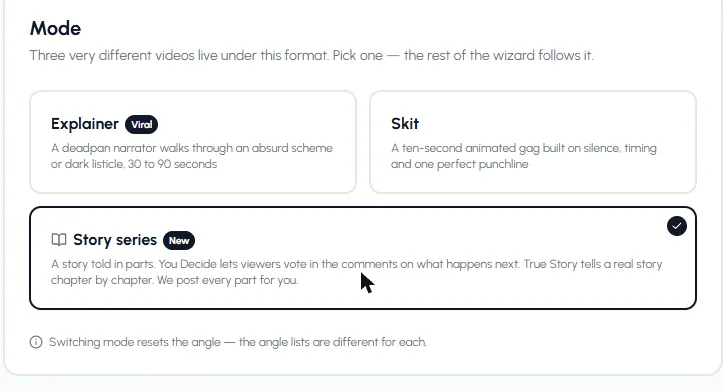
Three Stickman automation modes. Story series posts every part for you. - 5
Set up the series
For a Story series, pick You Decide, True Story or Character Speaks. Choose where ideas come from: your own list, or fresh ideas on a theme like Crime and Mystery or Space and Cosmos. Set 2 to 20 parts per series, and what happens when it ends: start a new series or wait for you.
Then pick the video settings once: length (30 to 120 seconds), motion, narrator, reading speed, language, captions, look and music. Every part is made with these.
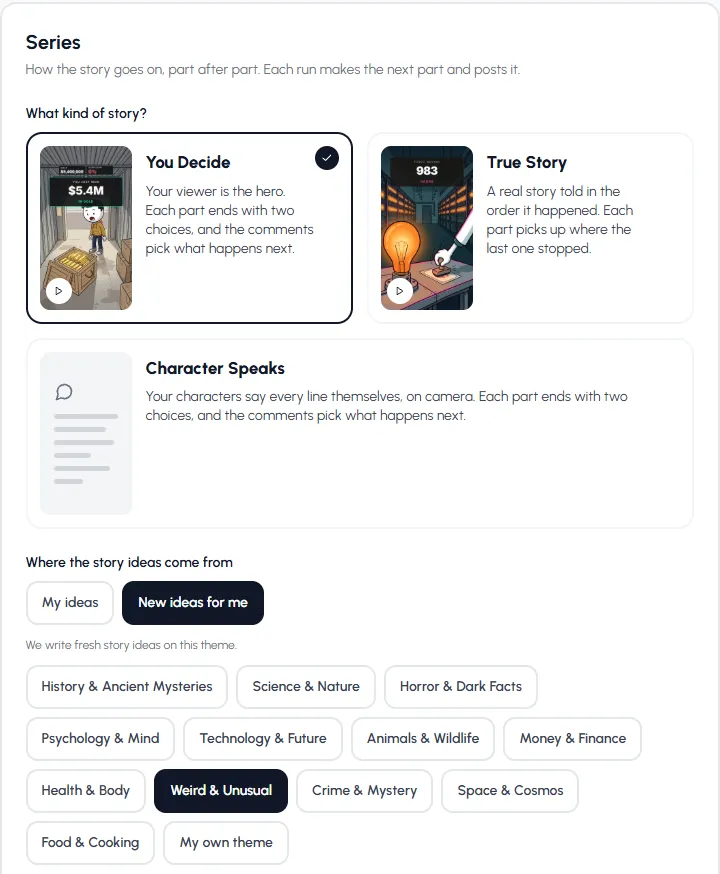
Pick the kind of story and where the ideas come from. - 6
Turn on posting
In the Publishing step, switch on each account you want it to post to. If the switches are off, new videos only go to your library, which is a safe way to check the first few before going live.
Make one video now, then turn it into a daily series.
Open StickmanHow votes work on each platform
In a You Decide series, each part ends on a two-word choice. Before it makes the next part, the automation reads the comments on your posts and counts the votes.
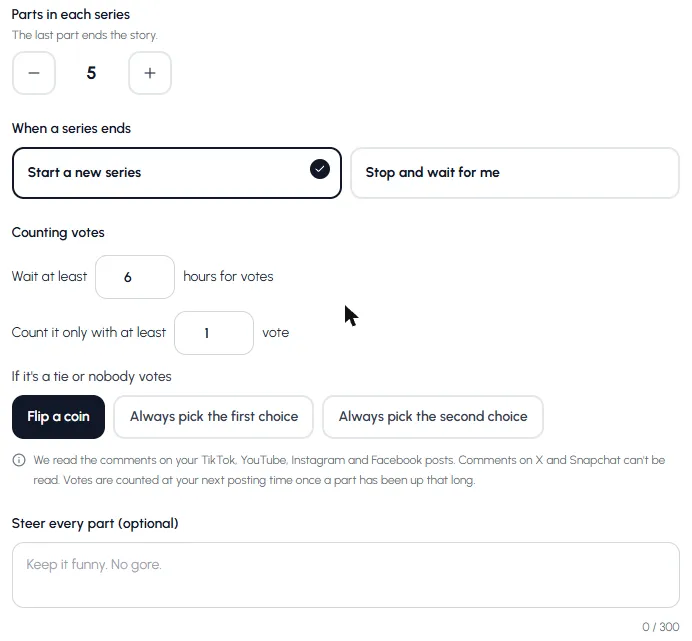
- Readable: TikTok, YouTube, Instagram and Facebook comments.
- Not readable: X and Snapchat comments. Private YouTube videos get no comments.
- Timing: it waits at least the hours you set (1 to 48, 6 by default), and counts at your next posting time once a part has been up that long.
- Ties and no votes: flip a coin, or always pick the first or second choice.
- Fair counting: one vote per person, your own comments never count, and a comment with both words is ignored.
More on making these: You Decide stickman videos.
A posting schedule that works
- One a day, same time. Consistency beats volume for a new account.
- Give votes time. A once-a-day series with a 6 to 24 hour vote window gives people time to comment before the next part.
- Post to two or three platforms, not all of them. Pick where your audience is and keep comments readable.
- Change one thing at a time (hook, length, look) and watch what happens over a week.
Hooks that stop the scroll
- Lead with the number: "$7.3 million lands in your account by mistake."
- Lead with the threat: "Don't open the door at 3 a.m."
- Lead with the choice: "Keep the money or return it? You decide."
- Lead with the twist: "He traded half of Domino's for a used car."
- Open Part 2 on the result: "You picked RUN. Bad idea."
For the bigger picture on automating a faceless TikTok, see faceless TikTok automation and the YouTube Shorts AI generator page. To compare the stickman looks for your feed, see stickman video styles.
Made with Autoclips
Real videos people made in the app. Tap one to watch it with sound.
Frequently asked questions
What size should stickman videos be for TikTok and Shorts?
Vertical 9:16. That's the shape every Autoclips Stickman video is made in, so it fits TikTok, YouTube Shorts and Instagram Reels without cropping.
How long should a stickman Short be?
60 to 90 seconds for stories, 10 to 15 seconds for skits. On TikTok, videos over one minute can earn creator rewards, so a 70 to 90 second story is a good target there.
Can I post stickman videos to TikTok automatically?
Yes. Connect your TikTok account, create a Stickman automation, set the posting time and turn on posting for TikTok. It can also post to YouTube, Instagram and Facebook.
What is a stickman series automation?
An automation that tells a story in parts. Each run makes the next part and posts it. For You Decide, it counts the comment votes first, so viewers pick what happens next.
Can votes be counted from YouTube Shorts comments?
Yes, from public videos. Comments on TikTok, YouTube, Instagram and Facebook are read; X and Snapchat comments can't be.
How many stickman videos should I post a day?
One a day is a solid start. A series needs time between parts for people to vote, so posting the next part once a day works well.
Put your stickman channel on a schedule
Make one video today, then let an automation post the next part every day.
Make a stickman ShortAyaz Alam · Founder of Autoclips
Ayaz builds Autoclips and makes the tutorials on its YouTube channel. Every step in these guides is tested in the app before it is published.