
Stickman Explainer Video Generator: Make Tip and List Videos in One Step
A stickman explainer video generator turns a topic, like "unethical but legal ways to get free food", into a narrated stick figure video with captions. In Autoclips it is the Explainer mode of Stickman: pick a flavor, type the topic, choose length, motion and narrator, and press Create video. It is made in one step, with no planning stage, which is why it suits daily posting.
Quick answer
- Open Stickman in Autoclips and click Explainer. It makes a fast, deadpan voiceover over bold cartoon scenes, captioned word by word.
- Pick a flavor (Unethical Money, Dark Hacks, Dark Psychology, Tech & AI, Dark Survival, Dark History or Custom) and type what the video should cover.
- Choose 30 to 90 seconds, how much it moves (Classic, Enhanced or Full Motion), a narrator, pace, speed and language, then press Create video.
- Best for tips, hacks and lists. For stories with a cast or a Part 2, use Story mode instead.
What a stickman explainer video is
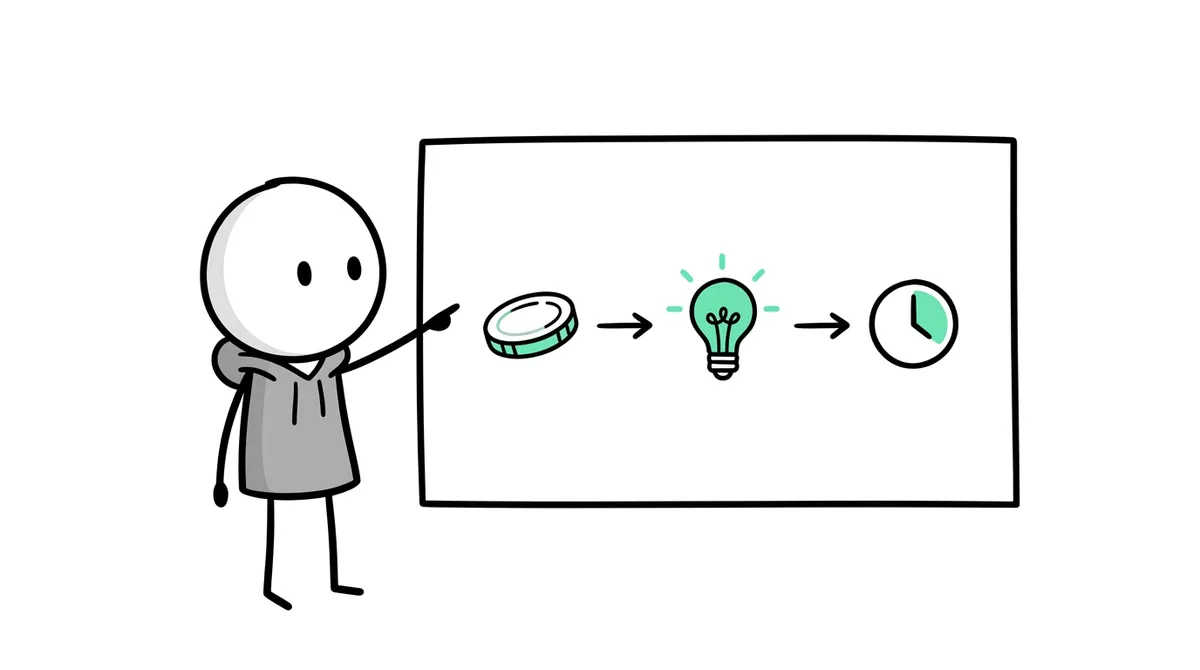
A stickman explainer is a short video where a narrator explains one idea, step by step, over simple cartoon scenes. The stick figure acts out each point: ordering food, signing a contract, hiding money under a mattress. Because the drawings are simple, the viewer's attention stays on the idea, and the format works for almost any topic: money tricks, psychology, history, science, tech.
On Shorts and TikTok the winning version is fast and deadpan: a calm voice, a surprising claim, three or four quick points, and captions that pop word by word. That's the style the Autoclips Explainer mode is built around.
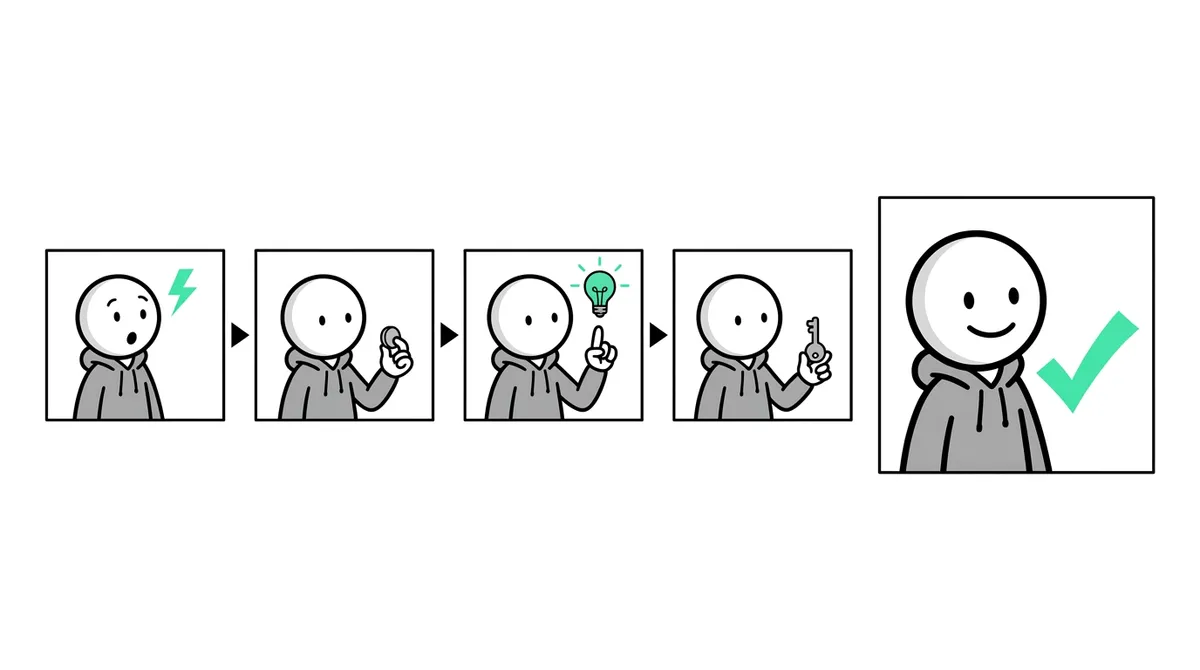
How to use the stickman explainer video generator
- 1
Open Stickman and click Explainer
Sign in to Autoclips, open Stickman and click the Explainer tab at the top. The preview on the right shows what the finished style looks like.
- 2
Pick a flavor and type the topic
The flavor sets the angle of the script: Unethical Money, Dark Hacks, Dark Psychology, Tech & AI, Dark Survival, Dark History, or Custom for anything else.
Then type what the video should cover, like "Sell jars of air from famous cities". Under the box are suggestions, plus a row of fresh ideas that changes every day.
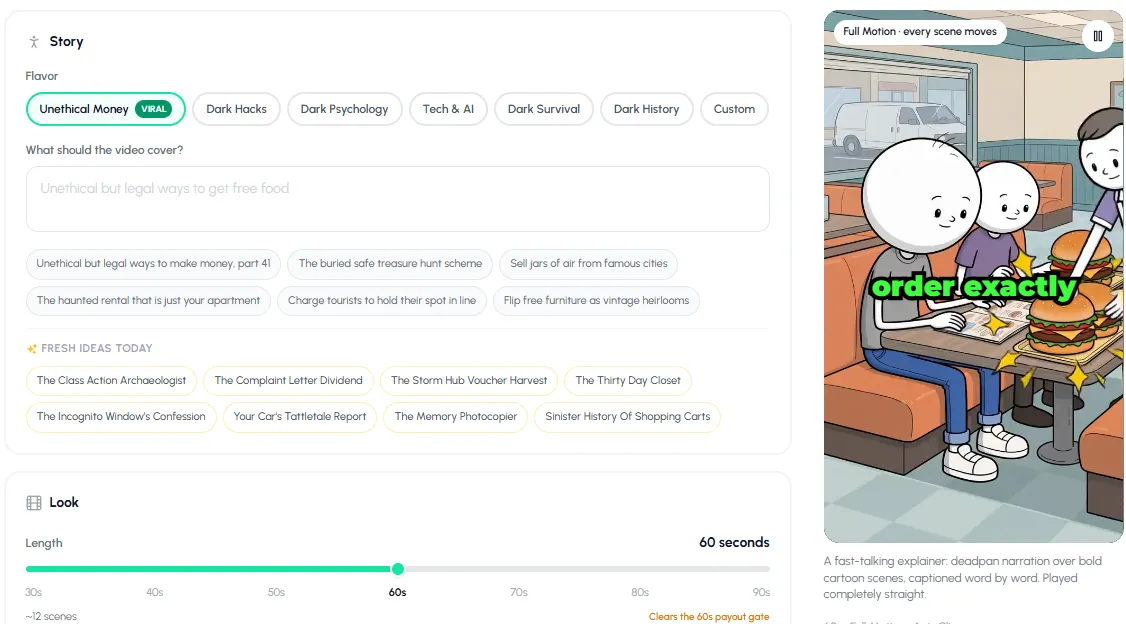
Explainer mode: pick a flavor, type the topic or click a suggestion. - 3
Set length and motion
Drag the length from 30 to 90 seconds. The app shows about how many scenes that makes and flags 60 seconds and up, the length TikTok's creator rewards need.
Pick the motion: Classic (still pictures), Enhanced (a few scenes move) or Full Motion (every scene moves). With Full Motion you can also choose whether clips are made from pictures (the best look) or straight from text (cheaper). The credit price updates as you change these.
- 4
Choose captions, voice and language
Captions are on by default; Change look picks the style. Add an outro or watermark if you want one.
Pick a narrator and press Hear to listen, then a pace (Relaxed, Natural, Brisk or Rapid). The length stays the same at every pace; a slower read just covers fewer points. Set the playback speed (the voice keeps its pitch), the spoken language, and optional background music.
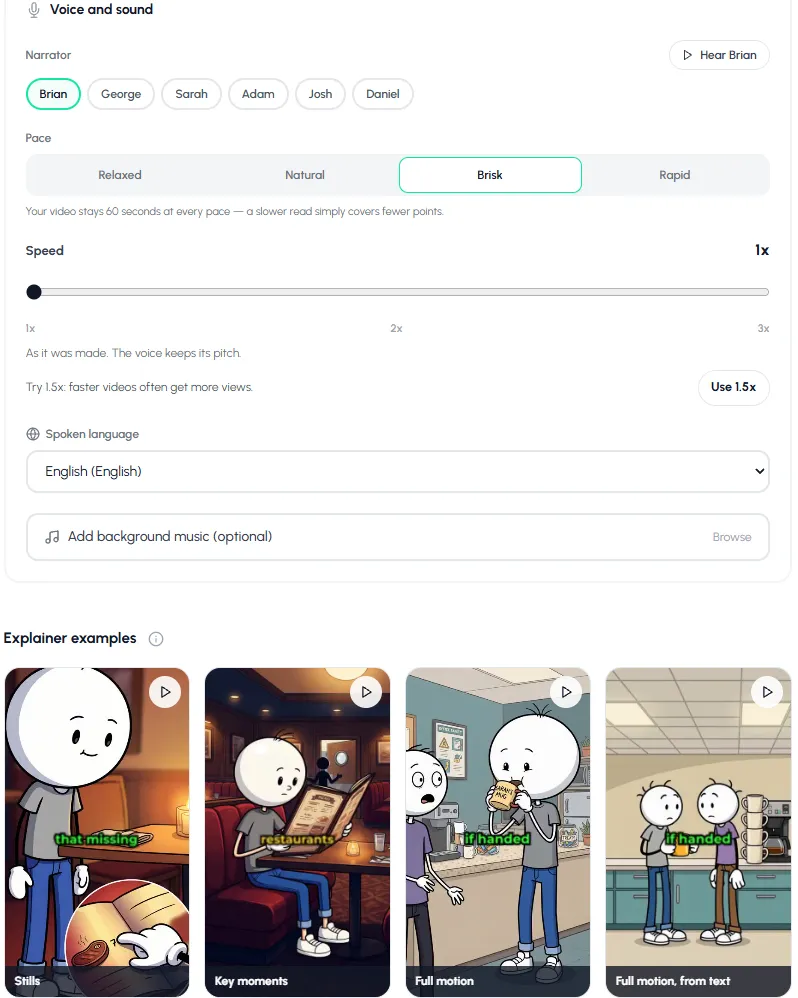
Narrator, pace, speed and language, and real explainer examples from stills to full motion. - 5
Create the video
Press Create video. There is no planning stage in Explainer mode: it writes the script, draws the scenes, animates them and adds the voice and captions in one go. When it's done, download it or post it to your connected accounts.
Click one of today's fresh ideas and see what the explainer generator makes of it.
Open ExplainerStickman explainer video topics you can copy
| Flavor | Topic to type |
|---|---|
| Unethical Money | Charge tourists to hold their spot in line |
| Unethical Money | Flip free furniture as vintage heirlooms |
| Dark Psychology | Why you trust people who repeat your words back to you |
| Dark History | The sinister history of shopping carts |
| Tech & AI | What your car quietly reports about your driving |
| Dark Survival | What to do in the first 60 seconds if your car goes into water |
Explainer vs. Story: which mode to use
| Explainer | Story (You Decide, True Story, Character Speaks) | |
|---|---|---|
| Best for | Tips, hacks, lists, "how it works" | A series people follow, true stories, your own cast |
| Length | 30 to 90 s | 30 to 120 s |
| Steps | One step: Create video | Plan first, read it, then make it |
| Photos and cast | No | Yes: faces, logos, places, reusable cast |
| Daily posts and automations | Built for it | Works, with a plan for each video |
If your explainer is really about one person, like "how Gary Dahl got rich selling rocks", use True Story instead: it researches the real story and keeps the facts straight. See the AI stickman video generator guide for all five formats, and true story animation videos with AI for that format.
Mistakes that sink explainer videos
- Explaining the topic before the hook. Lead with the surprising claim; context comes second.
- Too many points. In 60 seconds, three or four points land. Eight blur together.
- A slow pace for a fast format. Explainers work Brisk or Rapid, or sped up a little. Relaxed suits calmer, story-like topics.
- Switching flavor every day. A channel that is always Dark History is easier to follow than one that changes every video.
Making explainers without stick figures, for a business or a product? The AI explainer video maker page covers that. For a whole channel plan, see stickman YouTube channel ideas.
Made with Autoclips
Real videos people made in the app. Tap one to watch it with sound.
Frequently asked questions
What is a stickman explainer video?
A short video where a narrator explains one idea over simple stick figure scenes that act out each point. They are popular on Shorts and TikTok for money tips, psychology, history and science.
How do I make a stickman explainer video with AI?
In Autoclips, open Stickman, click Explainer, pick a flavor, type the topic, choose the length, motion and narrator, and press Create video. The script, scenes, animation, voice and captions are made for you in one step.
How long should a stickman explainer video be?
For Shorts and Reels, 30 to 60 seconds. For TikTok, over 60 seconds counts toward creator rewards, so 60 to 90 seconds is a good target. Autoclips Explainer videos run 30 to 90 seconds.
Is there a free stickman explainer video generator?
Free routes exist if you join several tools yourself: a chatbot for the script, free image and video tools, and an editor. Autoclips is free to sign up, and Stickman videos need a paid plan and use credits; the price shows before you create the video.
What languages can a stickman explainer be narrated in?
Autoclips Explainer mode offers dozens of spoken languages, including Spanish, Hindi, Arabic, Japanese, Portuguese and Indonesian. The script is written in the language you pick.
Can I make stickman explainer videos automatically every day?
Yes. Explainer mode is the one built for daily posts, and a Stickman series automation can make and post new videos on a schedule. See stickman videos for TikTok and Shorts.
Make today's explainer in one step
Pick a flavor, type the topic, press Create video. Autoclips writes, voices, draws and captions it.
Make a stickman explainerAyaz Alam · Founder of Autoclips
Ayaz builds Autoclips and makes the tutorials on its YouTube channel. Every step in these guides is tested in the app before it is published.