
Fruit Story Animation Techniques: 9 Ways to Make AI Fruit Videos Look Pro
The fruit story animation techniques that matter most are about consistency and pacing, not software: lock one look per character, keep the world the same in every shot, plant a recurring prop, keep each shot to about ten seconds, and stage the emotion so it reads with the sound off. Here are nine techniques, with where to apply each one in an AI fruit story maker.
Quick answer
- Consistency first: one approved look per character and one world for the whole story, so the fruit don't change between shots.
- Plant a recurring prop (a ring, a training chart, a red umbrella) early and pay it off at the twist.
- Pace it like a reel: one shot of about ten seconds per scene, a wrong in the first two seconds, a cut every time the power shifts.
- Stage emotion in the picture (poses, distance, who stands where), because most viewers watch muted. Captions on, always.
Why technique matters more than the tool
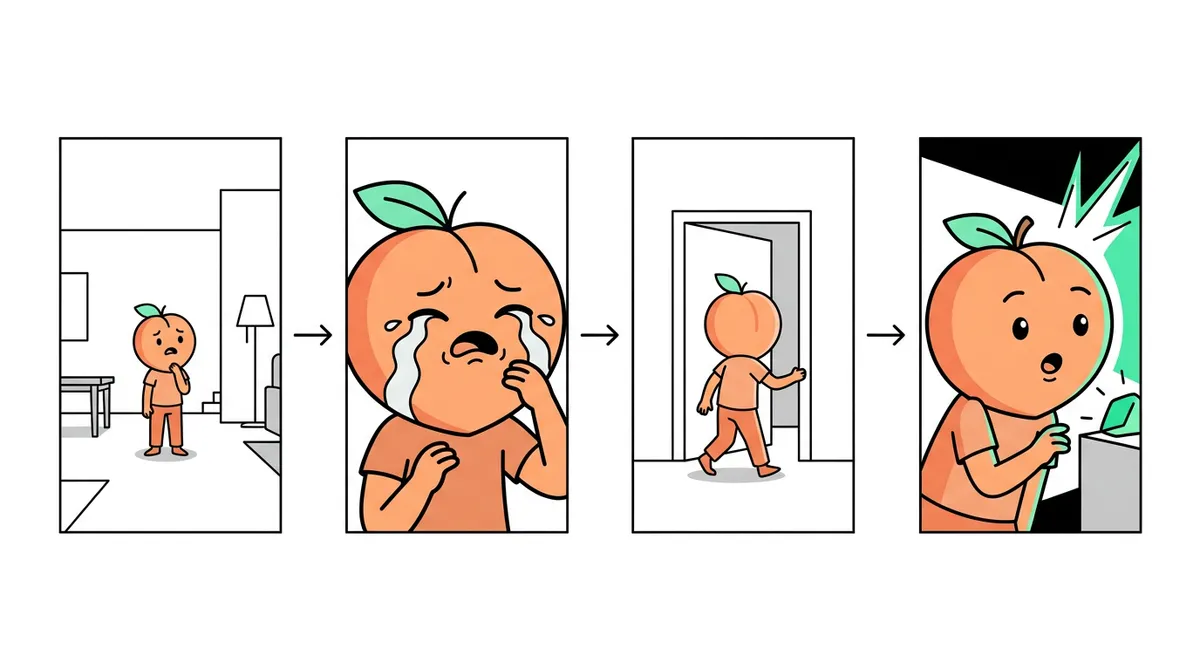
Two fruit videos can come out of the same software and get wildly different views. The difference is almost always craft: does the strawberry look the same in every shot, does the story start in the first second, can you follow it muted? These techniques are what separate a fruit story from a random string of AI clips.
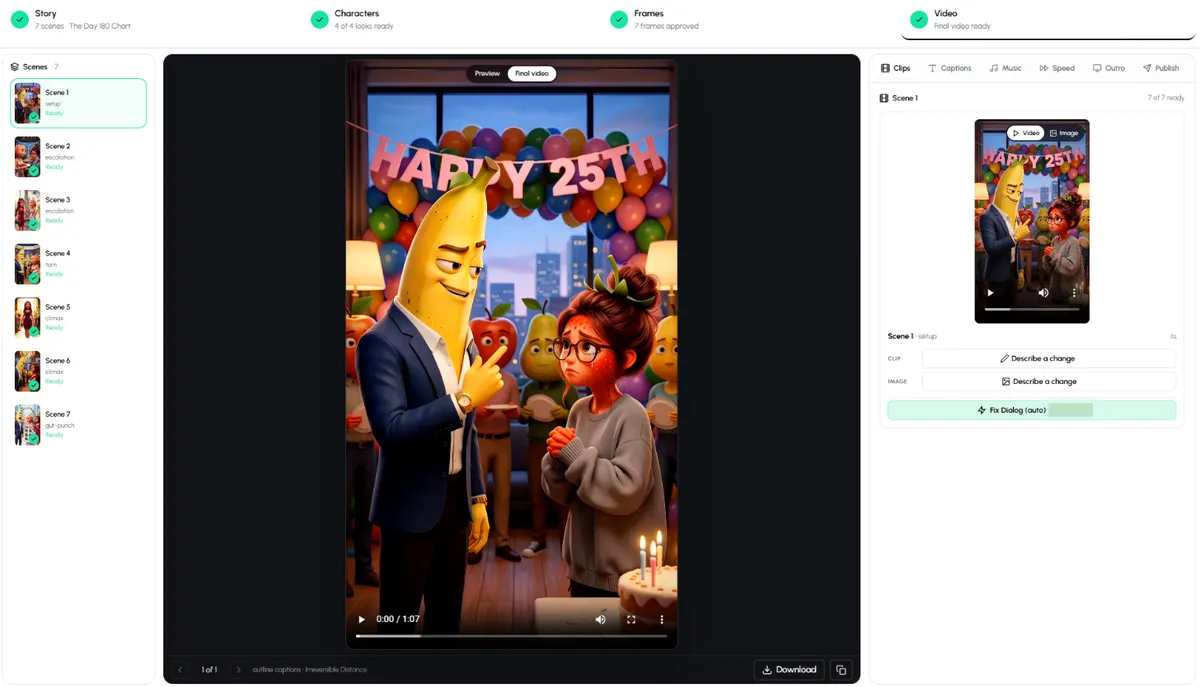
In Autoclips Fruit AI Stories, every story goes through four steps you can check: Story, Characters, Frames and Video. Each technique below says which step it lives in.
Consistency techniques
1. One approved look per character
The number one reason AI fruit stories feel cheap is a character that changes: the banana's suit turns from navy to grey, the strawberry's face shifts between scenes. Approve one look per character before any scene is drawn, and only add a second look when the story needs it (a before and after in a glow-up). Use a character sheet when a character is seen from different angles. Where: the Characters step.
2. One world for the whole story
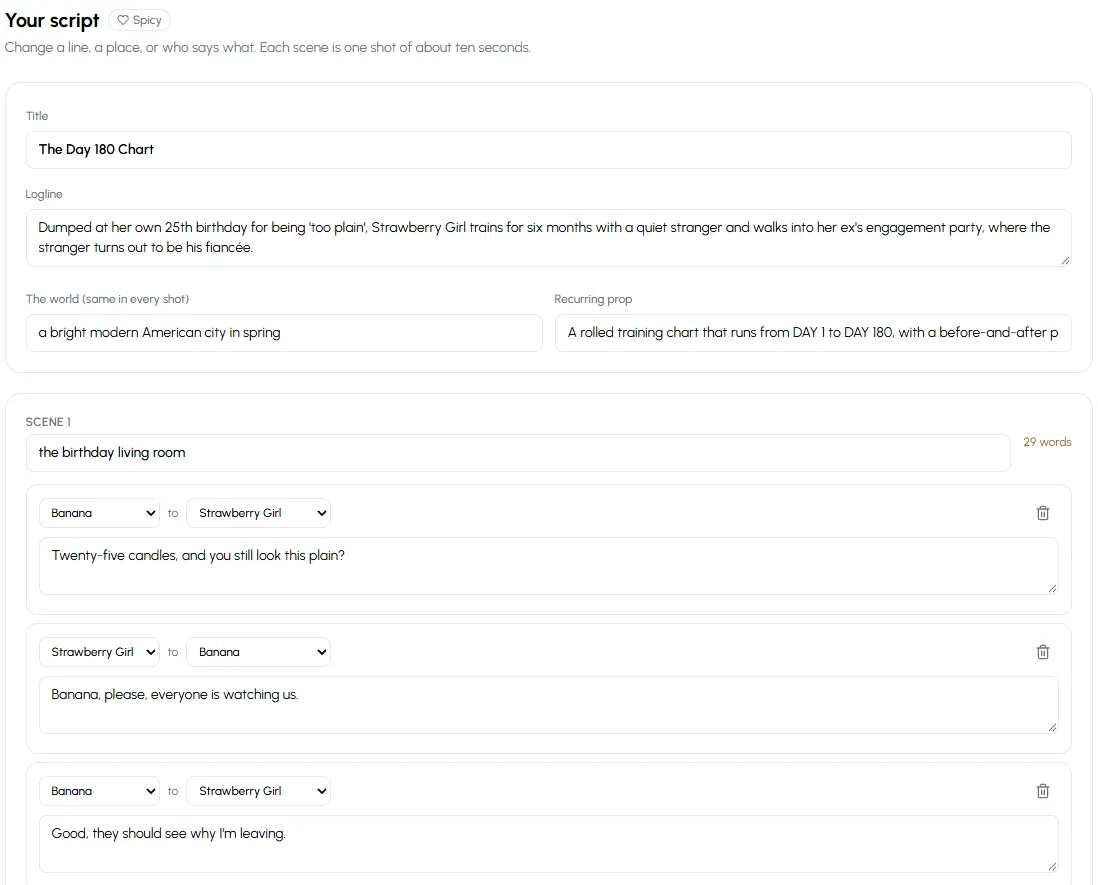
Write down the world once ("a bright modern American city in spring") and keep every scene inside it. Lighting, weather and style stay the same, so cuts feel like one film instead of eight different ones. Where: the world field in the Story step, which is applied to every shot.
3. A recurring prop
Give the story one object that shows up again and again: a rolled training chart from Day 1 to Day 180, an engagement ring, a red umbrella. It ties scenes together, gives the camera something to look at, and when it pays off at the twist the ending feels earned. Where: the recurring prop field in the Story step.
4. Same cast, every part
A series only works if Part 2 has the same faces and voices as Part 1. Reuse saved characters or make the story a series so the app carries them over. Our guide on how to animate fruit characters covers designing a cast you can keep.
Pacing techniques
5. A wrong in the first two seconds
Don't open on a fruit waking up. Open on the insult, the slap, the ring in the wrong handbag. The first frame should already make the viewer feel something. "Twenty-five candles, and you still look this plain?" is a first line; "It was a sunny day" is not.
6. One shot per scene, about ten seconds each
Each scene is one shot of roughly ten seconds. That limits each scene to a line or two per character, which is exactly right for a phone. If a scene needs three speeches, it is really two scenes. Watch the word count on each scene and trim long lines so the voices don't have to rush.
7. Cut when the power shifts
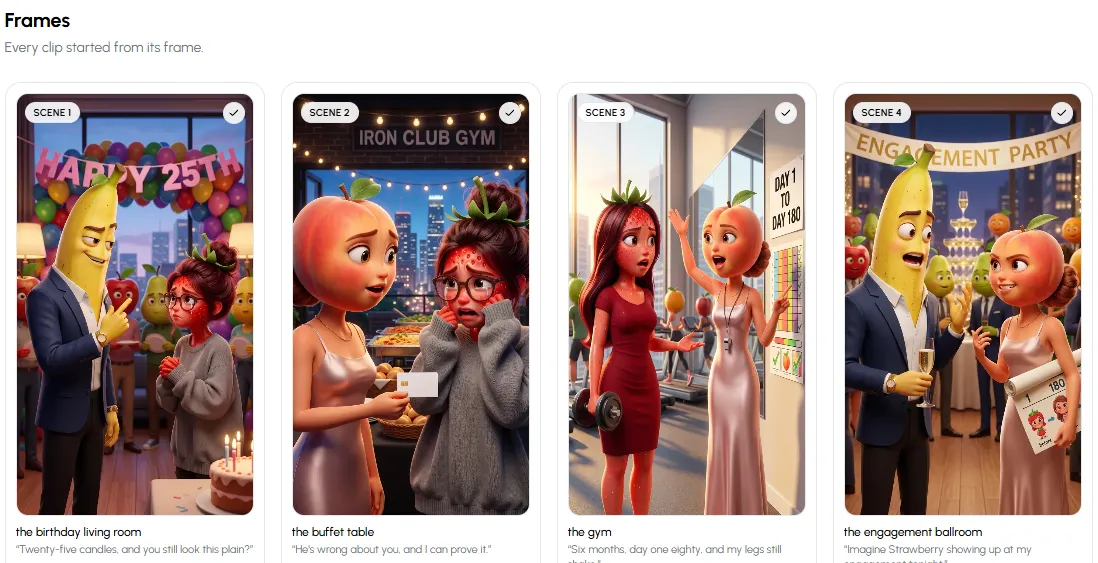
Plan scenes around who has the upper hand: the banana mocks her (he's winning), she trains (she's rising), she walks in (she's winning), the reveal (he's lost). Every change of power is a new scene and a new place. A typical 7 to 8 scene story moves through setup, escalation, the turn, the climax and a final gut-punch.
Staging techniques
8. Stage emotion so it reads muted
Most people watch short videos without sound. Show the feeling in the picture: the villain standing over the hero, the hero alone in a crowd, two characters who are into each other standing close. Distance and pose say more than dialogue. In Autoclips, the Chemistry setting (Clean, Flirty or Spicy) decides how close couples are staged, and captions are on by default. Keep them on.
9. Fix the clip, not the whole video
Check every frame before it is animated, because a wrong frame becomes a wrong clip. Once animated, fix a single clip by describing the change ("she should turn and walk out") instead of starting over. Small fixes on two clips beat a full redo every time. Where: the Frames and Video steps.
Use all nine techniques in your next fruit story.
Open Fruit AI StoriesQuick checklist before you post
| Check | Ask yourself |
|---|---|
| Looks | Does every character look the same in every shot? |
| World | Do all scenes feel like the same place and time? |
| Prop | Is the recurring prop planted early and paid off at the end? |
| Hook | Does something go wrong in the first two seconds? |
| Lines | Is each scene a line or two, not a speech? |
| Muted | Can you follow it with the sound off? |
| Ending | Is there one question left for Part 2? |
Keep learning
Need plots to practise on? Fruit soap opera story ideas has 40, and the AI fruit video prompts hub has copy-ready prompts for every format, from Emotional Plot Twist to Countdown Trap. Comparing tools? See the best AI fruit animation software. For the full beginner walkthrough, read how to make fruit story videos, and for the 3D look, 3D fruit animation. Pacing rules like these work for any short story format, including stickman true story videos.
Made with Autoclips
Real videos people made in the app. Tap one to watch it with sound.
Frequently asked questions
What are the most important fruit story animation techniques?
Keeping each character's look the same in every shot, keeping one world for the whole story, and pacing it with a wrong in the first two seconds and one short shot per scene. Those three fix most AI fruit videos that feel random.
How do I stop my fruit characters changing between scenes?
Approve one look per character before scenes are drawn and reuse saved characters. In Autoclips, the Characters step locks each look and a character sheet helps when the character is seen from different angles.
How long should each scene be in a fruit story?
About ten seconds, with one or two short lines per character. A 60 to 85 second story usually has seven or eight scenes.
What is a recurring prop?
One object that appears in several scenes and matters at the end, like a ring, a chart or a letter. It ties scenes together and makes the twist feel earned.
Should fruit story videos have captions?
Yes. Most short videos are watched on mute, so captions and clear staging carry the story. Autoclips adds captions automatically, and you can change their style.
Can I fix one scene without redoing the whole video?
Yes. In Autoclips you can redraw a frame before it is animated, or describe a change to a single animated clip. The rest of the video stays as it is.
Put the techniques to work
Autoclips builds most of these into every fruit story. You check the script, the looks and the frames before anything is animated.
Make a fruit storyAyaz Alam · Founder of Autoclips
Ayaz builds Autoclips and makes the tutorials on its YouTube channel. Every step in these guides is tested in the app before it is published.