
How to Animate Fruit Characters with AI (Step by Step, 2026)
To animate fruit characters with AI, you design each fruit once, lock that look, draw one still frame per scene with the same characters, then turn each frame into a short moving clip where the character speaks. Autoclips Fruit AI Stories does all four steps from one line of text. Here is the method, the screens, and the mistakes that make fruit look different in every shot.
Quick answer
- Design the fruit first: a fruit head on a human body, with a name, age, personality and one outfit. Save it so it can be reused.
- Lock the look before any scene is made. If the strawberry changes between shots, the story falls apart.
- Draw one frame per scene with the same cast, then animate each frame into a clip of about ten seconds, where the character speaks its lines.
- In Autoclips Fruit AI Stories this is four steps you check one by one: Story, Characters, Frames, Video. You don't draw or keyframe anything yourself.
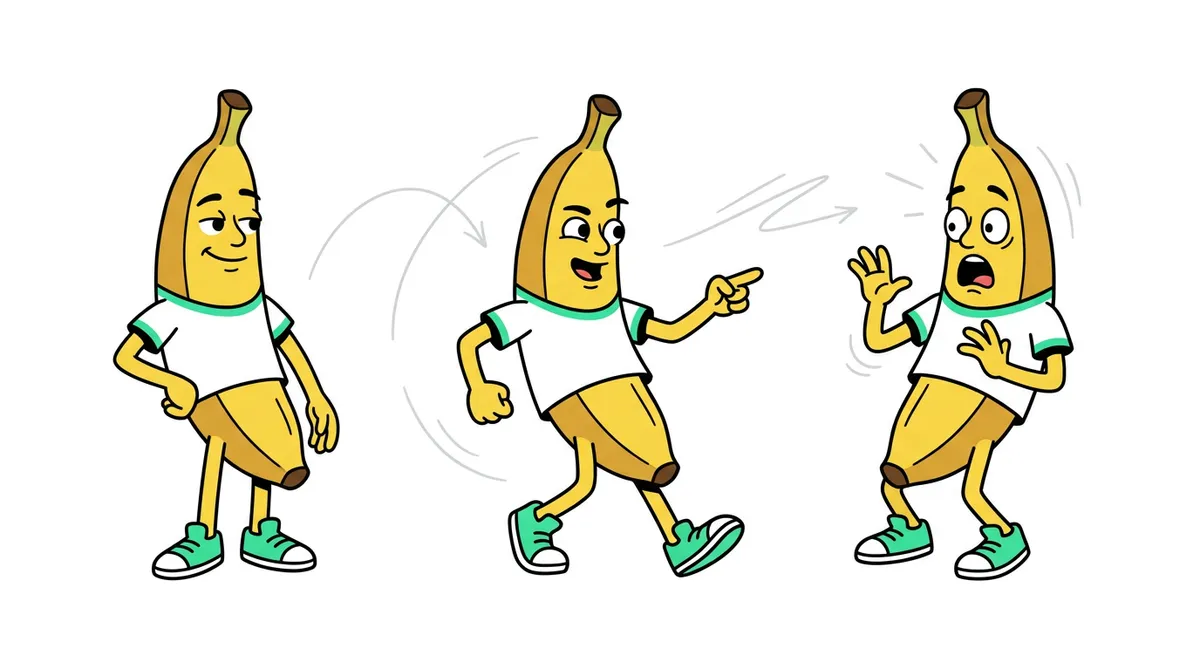
Three ways to animate fruit characters
Before the steps, pick your route. They differ hugely in time and control.
| Route | How it works | Time for a 60 s story | Best for |
|---|---|---|---|
| 3D software (Blender and similar) | Model, rig and keyframe the fruit yourself. | Days | Full control, learning animation |
| Separate AI tools | Generate pictures, animate each clip, add voices and edit in an editor. | Several hours | One-off experiments |
| All-in-one AI fruit story maker | Type the idea; it writes, casts, draws, animates and voices it. | About a minute of your time, then it runs | Posting fruit stories regularly |
The rest of this guide uses the third route in Autoclips, but the same four principles apply whichever tool you use.
How to animate fruit characters, step by step
- 1
Design your fruit character once
The fruit characters people recognise have a fruit head on a human body in normal clothes: a strawberry girl in a red dress, a banana in a navy blazer. Give each one a name, an age and a one-line personality ("arrogant, image-obsessed, cruel in public"). That line decides how they act and talk.
In Autoclips, open Fruit AI Stories, then Characters. Press New character and describe it, or use From a real face to turn a photo into a fruit version of a person (those stay private to you).
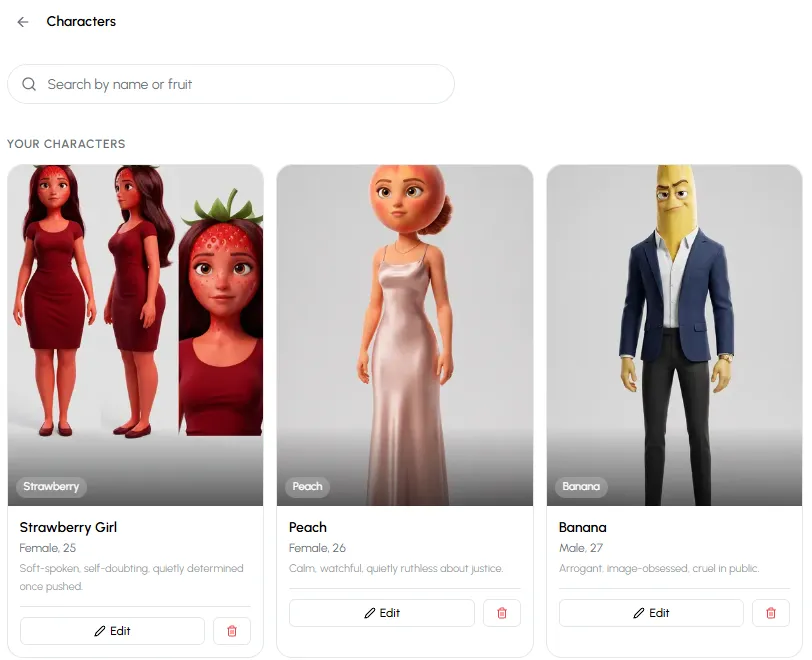
Saved fruit characters, each with a fruit, an age and a personality, ready to cast in any story. - 2
Write the scenes, or let the AI write them
Go back to the create page, pick a format and type one line, like "A banana dumps the strawberry at her birthday party for being too plain". Choose your characters, or leave Auto cast on.
Press Create Video. In the Story step you see every scene: the place, and each line with who says it to whom. Each scene is one shot of about ten seconds, so keep lines short. Change anything you want before moving on.
- 3
Lock each character's look
The Characters step shows the look each character will wear in this story. A glow-up story can have two looks for one character, like "before" and "after". Re-roll draws a new version, Tweak changes one thing ("make the blazer black"), and Character sheet draws the character from several angles so every shot matches.
This is the step that makes or breaks fruit animation. Approve a look you are happy with, because every frame is drawn from it.
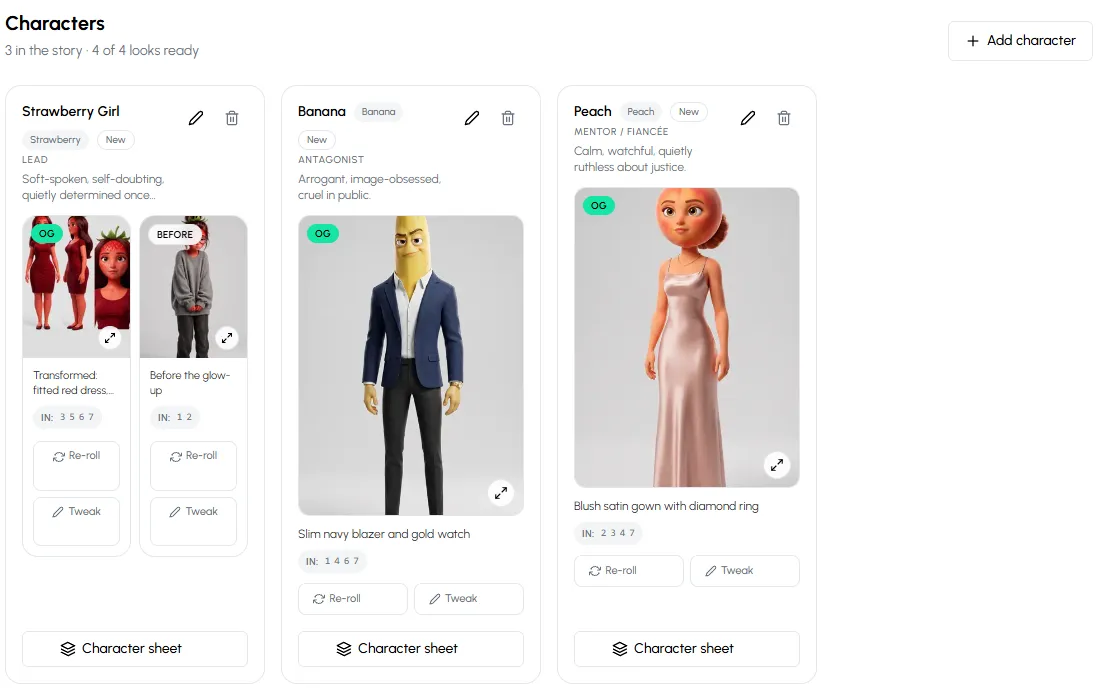
Approve each fruit's look once. Re-roll, tweak, or make a character sheet if a look isn't right. - 4
Approve one frame per scene
In the Frames step Autoclips draws one still picture for each scene, with your cast in the right place. Every clip starts from its frame, so check them: the right fruit, the right expression, the right room. Re-roll or tweak any frame that is off.
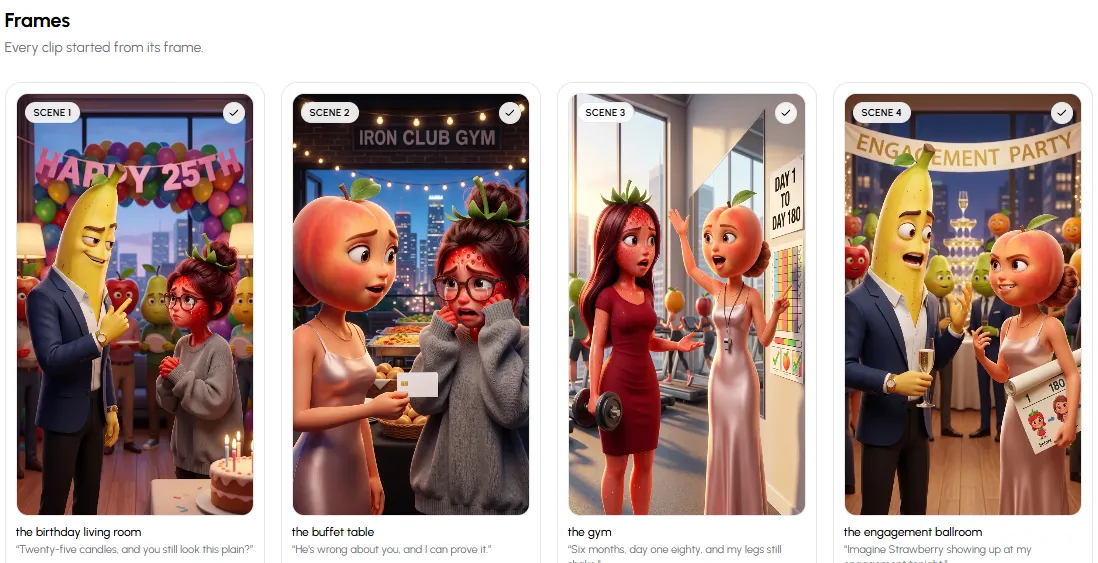
One frame per scene. Each animated clip starts from its frame. - 5
Animate the frames and add the voices
Now each frame becomes a moving clip: the fruit talk, gesture and walk, speaking their lines in their own voices. Captions, music and the speed are set in the same screen.
If one clip isn't right, open it and Describe a change ("she should slap the table") instead of redoing the whole video. Fix Dialog repairs lines that came out wrong.
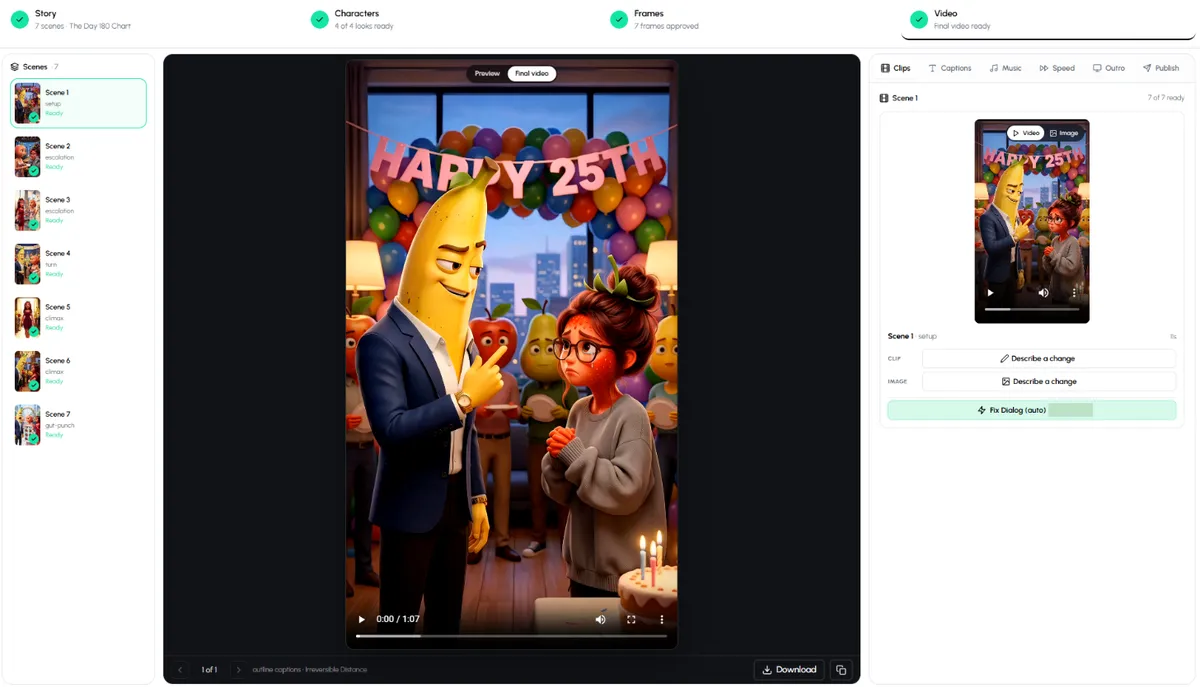
The Video step: every scene animated and voiced, with captions, music, speed and publishing in one place. - 6
Download or post, then make Part 2
Download the video or post it to your connected accounts. Under a finished story, Create Part 2 continues it with the same characters, faces and voices.
Design one fruit character and animate your first story.
Open Fruit AI StoriesFruit character design tips that animate well
- Keep the fruit obvious. Strawberry, banana, peach, apple, watermelon and pineapple read instantly, even tiny on a phone.
- Human bodies, real clothes. A blazer, a hoodie, a wedding dress. Clothes tell the viewer who the character is before they speak.
- One signature detail per character: a gold watch, glasses, a red umbrella. It helps viewers tell characters apart in fast cuts.
- Personality in one line. "Soft-spoken, self-doubting, quietly determined" gives the voice and the acting something to work with.
- Different fruit for different roles. Two strawberries in one scene is confusing unless the story is about twins.
Common mistakes when animating fruit characters
- Generating each scene from scratch. Without a locked look, the strawberry's face, colour and dress change every shot. Always design first.
- Long lines in short scenes. A scene is about ten seconds. Two short lines beat one long speech that the voice has to rush.
- Too many characters at once. Three in a scene is plenty for a phone screen.
- Skipping the frame check. Fixing a frame takes seconds. Fixing an animated clip takes longer.
- No sound-off version. Most viewers watch muted, so leave captions on.
Where to go next
Comparing tools before you commit? See the honest rundown of the best AI fruit animation software. If you want fruit that look like proper 3D animated films, our page on 3D fruit animation shows the look, and talking fruit videos covers fruit that speak straight to the camera. The same character-first approach also works for animated stickman videos.
Made with Autoclips
Real videos people made in the app. Tap one to watch it with sound.
Frequently asked questions
How do you animate fruit characters with AI?
Design each fruit character once, lock its look, draw one frame per scene with that character, then animate each frame into a short clip with the voice on top. An all-in-one tool like Autoclips Fruit AI Stories does each of these steps for you and lets you check them as you go.
How do I keep my fruit character looking the same in every scene?
Approve a single look for the character before any scene is drawn, and reuse the saved character in every story. In Autoclips the Characters step locks the look, and saved characters keep the same face and voice in every part.
Can I make fruit characters talk?
Yes. Each character gets a voice, and they speak their lines in the animated clips. You can change any line in the Story step before it is voiced.
What app do people use to make fruit character videos?
Many use all-in-one AI fruit story makers such as Autoclips, which write, draw, animate and voice the story. Others combine separate picture, video and voice tools and edit the result together, which takes longer.
Can I turn a real person into a fruit character?
In Autoclips, yes: From a real face turns a photo into a fruit version of that person. Those characters stay private to your account and are never shared. Only use photos of people who have agreed to it.
Can I animate fruit characters on my phone?
Yes. Autoclips runs in the browser, so you can design characters, approve frames and download the finished video from a phone.
How long does it take to animate a fruit story?
Setting it up takes about a minute. Writing, drawing, animating and voicing then run on their own, and you check each step when it is ready.
Bring your fruit to life
Design a fruit character once and Autoclips keeps it the same in every scene, every voice line and every part.
Animate a fruit characterAyaz Alam · Founder of Autoclips
Ayaz builds Autoclips and makes the tutorials on its YouTube channel. Every step in these guides is tested in the app before it is published.