
Can Claude Make Videos? Yes, Here Is How to Make Videos with Claude
Yes, Claude can make videos: connect Autoclips to Claude and ask for a video in plain words, and Claude makes a finished, voiced, captioned video and gives you the link. Claude shows the price in credits first and only starts when you say yes. Without a connected tool, Claude can only write the script or code that renders simple animations, because it has no video generator built in. Setup takes about a minute.
Quick answer
- Yes, with a connected tool. Connect Autoclips and Claude makes real videos from one message. On its own, Claude writes scripts and Claude Code writes code that renders video, but there is no video model inside Claude.
- Connect the Autoclips connector (an MCP server) and Claude can make real videos: stories, character explainers, 3D animated shorts, stickman videos and more.
- Setup: on the Autoclips Connect to Claude page press Add to Claude, then Add, Connect, and sign in to Autoclips. No API key needed.
- Before anything costs credits, Claude shows the price and waits for your yes. Deleting and posting to your social accounts also ask first.
- Works on claude.ai, the desktop and phone apps, and Claude Code. Free Claude plans can add one custom connector.
Can Claude make videos?
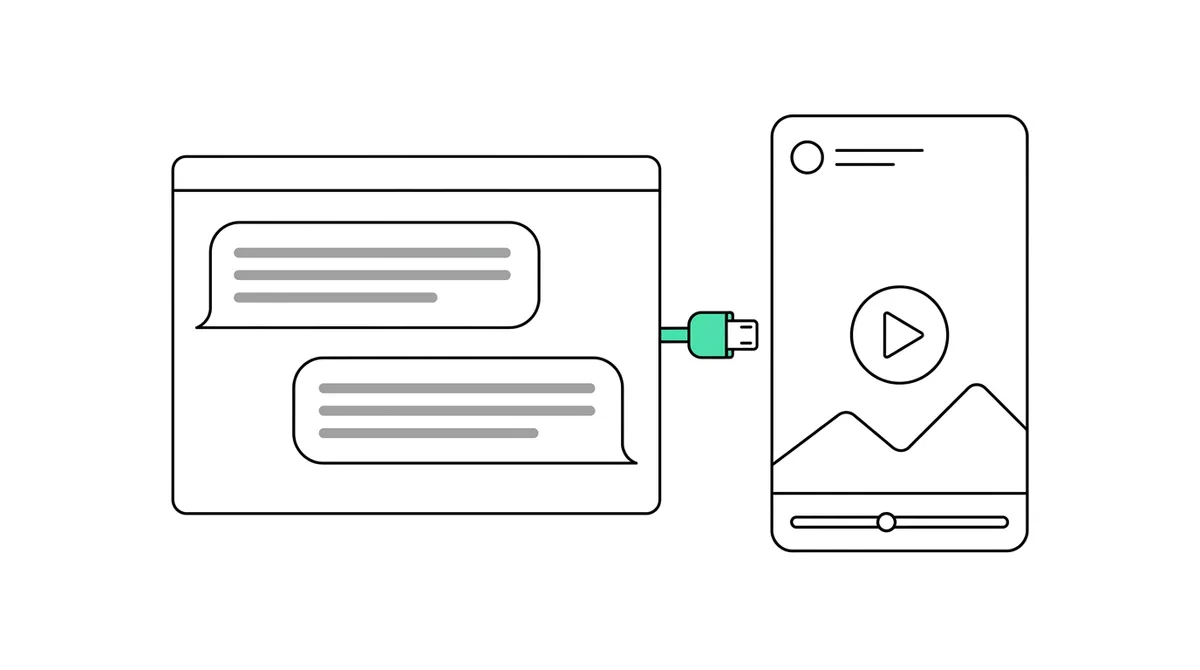
Yes, once it has a video tool to use. Claude is a language model: it reads and writes text and code, and it can look at images. It has no video generator built in, so in a normal chat, asking for a video gets you a script or a storyboard, not a video file. Connect a video tool and that changes.
There are two ways to get real videos out of Claude:
| Claude writes video code | Claude uses a video tool (connector) | |
|---|---|---|
| How it works | Claude Code writes a program (for example with Remotion or FFmpeg) that renders a video on your computer | Claude calls a connected video service, which makes the video and sends back a link |
| What you get | Motion graphics, text animations, slideshows | Finished videos with voice, scenes, characters, captions and music |
| Skills needed | Comfortable with code and a terminal | None: you just chat |
| Time | Minutes to hours of back and forth | Setup once, then one message per video |
| Best for | Product demos, data animations, developers | Shorts, TikToks, stories, explainers |
This guide is about the second way: connecting Autoclips so Claude can make complete videos for you.
How Claude makes videos with Autoclips
Autoclips has an MCP connector. MCP (Model Context Protocol) is the standard way Claude plugs into other apps. Once it is connected, Claude can use Autoclips the way you would: pick a format, write the script, choose a voice, make the video, check if it's done, and post it.
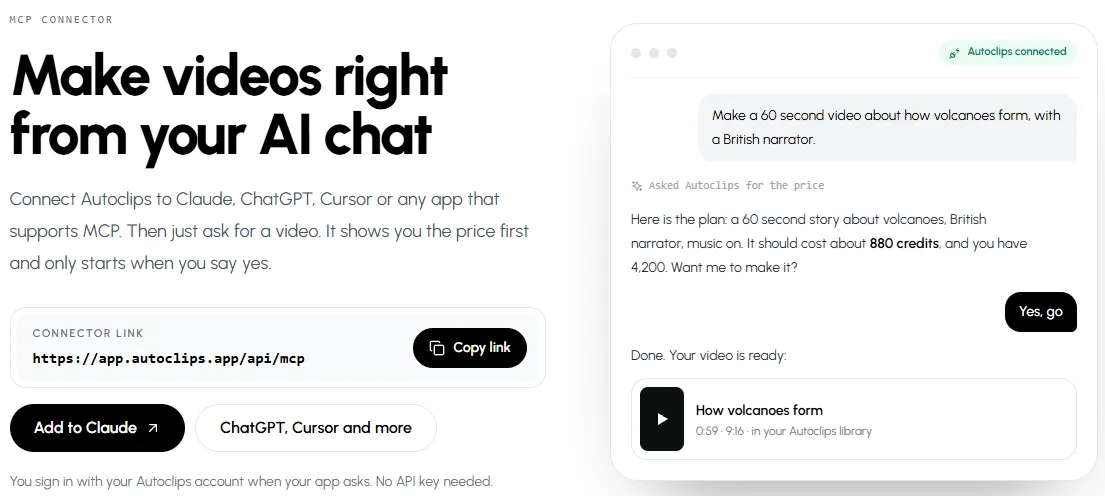
Every Autoclips format works from chat. Things you can ask:
- "Make a 60 second video about the history of coffee, narrated in Spanish."
- "Make a Character Explainer about black holes, with gameplay in the background."
- "Make a 3D animated short about a little robot who finds a flower."
- "Put this picture in scenes 1 and 2."
- "Is my video done? Post it to my YouTube and TikTok."
- "How many credits do I have left this month?"
How to connect Autoclips to Claude
- 1
Open the Connect to Claude page
Sign in to Autoclips and open Connect to Claude (app.autoclips.app/connect-claude). Press Add to Claude.
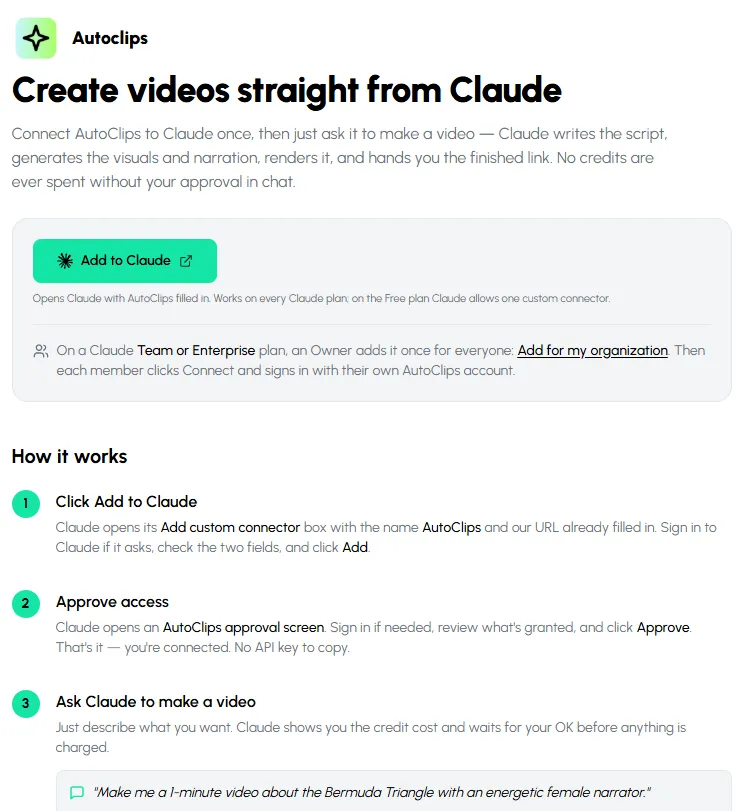
The Connect to Claude page: one button, approve, then ask. - 2
Add the connector in Claude
Claude opens with the name and the connector link already filled in. Press Add, then Connect. If you prefer to do it by hand: in Claude go to Customize → Connectors → Add custom connector and paste
https://app.autoclips.app/api/mcp. - 3
Sign in and approve
An Autoclips approval screen opens. Sign in, check what Claude will be allowed to do, and approve. No API key to copy.
- 4
Turn it on in a chat and ask
In a chat, open the + menu, go to Connectors and switch Autoclips on. Then ask for a video. Claude asks only about the choices that matter, shows the price, and starts when you say yes.
Connect once, then make videos from any Claude chat.
Connect ClaudeBuilt to ask before it spends
Giving an AI access to a paid tool should not mean giving it your wallet. The rules live on the Autoclips side, not in the chat, so they hold whatever Claude says:
- Nothing is charged without your yes. Claude must show the price and get your approval. The go-ahead works once, for those exact settings.
- Deletes and posts ask first. Anything that deletes or posts to your accounts shows you what will happen before it happens.
- Same credits, same prices as in the app. Connecting costs nothing.
- You stay in control. Remove the connector in Claude whenever you like.
Making videos with Claude Code
Claude Code can use the same connector. Run this once in your terminal, then /mcp in Claude Code to sign in:
claude mcp add --transport http autoclips https://app.autoclips.app/api/mcp
Add --scope user to have it in every project. Connectors you added on claude.ai also show up in Claude Code when you use the same Claude account. From there you can make videos from a script, batch a week of videos from a list, or ask Claude to build your own app on the Autoclips API. Developers should read the AI video generation API guide.
Ideas for using Claude as your video assistant
- Blog post to video: paste an article and ask for a 60 second summary video.
- A week in one chat: ask for five topic ideas in your niche, pick three, approve each price.
- Fix one scene: "Scene 3 is too dark, redo the picture."
- Post and track: "Post yesterday's video to TikTok and YouTube."
- Run a channel: see automating a YouTube channel with an AI agent.
Prefer ChatGPT? See how to make videos with ChatGPT. Want videos on a fixed daily schedule without any chat? Use an automation. All setup steps for every app are on the Autoclips MCP page.
Made with Autoclips
Real videos people made in the app. Tap one to watch it with sound.
Frequently asked questions
Can Claude make videos?
Not on its own: Claude has no built-in video generator. Connected to a video tool like Autoclips through MCP, it can make finished videos with voice, scenes and captions from one message. Claude Code can also write code that renders simple videos.
Can Claude generate a video from text?
With the Autoclips connector, yes. Describe the video (topic, length, voice, language) and Claude sends it to Autoclips, shows you the price, and returns the finished video when it's ready.
Is making videos with Claude free?
Connecting Autoclips to Claude is free, and free Claude plans can add one custom connector. The videos use your normal Autoclips credits, at the same prices as in the app, and Claude tells you the price before anything is charged.
Do I need an API key to connect Claude?
No. You sign in to Autoclips and approve. An API key is only for tools that can't do that sign-in.
Does it work in the Claude phone app?
Yes. Add the connector on claude.ai or the desktop app, and it works in the Claude phone apps too.
Can Claude post the videos for me?
Yes, to the social accounts you connected in Autoclips. Claude shows you what will be posted and asks before anything goes live.
Can Claude Code make videos?
Yes, two ways: it can write code that renders a video (for example with Remotion), or use the Autoclips connector to make finished videos. Add it with one terminal command and sign in.
Let Claude make your next video
Connect Autoclips once. Then ask Claude for a video, approve the price, and get the finished video in chat.
Connect ClaudeAyaz Alam · Founder of Autoclips
Ayaz builds Autoclips and makes the tutorials on its YouTube channel. Every step in these guides is tested in the app before it is published.