
ChatGPT Video Generator: How to Make Real Videos with ChatGPT
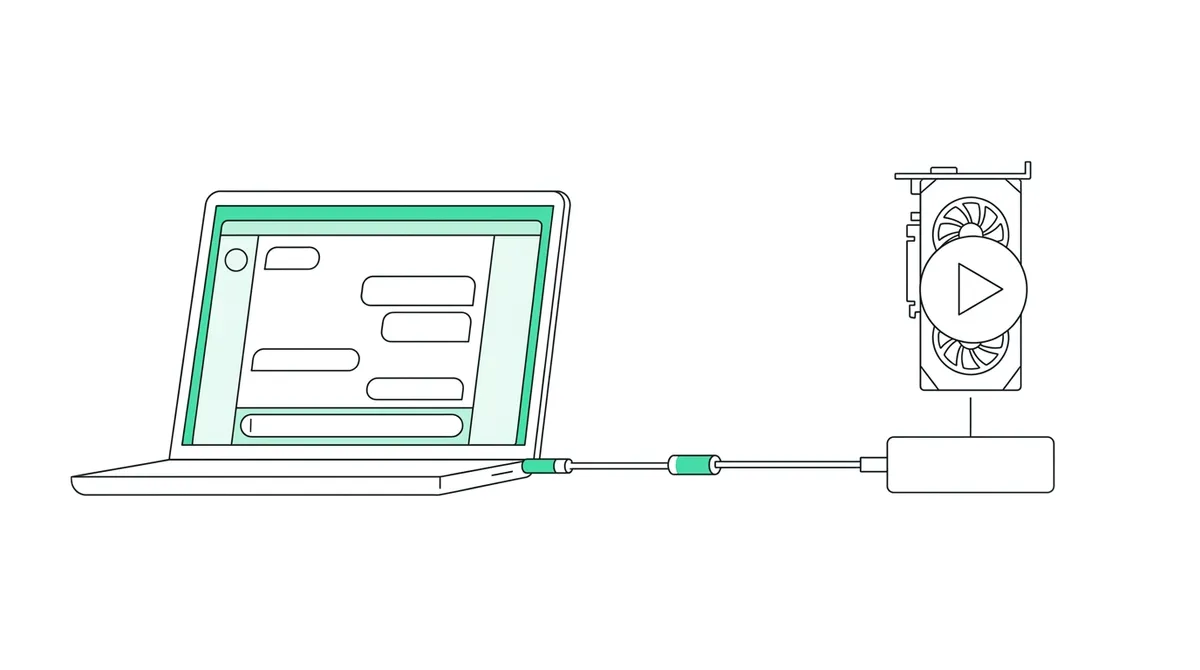
ChatGPT can't generate videos on its own: it writes ideas, scripts, shot lists and captions, and makes still images, but it doesn't render a video file. To use ChatGPT as a video generator, pair it with a video tool. You can paste ChatGPT's script into one, or connect the tool to ChatGPT so it can make the video from the chat. This guide shows what works on which ChatGPT plan and gives you prompts to copy.
Quick answer
- ChatGPT alone doesn't make videos. It writes scripts, hooks, shot lists, titles and captions, and makes still images. It does not render a video with voice, scenes and captions.
- Way 1 (any plan, free included): ask ChatGPT for the script, paste it into a video tool like Autoclips, and get a finished, voiced, captioned video.
- Way 2 (connect it): add Autoclips to ChatGPT as a custom app with the link
https://app.autoclips.app/api/mcp. ChatGPT can then check your videos and credits, and on plans where custom apps can take actions it can make and post videos too. - Starting videos from ChatGPT needs a plan where OpenAI lets custom apps take actions (Business, Enterprise, Edu). On Plus and Pro it may only read.
- Whichever way you use, the video tool shows the price in credits first and only starts when you say yes.
Can ChatGPT make videos?
Not by itself. ChatGPT gives you text and pictures: ideas, scripts, storyboards, prompts, captions and still images. Ask it for "a video" and you get a script, a shot list or a picture, not an MP4 with voice and moving scenes. OpenAI's own video model, Sora, was a separate app and never became a ChatGPT feature.
That is why most sites called "ChatGPT video generator" are separate video tools that use a language model to write the script first. The useful question is: how do you get from ChatGPT's text to a finished video with the least copying?
| Part of a video | ChatGPT on its own | ChatGPT + a video tool |
|---|---|---|
| Idea and angle | Yes | Yes |
| Script with a hook | Yes | Yes |
| Shot list or storyboard | Yes, as text | Turned into real scenes |
| Still images | Yes | Yes, with the same character in every scene |
| Voiceover | No audio file to use in a video | Yes, in many voices and languages |
| Moving scenes and animation | No | Yes |
| Captions, music, editing | Can write the caption text | Done for you |
| Export and post to YouTube or TikTok | No | Yes |
Three ways to use ChatGPT as a video generator
| Way | How it works | Works on | Effort |
|---|---|---|---|
| 1. Paste the script | ChatGPT writes, you paste into a video tool | Every ChatGPT plan, including free | One copy, one paste |
| 2. Connect a video tool | Add the tool as a custom app (MCP connector) so ChatGPT can use it | chatgpt.com with Developer mode; making videos needs a plan where custom apps can take actions | Setup once, then ask in chat |
| 3. Build a custom GPT | Give a GPT access to a video API through GPT Actions | Plans that can build GPTs, plus an API key | Developer work |
Way 1: ChatGPT writes, Autoclips makes the video
This works today on every plan, and it's the fastest way to see results. ChatGPT is good at the thinking; Autoclips does the voice, scenes, animation, captions, music and posting.
- Ask ChatGPT for a script. Use one of the prompts below. Ask for 60 to 90 seconds of spoken words for Shorts and TikTok, about 150 to 220 words.
- Pick a format in Autoclips. Sign in to Autoclips and choose the kind of video: a stickman story, a character explainer over gameplay, a cinematic narrated story, a 3D animated short and more.
- Paste the script. In Stickman, switch on My script and paste it: your exact words are spoken, nothing is rewritten. Other formats take the topic or the story and write around it. See turning a script into a stickman video.
- Pick a voice and language, then make it. Choose the voice, language and look. Autoclips shows the credits it will use, and makes the video when you confirm. Download it, or post it to your connected YouTube, TikTok and Instagram accounts.
ChatGPT prompts for video scripts you can copy
Write a 60 second voiceover script for a YouTube Short about [topic]. Open with a surprising fact or number in the first sentence. Use short sentences a narrator can read easily. No stage directions. End with a question viewers can answer in the comments.
Give me 10 hooks for a short video about [topic]. Each one under 12 words, each a different type: a number, a question, a mistake, a secret, a before-and-after.
Plan 7 short videos for a faceless channel about [niche] for US viewers. For each: a title under 60 characters, the hook line, and one sentence on the story. No two on the same angle.
Tell this true story as a 75 second narrated script: [paste notes or a link summary]. Keep the real numbers and dates. Build tension to a turn in the middle and land the ending in the last two lines.
Write a YouTube Shorts title, a 2 sentence description and 5 hashtags for this script: [paste script].
Got a script from ChatGPT? Turn it into a voiced, animated video in a few minutes.
Make the videoWay 2: connect Autoclips to ChatGPT
Autoclips has an MCP connector, the standard way AI apps plug into other tools. In ChatGPT it is added as a custom app through Developer mode. Once added, you talk to Autoclips from inside your ChatGPT chat.
- 1
Turn on Developer mode
On chatgpt.com, open Settings → Apps → Advanced settings and turn on Developer mode. OpenAI moves these menus around; if yours looks different, look for Apps or Connectors in Settings.
- 2
Add a custom MCP server
In Apps, choose Create. On newer accounts, go to chatgpt.com/plugins, press the plus button and pick Add custom MCP server.
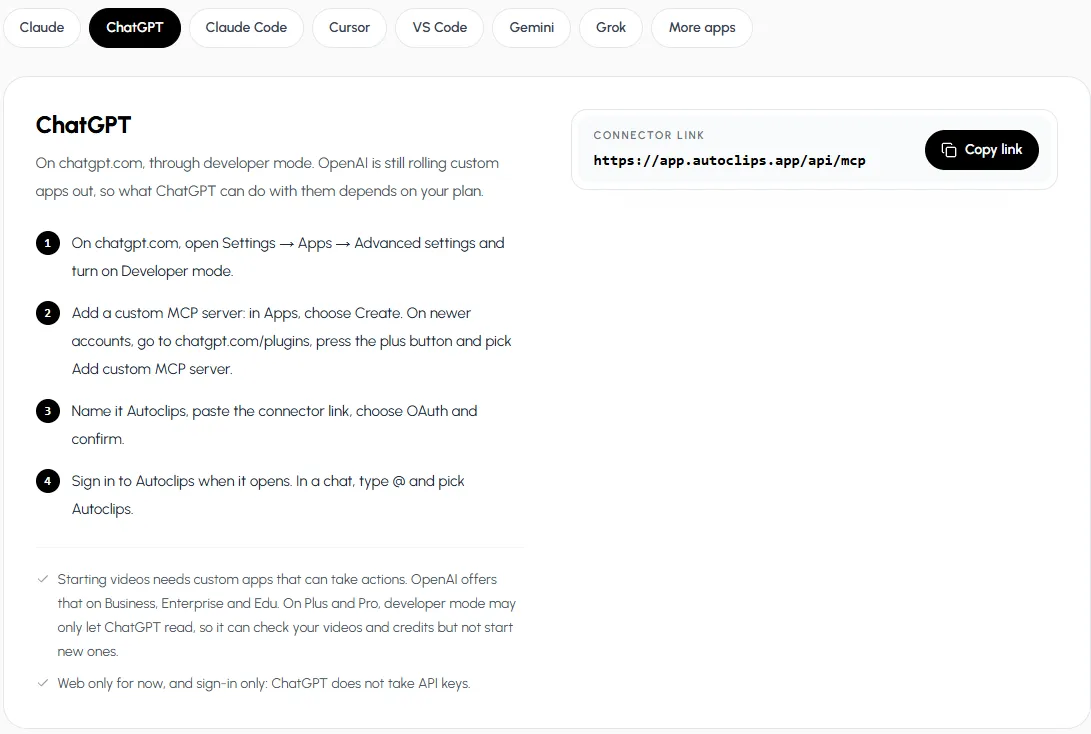
The ChatGPT steps from the Autoclips MCP page, with the connector link. - 3
Paste the connector link
Name it Autoclips, paste
https://app.autoclips.app/api/mcp, choose OAuth and confirm. - 4
Sign in and ask
Sign in to Autoclips when it opens. In a chat, type @ and pick Autoclips, then ask: "How many credits do I have?" or "Make a 60 second video about how volcanoes form, with a British narrator."
What ChatGPT can do once Autoclips is connected
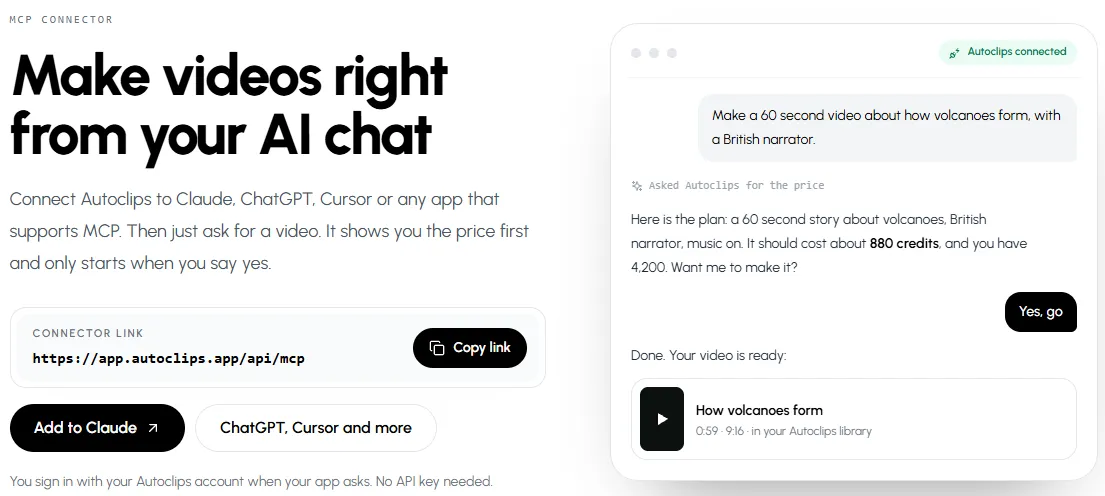
- Check: your credits, your recent videos, whether a video is done.
- Make (on plans that allow actions): story videos, character explainers, 3D animated shorts, stickman videos and more, after showing the price and getting your yes.
- Change: rewrite a scene, swap a picture, change the voice.
- Post: to your connected social accounts, after showing you what will go out.
Nothing that costs credits runs without your yes, and those rules sit on the Autoclips side, so they hold whatever the chat says. Videos use your normal credits at the same prices as in the app; connecting costs nothing. All setup steps, for ChatGPT and every other app, are on the Autoclips MCP page.
Way 3: a custom GPT that makes videos
Developers can give a custom GPT access to the Autoclips API through GPT Actions, using the API's OpenAPI description. Use an API key with only the permissions the GPT needs, and a daily credit cap. It's more work than the connector, and for most people Way 1 or Way 2 is simpler. See the AI video generation API guide.
Mistakes when making videos with ChatGPT
- Scripts that read like essays. Ask for short spoken sentences and a hook in the first line. Reading it out loud once catches most problems.
- Too long for the format. About 150 words is a minute of narration. A 400-word script is not a Short.
- Unchecked facts. ChatGPT can state wrong numbers confidently. Check names, dates and figures before the video goes out, especially in true stories.
- One-off videos. A channel grows from a series. Ask ChatGPT for a week of ideas on one angle, not one random video. When it works, put it on a schedule with an automation.
Made with Autoclips
Real videos people made in the app. Tap one to watch it with sound.
Frequently asked questions
Can ChatGPT make videos?
Not on its own. ChatGPT writes scripts, ideas and captions and makes still images, but it doesn't render a video with voice and moving scenes. Pair it with a video tool like Autoclips, by pasting the script or connecting the tool, and you get a finished video.
Is there a free ChatGPT video generator?
ChatGPT can write video scripts on the free plan. Turning a script into a video needs a video tool; in Autoclips signing up is free and each video uses credits, shown before anything is made.
Can ChatGPT make a video from a script?
Not by itself. Paste the script into Autoclips (in Stickman, the My script switch keeps your exact words) and it voices, animates, captions and exports the video.
Can ChatGPT make YouTube videos?
It can plan and write them: ideas, scripts, titles, descriptions. The video itself has to be made in a video tool. With Autoclips connected on a plan that allows actions, ChatGPT can ask Autoclips to make and post it.
Which ChatGPT plans can make videos with Autoclips?
Custom apps that take actions are offered on Business, Enterprise and Edu, so those can start videos from the chat. On Plus and Pro, Developer mode may only allow reading. On every plan, including free, you can paste ChatGPT's script into Autoclips.
Do I need an API key to connect ChatGPT?
No. ChatGPT connects with sign-in only: you sign in to Autoclips and approve. ChatGPT does not take API keys for custom apps.
Does the connector work in the ChatGPT phone app?
For now the custom connector is set up and used on chatgpt.com on the web. Way 1 (paste the script) works from any device.
Is ChatGPT or Claude better for making videos?
Both write good scripts. For making videos from the chat, Claude can add the Autoclips connector on every plan (free plans get one custom connector), while ChatGPT needs a plan where custom apps can take actions. See how to make videos with Claude.
Turn your ChatGPT ideas into finished videos
Paste ChatGPT's script into Autoclips, or connect Autoclips to ChatGPT. Either way you get a voiced, captioned video ready to post.
Turn a script into a videoAyaz Alam · Founder of Autoclips
Ayaz builds Autoclips and makes the tutorials on its YouTube channel. Every step in these guides is tested in the app before it is published.