
Two Characters Explaining Over Gameplay: How to Make the Viral Format with AI
The two characters explaining over gameplay format is the short video where one cartoon character explains a topic, a second one asks the questions everyone is thinking, and Minecraft parkour or Subway Surfers runs behind them with captions on top. In Autoclips Character Explainer you set it up in Dialogue mode: pick two characters, give each a role, choose the gameplay, and it writes and voices the conversation.
Quick answer
- The format: two characters in the bottom corners talking, gameplay filling the frame behind them, word-by-word captions. One explains, the other questions.
- It works because a conversation keeps attention better than a monologue, and the skeptical character asks what the viewer is thinking.
- In Autoclips Character Explainer, choose Dialogue on the Character step, pick two characters, put one left and one right, and give them roles like The Authority and The Skeptical Normie.
- Pick gameplay from 101 built-in clips (Minecraft, Roblox, GTA, Subway Surfers, Satisfying) or upload your own. The script, voices and captions are made for you.
What the two characters over gameplay format is
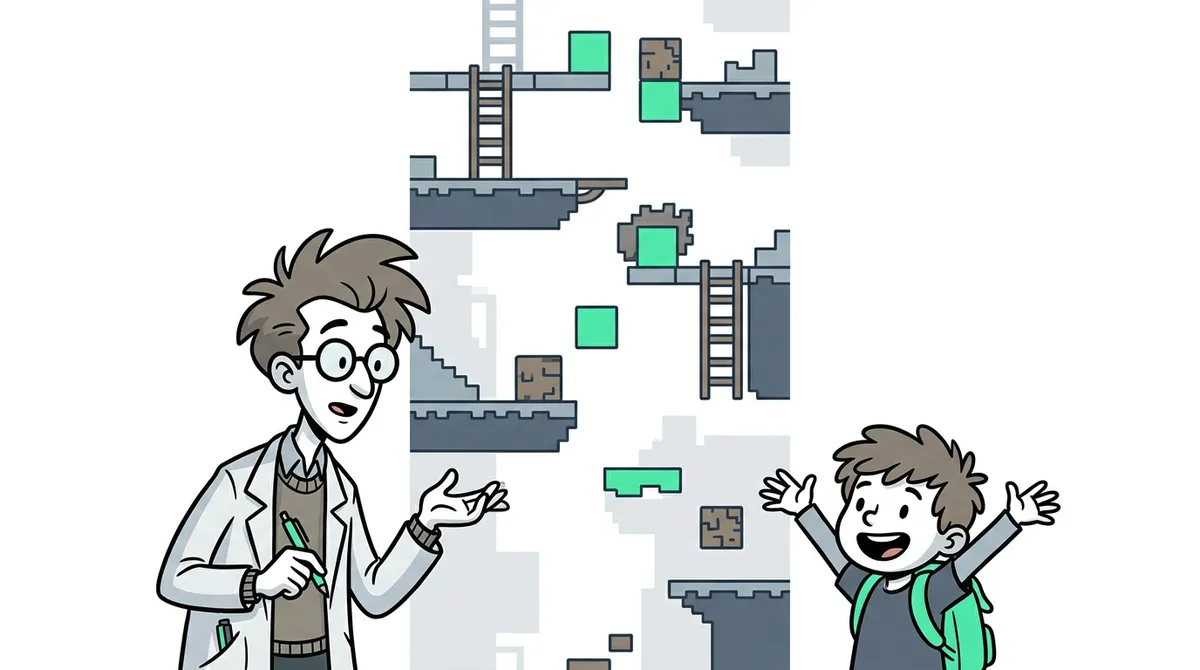
If you've scrolled Shorts, TikTok or Reels in the last two years you've seen it: two cartoon characters standing in the bottom corners of the screen, one explaining something with total confidence, the other interrupting with "wait, so you're telling me...", while a Minecraft parkour run plays behind them. Captions flash one word at a time. A minute later you've learned how credit scores work and you don't know how you got there.
It grew out of the gameplay-background trend, where creators put satisfying game footage under anything to keep eyes on screen. Pairing that with two characters in a conversation turned it into a format that can explain almost anything: news, history, money, science, internet drama.
Why two characters work better than one
- A conversation has tension. One character knows, one doesn't. That gap is what keeps people watching.
- The second character asks the viewer's question. "Wait, why?" is exactly what the viewer was about to think.
- Jokes land. The back-and-forth gives room for one-liners a narrator can't do.
- Gameplay holds the eyes; dialogue holds the brain. Even someone half-listening keeps watching.
- It's easy to binge. The same pair on every video becomes your channel's identity.
The roles that make the dialogue work
In Autoclips each character gets a personality role, and the script is written around them. Only one character is the lead. Good pairings:
| Lead | Partner | Feels like |
|---|---|---|
| The Authority (sees the full picture) | The Skeptical Normie | A teacher and a doubter. Classic explainer. |
| The Insider | The Naive Beginner | Someone spilling secrets to a friend who can't believe it. |
| The Storyteller | The Comedian | A story with someone heckling it. Great for history. |
| The Provocateur | The Philosopher | A hot take and a calm counterpoint. Good for debates. |
| The Authority | The Chaotic Zoomer | Meme energy. Best for the Brain Rot style. |
How to make a two-character gameplay video, step by step
- 1
Set up the topic and style
Open Character Explainer in Autoclips. Type a topic ("Why your bank pays you almost nothing on savings") or paste your own script. Pick the language, a style (Explainer for clear teaching, Comedy or Brain Rot for chaos), and a length from 30 seconds up to 5 minutes.
- 2
Pick the gameplay
On Visual Style, keep Gameplay and choose a clip from Minecraft, Roblox, GTA, Subway Surfers or Satisfying (101 in total), or upload your own MP4, WEBM or MOV up to 200 MB. Set the gameplay speed if you want it faster or slower.
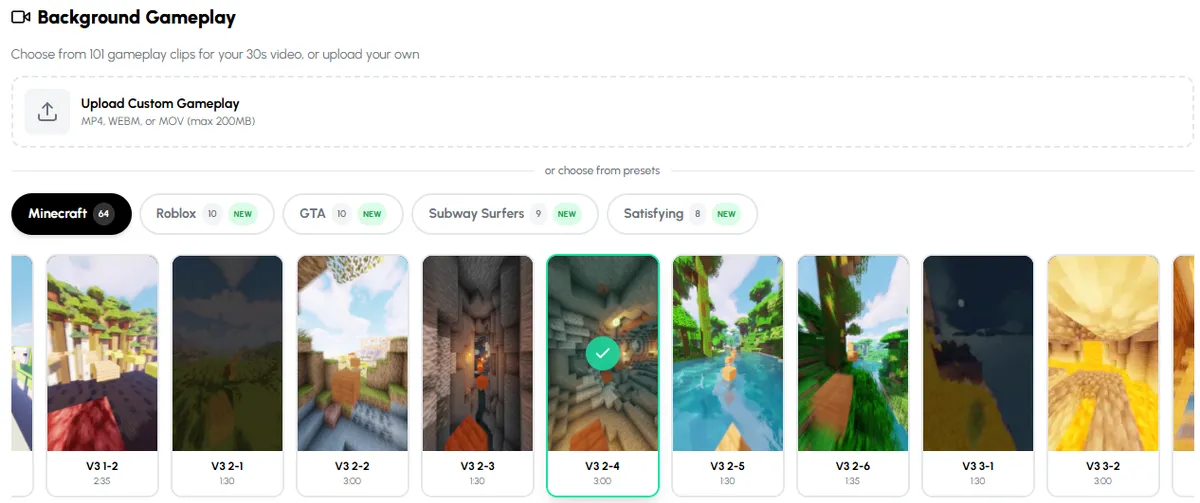
Choose the gameplay that plays behind your two characters, or upload your own. - 3
Switch to Dialogue and pick two characters
On Character, choose Dialogue. Your cast shows both characters; tap Change to swap one, or Add Character for a third (a 30-second video holds up to 3, longer videos up to 6).
Put one character Left and one Right, then pick each one's role from the menu. The lead is marked LEAD.
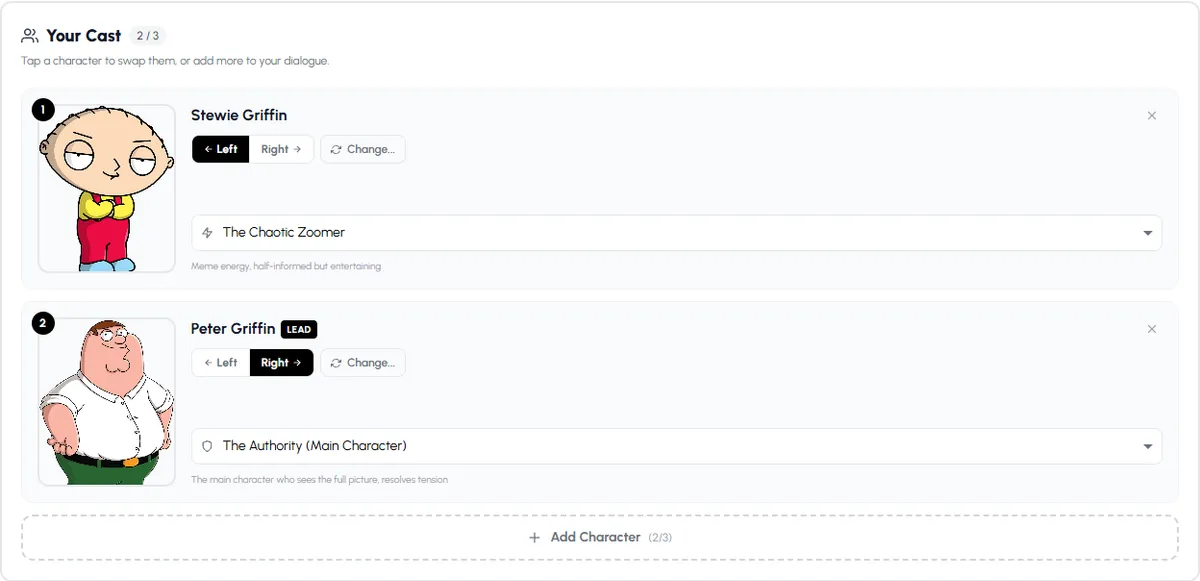
Dialogue mode: two characters, one on each side, each with a role. The lead sees the full picture. - 4
Tune the voices
Set the speech speed for everyone, choose how much emotion the voices carry (Off, Subtle, Normal or Expressive), and change the character size or turn on the floating wobble.
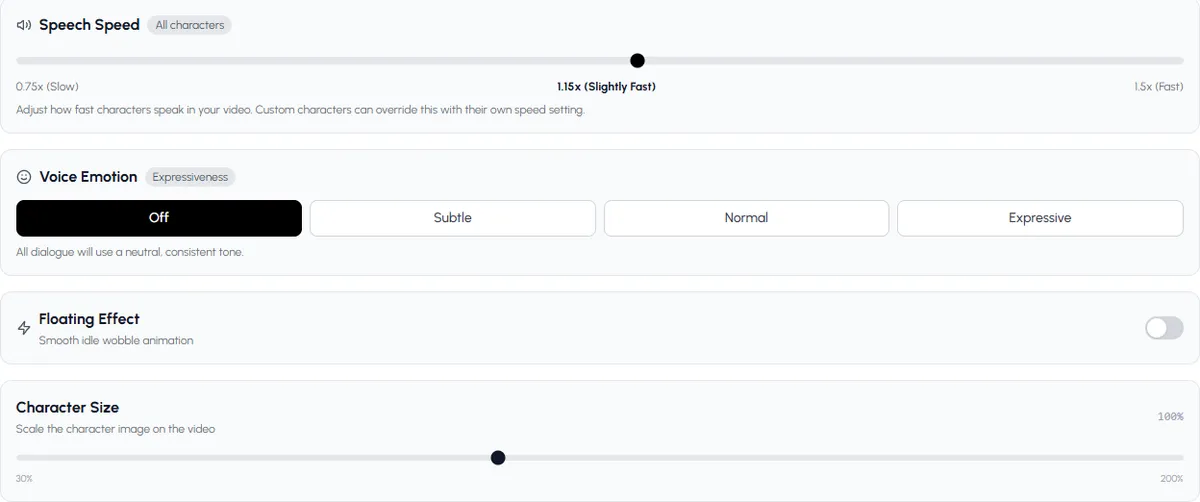
Speech speed, emotion, floating and size apply to the whole cast. - 5
Read the script, then generate
Autoclips writes the conversation as alternating lines for each character. Edit any line, check the scenes, pick music, preview it, and generate. Then download or publish to your connected accounts, now or on a schedule.
Try it with a topic you know well: you'll spot whether the script is right.
Open Character ExplainerScript tips for two-character videos
- Open with the partner's reaction, not the lead's lesson: "Hold on, banks make HOW much off my money?"
- Short lines. One sentence each, then switch. Long speeches kill the format.
- Let the skeptic be right once. It makes the conversation feel real.
- One topic per video. Two characters can wander; keep them on one question.
- End on a punchline or a question, so people comment or watch again.
Which characters can you use?
Autoclips has a built-in cast of well-known adult-cartoon characters that come with a voice already set up, and you can make your own characters with your own picture, voice and personality. Many creators do best with an original pair: nobody else can post your characters, and you never have to worry about whether a rights holder will object. If you want the familiar cartoon look, our pages on Family Guy AI voice videos and Peter Griffin AI voice videos cover it. For how voices work for your own characters, see the AI character voice generator guide.
Keep going
Want it louder? The brainrot video generator guide covers the Brain Rot style. Need topics? Character explainer video ideas. For gameplay specifically, see the Minecraft AI video maker, and for the format in general, character explainer videos. If you'd rather have characters act a story than explain one, try stickman videos.
Made with Autoclips
Real videos people made in the app. Tap one to watch it with sound.
Frequently asked questions
What are the videos with two characters talking over Minecraft parkour called?
They are usually called character explainer videos or dialogue videos. Two cartoon characters talk about a topic in the corners of the screen while gameplay like Minecraft parkour plays behind them, with word-by-word captions.
How do you make two characters talk over gameplay?
You need a two-person script, a voice for each character, gameplay footage, and captions timed to the voices. In Autoclips Character Explainer you choose Dialogue mode, pick two characters and the gameplay, and it writes and voices the conversation and adds captions.
Can I use more than two characters?
Yes. A 30-second video holds up to 3 characters, a 1-minute video up to 4, 1.5 minutes up to 5, and 2 minutes or more up to 6.
Can I upload my own gameplay?
Yes. Upload an MP4, WEBM or MOV file up to 200 MB on the Visual Style step, or pick one of the 101 built-in clips.
Can I make my own characters for the dialogue?
Yes. Create your own character with a picture (upload one or generate it), a voice and a personality, and it appears in your cast list for every video.
What topics work best for this format?
Topics with a surprising answer: how money, the body, history or the internet really works, and news people are arguing about. Pair a confident explainer with a skeptic who asks the obvious questions.
How long should a two-character explainer be?
30 to 60 seconds for Shorts, TikTok and Reels. Longer versions up to 5 minutes work on YouTube.
Make your first dialogue video
Pick two characters, a topic and some gameplay. Autoclips writes the conversation and voices both sides.
Make a two-character videoAyaz Alam · Founder of Autoclips
Ayaz builds Autoclips and makes the tutorials on its YouTube channel. Every step in these guides is tested in the app before it is published.