
AI Content Pipeline with Video: Where to Get One, and How It Works
You can get AI content pipeline automation that includes video creation in three ways: an all-in-one platform that goes from topic to posted video (like Autoclips automations), a no-code workflow you build yourself in Make, n8n or Zapier from separate AI tools, or an API you call from your own code or AI agent. This guide explains each stage of the pipeline, what to look for, and which option fits you.
Quick answer
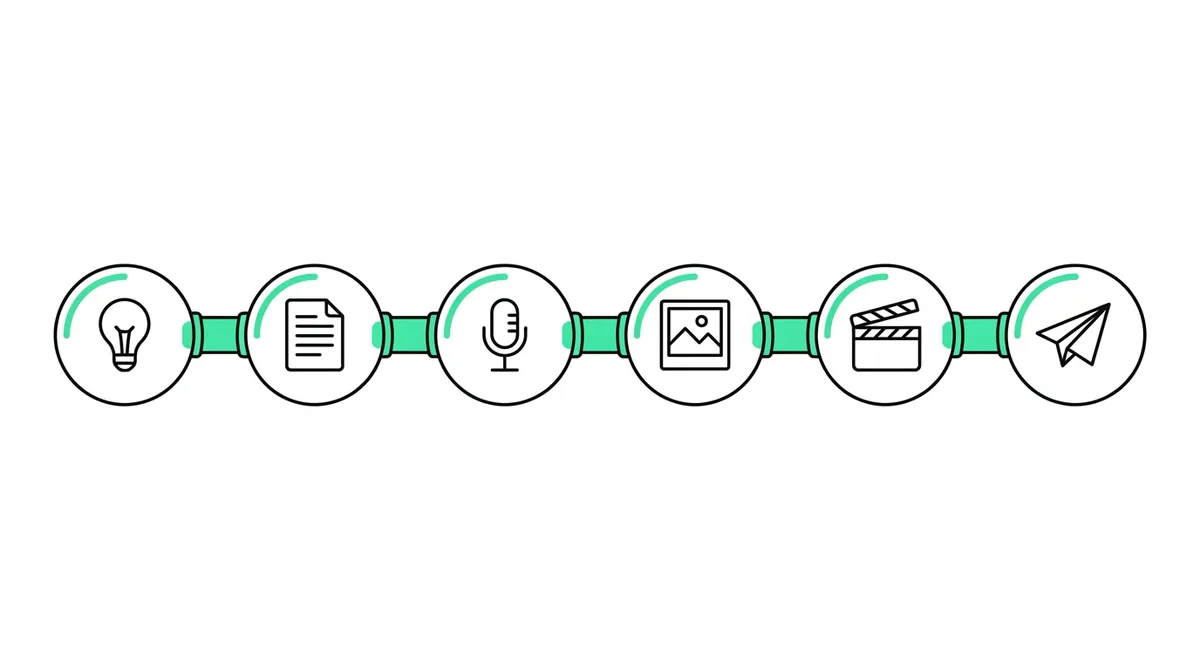
- An AI content pipeline with video takes an idea in and puts a posted video out: topic, script, voice, visuals, edit, publish, then measure.
- Where to get one: all-in-one platforms (fastest, least upkeep), no-code workflows in Make, n8n or Zapier (flexible, you maintain them), or an API for your own code and AI agents.
- Autoclips covers every stage in one place: set a format, topics and a schedule, and it makes and posts 1 to 3 videos a day per automation to YouTube, TikTok, Instagram, Facebook, X and Snapchat.
- The same pipeline is open to developers as a REST API and to Claude or ChatGPT as an MCP connector, so it can plug into a bigger content system.
- Pick on three things: does it post for you, does it show the cost before it spends, and can you change the style without rebuilding it.
Where to get AI content pipeline automation with video creation
Most people searching this want one of three things. The quickest is an AI video automation tool that runs every stage for you. Here are all the options side by side, so you can skip to the one you need.
| Option | What you get | Good when | Watch out for |
|---|---|---|---|
| All-in-one platform (for example Autoclips automations) | Topic to posted video in one product, on a schedule | You want videos going out this week, with no wiring | Less control over each frame; you work within its formats |
| No-code workflow (Make, n8n, Zapier) | Your own chain of AI tools: writer, voice, image or clip generator, video template, uploader | You need a custom format or want to swap parts | Several accounts and bills; steps break when a tool changes |
| Video API for your code or AI agent | Finished videos on request from your own system | You already have a content system (blog, CMS, product feed, agent) | You write and maintain the code |
| Agency or freelancer | People run the pipeline for you | You have budget and no time | Highest cost per video; slower changes |
These are not exclusive. A common setup is an all-in-one platform for the videos, triggered from a no-code workflow or an AI agent through its API.
What an AI content pipeline with video actually does
A content pipeline is a chain of steps where each step's output is the next step's input. For text content it stops at a blog post. A pipeline that includes video adds four expensive steps: voice, visuals, editing and uploading to video platforms. Here is the full chain:
| Stage | Input | What the AI does | Output |
|---|---|---|---|
| 1. Ideas | Your niche, a topic list, trends or a blog post | Picks a fresh angle nobody on the channel has used | A one-line topic |
| 2. Script | The topic | Writes a hook, the story or facts, and an ending with a call to action | A 30 to 120 second script |
| 3. Voice | The script | Reads it in a natural voice and language | Narration with word timings |
| 4. Visuals | Script and timings | Draws scenes or animates characters, keeps them consistent, adds captions | Pictures or clips per line |
| 5. Edit | Voice, visuals, music | Cuts on the beat, adds sound effects, captions and branding | A vertical 9:16 video |
| 6. Publish | The video | Writes the title and description and uploads at the set time | A live post on each platform |
| 7. Measure | Views and retention | Shows which videos worked | What to change in stage 1 and 2 |
Stages 1 to 6 can run with no person involved. Stage 7 is where you come in: once a week, look at what worked and move the topic and style settings in that direction.
Build it yourself or use one tool?
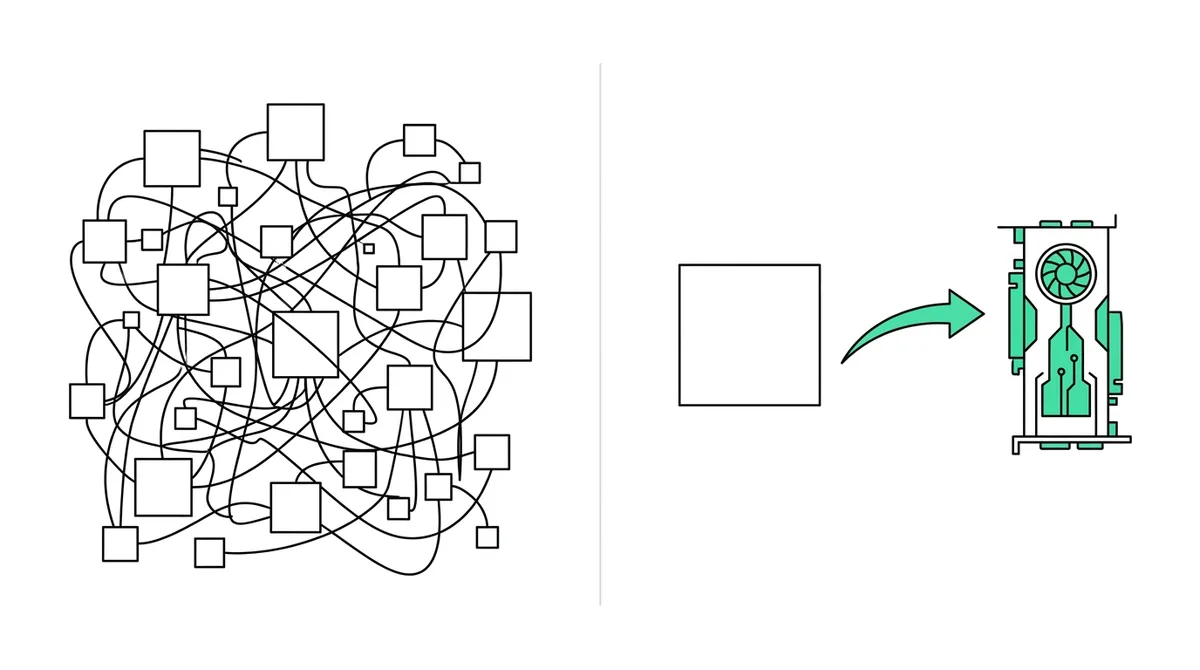
Building your own in Make, n8n or Zapier is a real option, and there are public templates that do it. A typical build looks like: a Google Sheet row triggers the flow, a chatbot writes the script, a voice tool reads it, an image or clip generator makes scenes, a video-template service stitches them, and an upload step posts it. Expect a few days to build and some time every week to keep it running, because each tool updates on its own schedule.
An all-in-one tool replaces the whole chain with settings. You lose the ability to swap one part, and you gain a pipeline that works the same way tomorrow. For most creators and small businesses, the deciding question is simple: do you want to run a channel, or run a workflow?
| Build it (no-code or code) | All-in-one (Autoclips) | |
|---|---|---|
| Time to first video | Days | Minutes |
| Same character in every scene | Hard: you prompt each image | Built into the formats |
| Captions, music, sound effects | Extra steps | Built in |
| Posting to several platforms | One integration per platform | Switches for YouTube, TikTok, Instagram, Facebook, X, Snapchat |
| Cost shown before it runs | You add it up yourself | Per video and per month, before you create it |
| When something fails | You debug the flow | The run shows as failed and the next one goes ahead |
| Custom formats | Anything you can build | The formats in the app |
How the Autoclips pipeline works
In Autoclips, the pipeline is an automation. You set it up once and it runs every stage at the times you choose.
- 1
Pick the format
Choose one of eight video types: Character Explainer, Autoclips V3 · 3D Studio, Talking Objects, Miniature, Stickman, Text Story, Quiz, or Fruit AI / Animal Stories. The format decides how the script is written and how the video looks.
- 2
Feed it ideas
Pick a topic category (history, money, space, crime and more) or write your own topic. Each run finds a new angle inside it, so you don't repeat yourself. Add your brand if the videos should promote a product or site.
- 3
Set the schedule and the outputs
Choose 1 to 3 videos a day, the posting times and your timezone. Switch on the platforms to post to. Every video also lands in your library, and you can get an email each time one is ready.
- 4
Check the cost and create it
The review screen shows every setting, the credits per video and an estimate for the month, before anything runs.
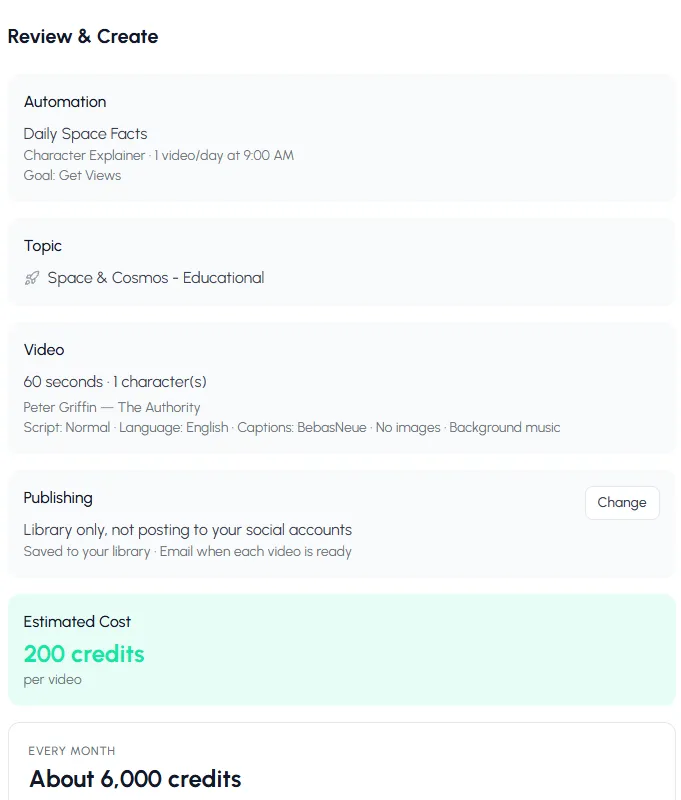
Before you create it, the review shows what each video costs in credits and what a month costs. - 5
Let it run, and watch it
Each automation card shows its posting times, how many videos it has made, the scheduled posts and where it posts. Press Test to make one video now. If it runs out of credits, it pauses and tells you, rather than failing quietly.
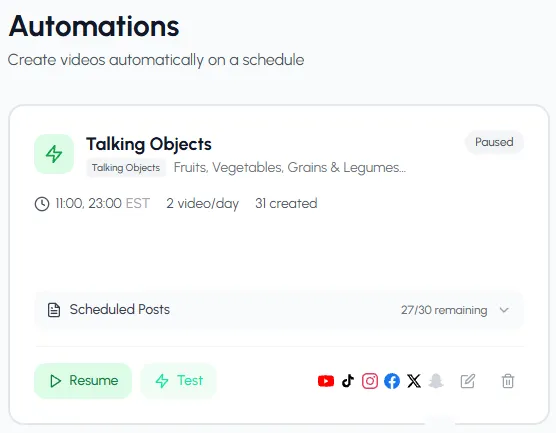
A running pipeline: times, videos made, scheduled posts and the platforms it posts to.
The full walkthrough with every screen is in how to automate video creation with AI.
Set up a pipeline in about ten minutes. You see the cost before anything runs.
Create an automationPlugging video into a bigger content pipeline
If you already have a content system, you don't need to replace it. Add video as one more output.
- From your own code or a no-code tool. The Autoclips API has the same operations as the app. Send a topic, approve the price, and check the job until the video is ready. It works from Zapier, Make and n8n as plain HTTP calls.
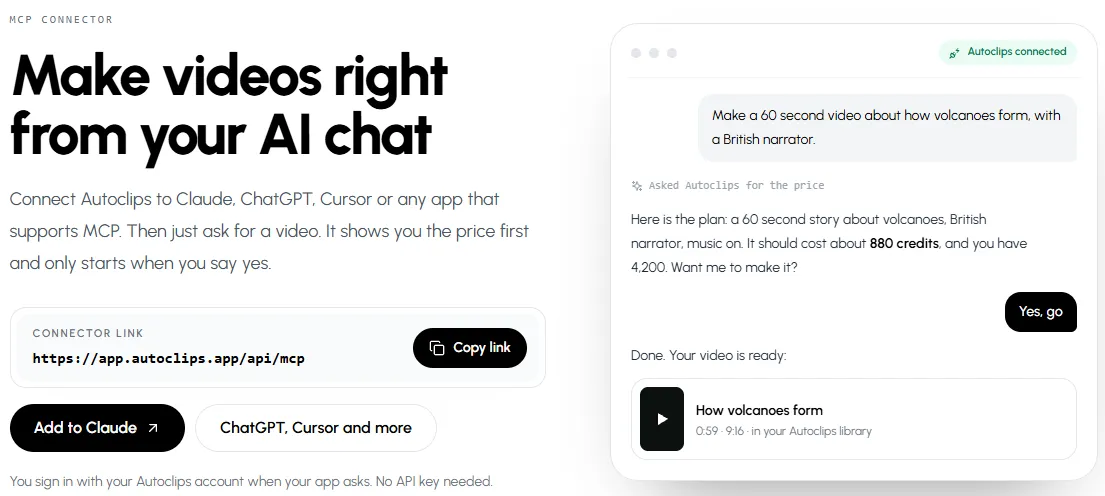
- From an AI assistant. Connect Autoclips to Claude, ChatGPT or Cursor through the MCP connector and ask: "Turn this week's blog post into a 60-second video and post it to YouTube". The assistant shows the price and waits for your yes.
- From an AI agent. An agent can run the whole loop (ideas, video, check, post) with spending caps you set. See automating a YouTube channel with an AI agent.
What to look for in an AI video content pipeline
- It posts for you. Many tools stop at a download button. If you still upload by hand, it isn't a pipeline.
- It keeps characters and style consistent. Viewers follow channels that look the same every day.
- It shows the cost before it spends. You should know the price per video and per month up front, and a pipeline should pause, not overspend, when money runs out.
- It writes for the platform. A hook in the first two seconds, captions for mute viewing, vertical 9:16, a call to action at the end.
- It speaks your audience's language. Scripts written in the language, not translated word for word.
- It has an API. Even if you don't need one today, it lets the pipeline grow with you.
Mistakes to avoid
- Automating before you know what works. Make ten videos, see which kind gets watched, then automate that kind.
- One pipeline, many niches. Run one automation per channel and niche, not one for everything.
- Skipping the weekly review. Stage 7 is the one that makes the other six better.
- Too many posts too soon. Start with one a day per channel. More only if quality holds.
Next: pick the YouTube Shorts automation setup, or learn how to automate TikTok posting.
Made with Autoclips
Real videos people made in the app. Tap one to watch it with sound.
Frequently asked questions
Where can I get AI content pipeline automation that includes video creation?
From an all-in-one platform such as Autoclips, which goes from topic to posted video on a schedule; from a no-code workflow you build in Make, n8n or Zapier out of separate AI tools; or from a video API you call from your own code or AI agent. An agency can also run one for you.
What is an AI content pipeline?
It is a chain of AI steps where each output feeds the next: idea, script, voice, visuals, edit, publish, then measure. With video included, the pipeline ends with a finished video posted to YouTube, TikTok or Instagram instead of a text post.
Can n8n or Make create videos?
Not by themselves. They connect other tools: a writing AI, a voice tool, an image or clip generator and a video-template service, then an upload step. They are good glue, and you can also call an all-in-one video tool from them through its API.
How much does an AI video pipeline cost?
It depends on the length and format of each video and how many you post. In Autoclips each video uses credits, and the review screen shows the credits per video and per month before you create the automation. A self-built pipeline adds up the bills of each tool you use.
Can the pipeline post to every platform?
Autoclips automations post to YouTube, TikTok, Instagram, Facebook, X and Snapchat once you connect those accounts, and save every video to your library either way.
Do I need to code?
No. An all-in-one tool is set up with menus. Code or a no-code tool only comes in if you want to connect the pipeline to your own systems.
Will automated videos get my channel penalised?
Not for being automated. Platforms act on content that is repetitive, copied or misleading, whoever posted it. Keep one clear niche, original topics and a consistent series, and check what goes out.
Get a video pipeline running today
One setup: topic, script, voice, visuals, editing and posting, on your schedule. Plug it into your own tools with the API when you're ready.
Build your pipelineAyaz Alam · Founder of Autoclips
Ayaz builds Autoclips and makes the tutorials on its YouTube channel. Every step in these guides is tested in the app before it is published.