
AI Clip Maker: Turn One Long Video into Short Clips That Get Watched
An AI clip maker takes one long video, like a podcast, interview, stream or talk, listens to everything that's said, picks the moments that work on their own, crops each one to vertical around whoever is talking, adds captions and hands you a set of short clips for TikTok, YouTube Shorts and Reels. In Autoclips you paste a YouTube link or upload your videos, pick how many clips and how long, and every clip opens in the Video Editor ready to change and export.
Quick answer
- Paste a YouTube link (of a video you own or may use) or upload up to 5 videos. Anything from 2 minutes to 2 hours works.
- Pick how many clips (Auto, 3, 5, 8 or 10), how long (best length, 15–30, 30–60 or 60–90 seconds), the shape (9:16, 1:1 or 16:9) and captions on or off.
- The AI listens, finds the best moments, frames whoever is talking and adds captions. Each clip gets a score from 0 to 100 for how likely it is to hold a viewer.
- Every clip opens in the Video Editor, where editing is free and you only pay credits to export. If a run fails, all its credits are refunded.
- It works on videos where people talk. Silent footage, music videos and gameplay without commentary don't have moments to find.
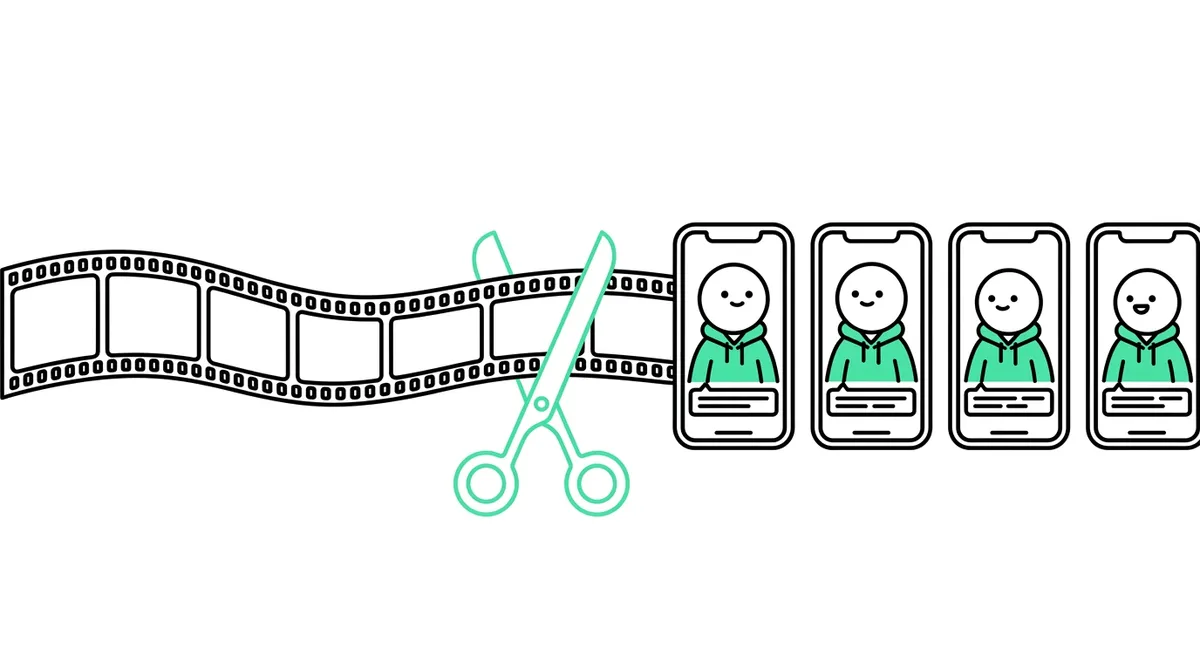
What an AI clip maker does
A one-hour podcast usually has five to ten moments that would work on their own as a short: a strong opinion, a funny story, a surprising number, a piece of advice. Finding them by hand means watching the whole thing, writing down timestamps, cutting each one, reframing a wide shot into a vertical one and typing captions. That's an afternoon per episode.
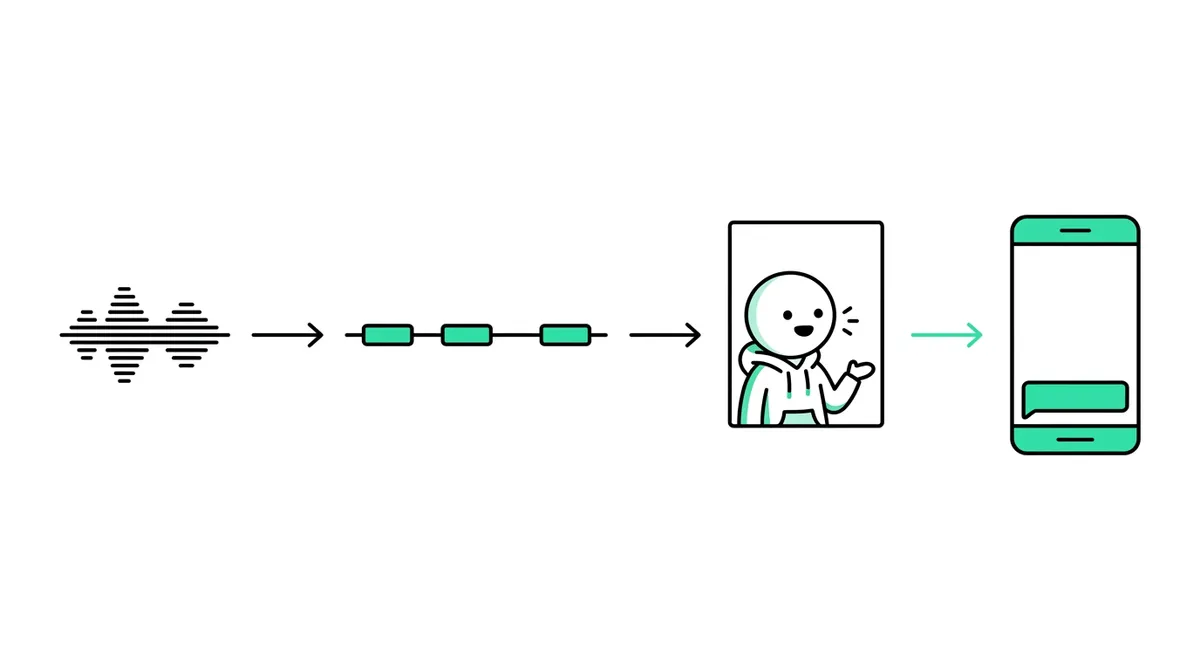
An AI clip maker does those jobs in one run:
- Listens. It turns everything that's said into text, with who said it and when.
- Picks moments. It reads the whole conversation and picks stretches that start strong and make sense without the rest of the video.
- Frames the speaker. It crops a wide shot down to vertical around whoever is talking, so a face fills the frame instead of an empty half of the room.
- Adds captions. Spoken words appear on screen, because most people scroll with the sound off.
- Hands you clips you can edit. Not just files: projects you can trim, retitle and export.
How to use the AI clip maker in Autoclips
- 1
Open Auto Clips and add your video
Sign in to Autoclips and open Auto Clips from the menu. Paste a YouTube link, or switch to Upload videos and drop in up to 5 files of up to 500 MB each. With several uploads, clips can come from any of them.
For a YouTube link, tick I own this video or have permission to use it. Clipping other people's videos without permission can get your posts taken down.
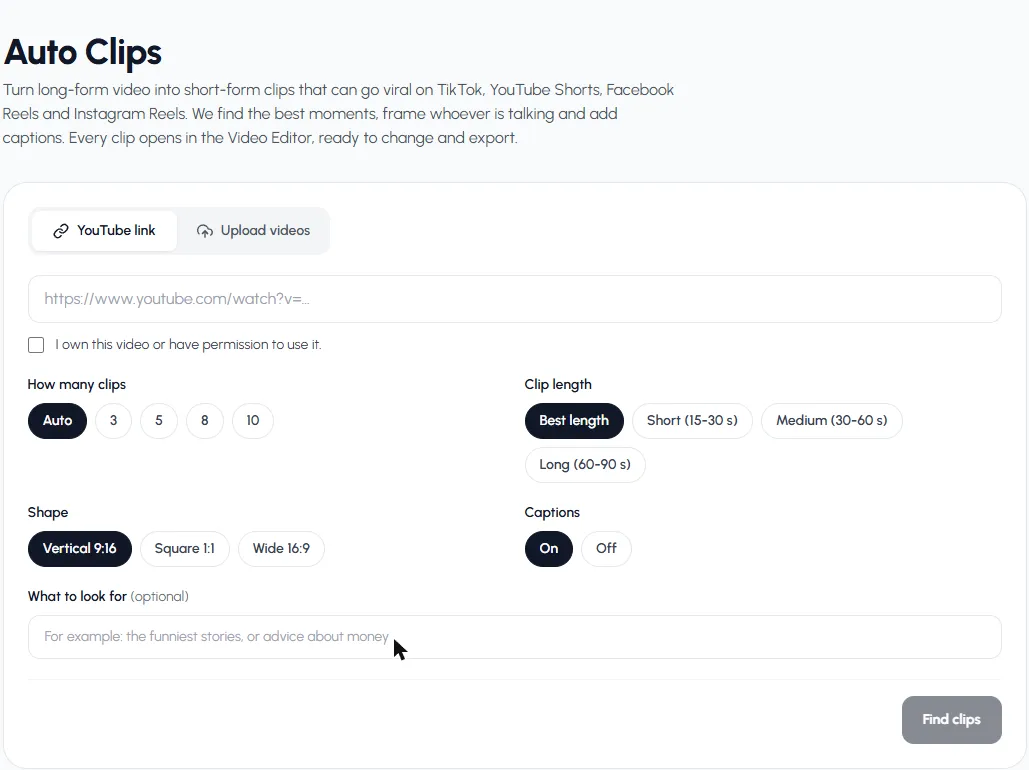
Add a link or upload, then set how many clips, how long, the shape and captions. - 2
Choose how many clips and how long
How many clips: Auto gives about one clip for every 6 minutes of video, between 3 and 10. Or pick 3, 5, 8 or 10.
Clip length: Best length lets the AI end each clip where the moment ends (20 to 75 seconds). Or force Short (15–30 s), Medium (30–60 s) or Long (60–90 s).
- 3
Pick the shape and captions
Vertical 9:16 for TikTok, Shorts and Reels. Square 1:1 for feeds. Wide 16:9 if you want highlights for YouTube or a website. Leave Captions on unless you plan to add your own.
- 4
Tell it what to look for (optional)
One line in What to look for steers the picks: "the funniest stories", "advice about money", "anything about hiring". Leave it empty and it picks what's strongest overall.
- 5
Press Find clips
You see the credits it will use before you start. It works through five steps: getting your video, listening to it, finding the best moments, framing each clip and making your clips. An hour of video takes a few minutes, and you can leave the page and come back. Clips appear as they're made.
- 6
Review the clips
Each card shows the clip's score (0 to 100), a short title, its opening line and where it starts in the original ("From 12:06"). Play it right on the card. Want more? Find more clips runs again on the same video without uploading it twice.
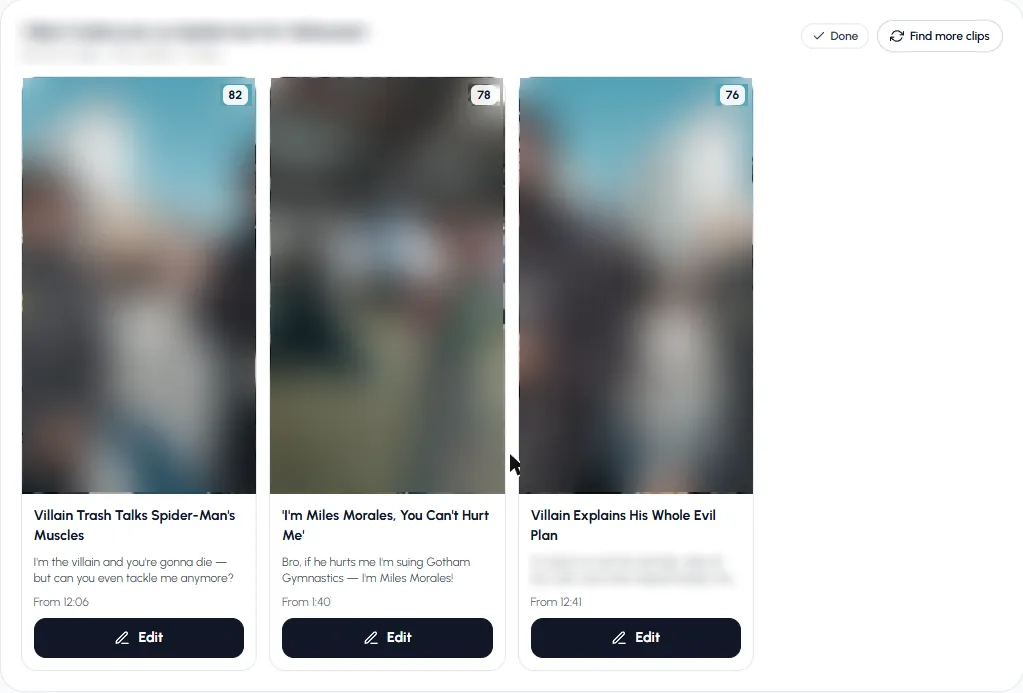
Each clip has a score, a title, its opening line and where it starts in the original video. - 7
Edit and export
Press Edit and the clip opens in the Video Editor, already cut, framed and captioned. Trim the start, change the caption look, add text, music or a sound effect, change the shape or speed. Editing is free; exporting uses credits, and an export that fails is given back.
Try it on a podcast or interview you already have. You see the price before anything starts.
Find clipsWhat you get for each clip
| Part | What it is | Why it matters |
|---|---|---|
| Score (0–100) | How likely the clip is to hold a viewer and get shared. 50 is an average moment. | Post the highest first; skip the weak ones |
| Title | A short, catchy title of 8 words or fewer | A starting point for your caption |
| Hook | The opening line or idea | Shows how the clip grabs attention in the first second |
| Start time | Where it sits in the original ("From 12:06") | Easy to check context or credit the source |
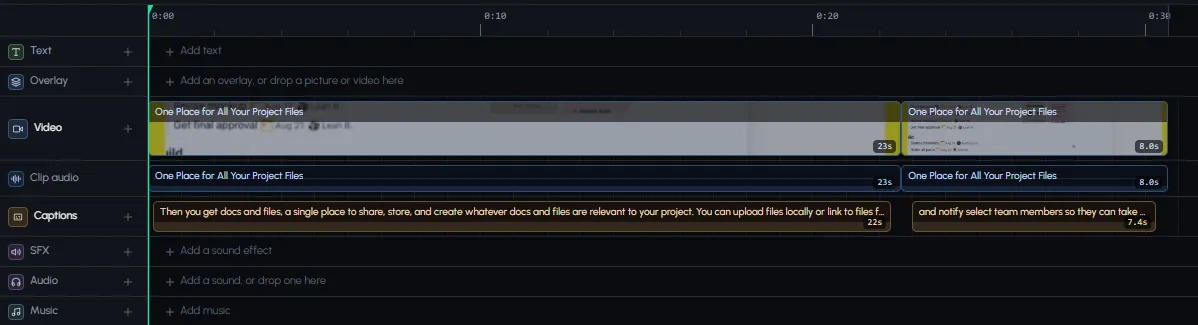
| Editor project | Video, its own sound and captions on separate rows | Fix anything without starting over |
What kind of videos work best
Clips are found from what people say, so the more talking, the better the picks.
| Works well | Works less well | Doesn't work |
|---|---|---|
| Podcasts and interviews | Vlogs with long quiet stretches | Silent footage |
| Talks, webinars, sermons, lectures | Group chats where everyone talks over each other | Music videos |
| Streams with commentary | Very short videos (under 2 minutes) | Gameplay with no voice |
| Explainers and tutorials | Heavily edited montages | Videos with no sound |
The clip maker refuses videos with no sound or too little talking, and refunds the credits. More on podcasts specifically in how to make podcast clips.
AI clip maker vs. clipping by hand
| By hand in an editor | AI clip maker | |
|---|---|---|
| Finding moments in 1 hour of video | Watch all of it, 1 hour or more | A few minutes, while you do something else |
| Vertical framing | Keyframe the crop yourself | Framed on whoever is talking |
| Captions | Type or auto-generate, then fix | Added for you |
| Control | Every frame | Pick, then fine-tune in the editor |
| Cost | Your time, free editors | Credits per minute of video |
Doing it by hand is still the right call if you only clip one video a month and enjoy editing. If you publish weekly, the AI saves you the watching. Our guide on how to make clips from YouTube videos covers both ways.
Is there a free AI clip maker?
Most AI clip makers have a free tier with limits: a few videos a month, a watermark, or exports that expire. Autoclips lets you sign up for free; finding clips uses credits per minute of video, and you see the exact number before you start. If a run fails, every credit is refunded. Free editors like CapCut also have a long-video-to-shorts tool in some regions; we compare the options honestly in Opus Clip alternatives and CapCut long video to short.
8 tips for clips that actually get watched
- Start with the strongest scores, but watch every clip. The score is a guide, not a guarantee.
- Check the first second. If the clip opens mid-sentence, trim to the line that hooks.
- Use What to look for when your video covers several topics, so the clips match your channel.
- Keep captions on. Change their look in the editor to match your brand.
- Write your own post caption. Use the clip's title as a draft, then make it a question or a claim.
- Post one or two a day, not ten at once. See the best time to post YouTube Shorts.
- Credit the source if it isn't your video, and only clip what you have permission to use.
- Track what works. Make more clips from the episodes and topics that perform. Tips in how to go viral on TikTok.
Want the whole channel to run without you? Our guide on video automation shows how to make and post new videos on a schedule.
Frequently asked questions
What is the best AI clip maker?
The best one is the one that picks good moments from your kind of video and lets you fix the result easily. Look for speaker framing, captions, a choice of lengths and shapes, and clips you can edit rather than fixed files. Autoclips does those and opens every clip in a full video editor.
Is there a free AI clip generator?
Several tools have free tiers with limits such as a watermark or a few videos a month. Autoclips is free to sign up for; finding clips uses credits per minute of video, shown before you start, and a failed run is fully refunded.
How does an AI clip maker pick the best moments?
It turns the speech into text, reads the whole conversation and picks stretches that start strong, make sense on their own and are likely to hold a viewer. Autoclips also gives each clip a score from 0 to 100 so you know which to post first.
Can I make clips from a YouTube video?
Yes, paste the link. Only clip videos you own or have permission to use; Autoclips asks you to confirm that before it starts.
How long can the video be?
From 2 minutes to 2 hours. You can also upload up to 5 videos at once, 500 MB each, and clips can come from any of them.
Does the AI clip maker add captions?
Yes, unless you switch captions off. You can change how they look, or fix a word, in the Video Editor.
Can I make clips for TikTok, YouTube Shorts and Reels?
Yes. Pick Vertical 9:16 for all three. Square 1:1 and Wide 16:9 are there for feeds and YouTube highlights.
Does it work on videos in other languages?
It detects the spoken language from the video, so clips can be found in videos that aren't in English.
Turn your next long video into clips
Paste a link or upload a video. Autoclips finds the moments, frames the speaker, adds captions and opens every clip in the editor.
Find clips in a videoAyaz Alam · Founder of Autoclips
Ayaz builds Autoclips and makes the tutorials on its YouTube channel. Every step in these guides is tested in the app before it is published.