
Stickman Animation Maker: 6 Best Options for PC, Phone and AI (2026)
Stickman animation is a stick figure brought to life one pose at a time, and the best stickman animation maker depends on two things: the device you have, and whether you want to animate every frame yourself or get a finished video. For hand animation, Pivot Animator (Windows) and Stick Nodes (phone) are the classic free picks. For narrated story videos for Shorts and TikTok, an AI maker like Autoclips Stickman does the script, voice and animation for you.
Quick answer
- Windows, free, hand animation: Pivot Animator. Drag the joints, add frames, export. The classic starting point.
- Phone, hand animation: Stick Nodes (rigged figures you pose) or FlipaClip (draw frame by frame). Both have free versions with paid upgrades.
- Pro, paid: Moho or Adobe Animate, for smooth Alan Becker style action and full productions.
- AI, finished videos: Autoclips Stickman writes, voices, draws and animates a 30 to 120 second vertical video from one line. It uses credits on a paid plan.
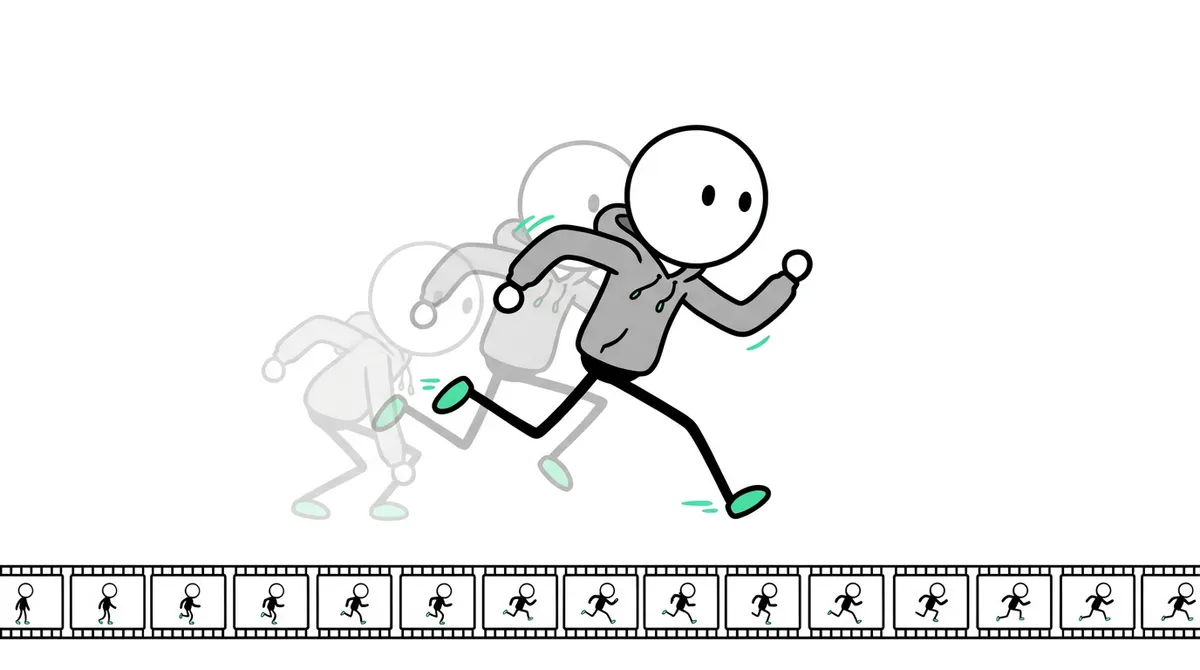
What is stickman animation?
Stickman animation is animation where the characters are stick figures: a circle for a head and single lines for the body, arms and legs. Because there is so little to draw, one person can animate a whole fight or story, which is why it became the classic way to learn animation and why channels like Alan Becker's grew on it.
Today there are two kinds of stickman animation online. Hand-animated videos, where every pose is set by the animator, usually for action and comedy. And AI-made story videos, where a narrator tells a story over painted scenes with a round-headed stickman, made from a script in minutes. The tools below cover both.
Stickman animation makers compared
These are the tools people actually use, checked against each one's official page or store listing in November 2026. Prices change, so the table says what kind of cost to expect rather than exact amounts.
| Tool | Runs on | How you animate | Cost | Best for |
|---|---|---|---|---|
| Pivot Animator | Windows only | Drag the joints of a stick figure, frame by frame | Free | Beginners on a PC, classic stick fights |
| Stick Nodes | Android, iPhone | Pose a rigged figure; motion between poses is filled in | Free; Pro is a one-time buy | Animating on a phone with smooth motion |
| FlipaClip | Android, iPhone, tablets | Draw each frame by hand | Free with ads; Plus is a subscription | Hand-drawn, sketchy stick figures |
| Browser stick figure tools | Any browser | Pivot-style joint dragging in a web page | Mostly free | Trying it out with nothing to install, Mac and Chromebook users |
| Moho, Adobe Animate | Windows, Mac | Bones, tweening, full timeline | Paid | Smooth, professional action and longer films |
| Autoclips Stickman (AI) | Any browser, computer or phone | Type one line; script, voice, scenes and motion are made | Paid plans, credits | Narrated story and explainer channels that post often |
The hand-animation apps, one by one
Pivot Animator (Windows)
Pivot is where most stick figure animators started. You get a figure with red handles on each joint: drag them to make a pose, add a new frame, change the pose a little, repeat. It is free, light, and you can build your own figures and load your own backgrounds. The catch is that it is Windows only and everything is frame by frame, so smooth motion takes practice and time. Our stickman animation on PC guide walks through a first animation in it.
Stick Nodes (Android and iPhone)
Stick Nodes is the phone answer to Pivot, with one big upgrade: it can fill in the frames between your key poses, so motion looks smoother without drawing every frame. The free version adds a watermark and exports GIFs. The paid Pro version is a one-time purchase that removes the watermark, exports MP4 video and lets you add sound effects.
FlipaClip (Android and iPhone)
FlipaClip is a drawing app, not a stick figure rig. You draw each frame with your finger or a stylus and see a faint copy of the last frame underneath (onion skin). It suits a hand-drawn look and short gags. The free version has ads, a watermark on exports and a small number of layers; the Plus subscription lifts those limits. See stickman animation on mobile for a phone walkthrough.
Moho and Adobe Animate (paid)
If you want the fluid, fast fights of the big stick figure animation channels, you eventually move to pro software with bones and tweening. Alan Becker's early Animator vs. Animation videos were made in Flash, which is now Adobe Animate. These tools are powerful and paid, and they take weeks to learn.
When an AI stickman animation maker makes more sense
Hand animation is a craft and it is fun. But most stickman videos that get millions of views on Shorts and TikTok are not fights. They are stories: a narrator, a round-headed hero in painted scenes, numbers on screen, a cut every couple of seconds. Making those by hand means writing a script, recording a voice, drawing a dozen backgrounds and animating each scene, for every single video.
An AI stickman animation maker does all of that from a sentence. In Autoclips Stickman you pick a mode (You Decide, True Story, Character Speaks, Explainer or Skit), type one line, and choose how much it moves: still pictures with a camera move, key moments that act, or full motion where every scene moves.
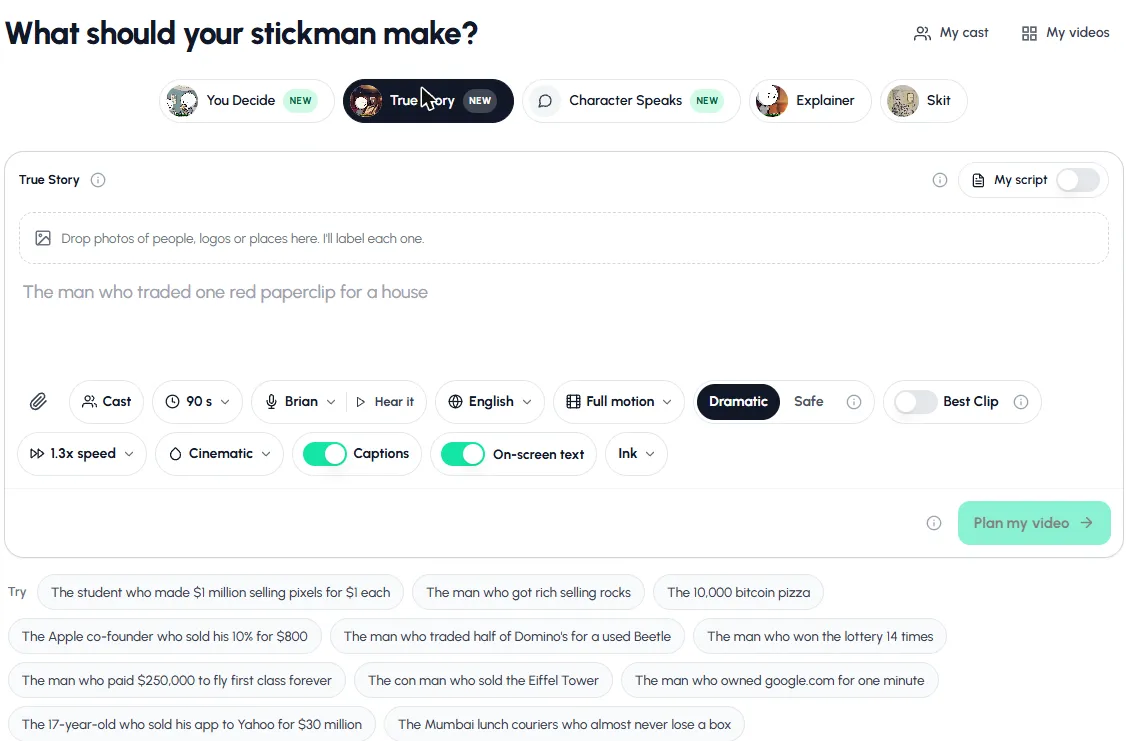
- Open Stickman in Autoclips and pick a mode. True Story is a good first try.
- Type one line, like "The man who won the lottery 14 times", or click a suggestion.
- Set the length (30 to 120 seconds), voice, language, motion level and look.
- Press Plan my video, read the plan, ask for changes if you want, then make it.
- Download the vertical video or post it from the app.
The full walkthrough, with what each setting does, is in how to make stickman animation with AI.
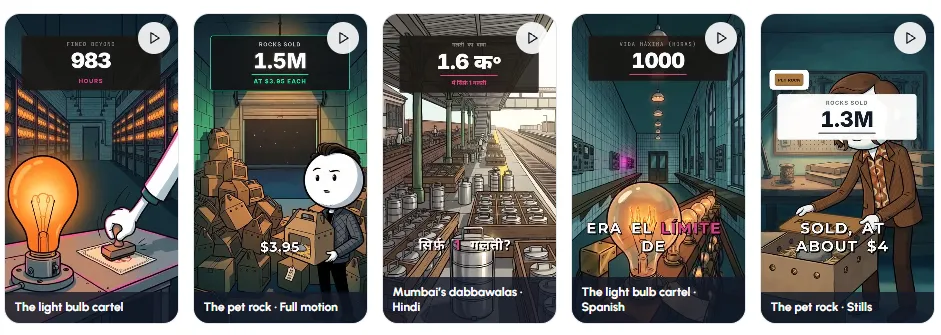
See what the AI makes from a story you already know.
Open StickmanHow to choose the right stick figure animation software
| If you want to... | Use |
|---|---|
| Learn animation for free on a Windows PC | Pivot Animator |
| Animate on your phone with smooth motion | Stick Nodes |
| Draw rough, hand-drawn stick figures on a tablet | FlipaClip |
| Try it on a Mac or Chromebook with no install | A browser stick figure tool |
| Make long, polished fight animations | Moho or Adobe Animate |
| Post narrated stickman stories or explainers every day | Autoclips Stickman |
How to make a stick figure animation in any app
The buttons differ from app to app, but every hand-made stick figure animation is built the same way. Learn this once and it works in Pivot, Stick Nodes, FlipaClip or pro software.
- 1
Plan the action in one sentence
"He runs, trips on a banana, and lands in a chair." One clear action per shot. Sketch the three or four most important poses on paper if it helps.
- 2
Set the canvas and frame rate
Pick the size before you animate: vertical 9:16 for Shorts, TikTok and Reels, 16:9 for a normal YouTube video. 12 to 24 frames per second is plenty for stick figures.
- 3
Pose the key frames
Make the start pose, the end pose and the big moments in between (the top of a jump, the moment of impact). Leave space between them on the timeline.
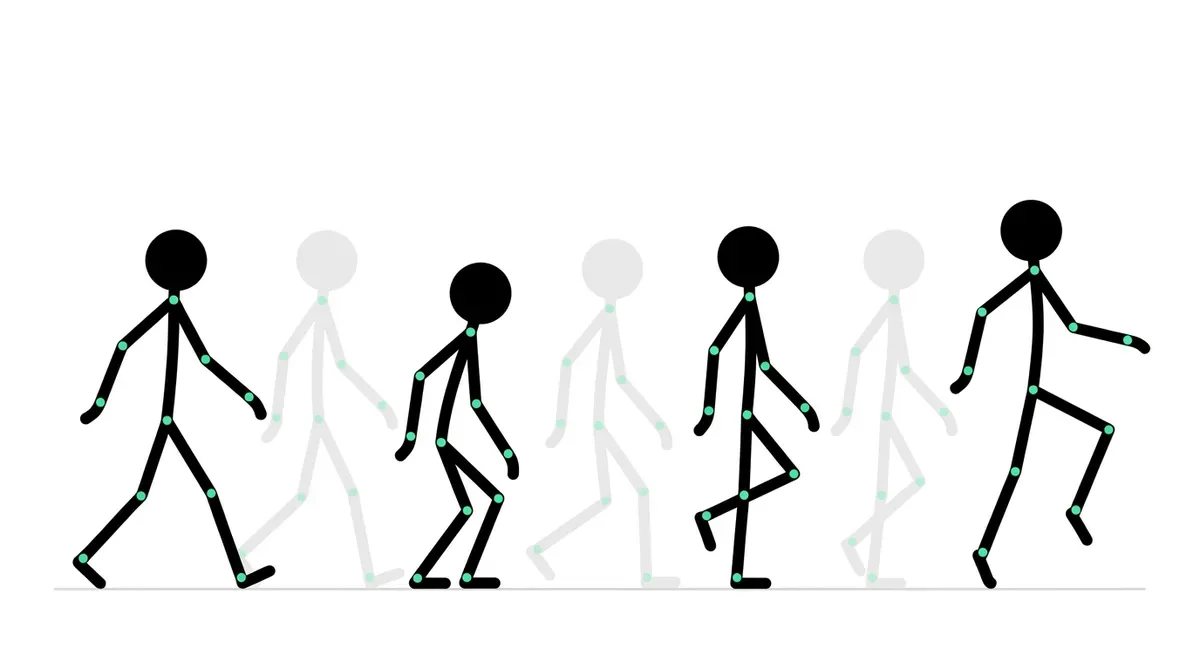
Key poses first, in-betweens after. This is how every stick figure animation is built. - 4
Add the in-betweens
Fill in the frames between key poses, or let the app do it if it tweens, like Stick Nodes. Small changes between frames look smooth; big changes look fast.
- 5
Play it back and fix the timing
Watch it many times. Slow actions need more frames, fast ones fewer. Add a few frames of hold before and after big moves so the viewer can read them.
- 6
Add sound and export
Add a voice, music and sound effects in the app or a video editor, add captions if people will watch on mute, and export as MP4.
Stickman animation ideas for your first week
- A walk cycle. Four key poses, looped. The best first exercise there is.
- A jump and land. Teaches squash before the jump and weight on the landing.
- Two figures, one punch. The classic stick fight, kept to three seconds.
- A reaction gag. A figure opens a door and freezes. Timing does all the work.
- A 30-second story with a narrator. Record the voice first, then animate to it, or type the idea into an AI maker and compare.
Tips for any stickman animation app
- Animate key poses first. Set the start and end of an action, then fill in between. It saves redoing whole sequences.
- Exaggerate. Stick figures have no faces to act with, so the body has to say everything. Big arcs, clear silhouettes.
- Keep it vertical if you post to Shorts, TikTok or Reels. Set a 9:16 canvas before you start, not after.
- Sound does half the work. A whoosh or a thud sells a hit better than more frames.
- Pick one look and stick to it. Same figure, same colours, so viewers recognise your channel. For AI videos, stickman video styles shows the five looks.
Want the finished-video route explained in full? Read the stickman video maker guide. Curious how the same idea works with clay figures instead? See how to make claymation videos with AI.
Made with Autoclips
Real videos people made in the app. Tap one to watch it with sound.
Frequently asked questions
How do you make a stickman animation?
Plan one action, set your canvas size, pose the key frames (start, end and the big moments), fill in the frames between, play it back to fix the timing, then add sound and export. Free apps like Pivot Animator and Stick Nodes are made for exactly this. For a finished narrated video, an AI maker like Autoclips does every step from one line.
Is stickman animation hard to learn?
It is one of the easiest ways into animation, because the figures are simple. A walk or a jump takes an evening to get right. Smooth, fast fights take months of practice.
What is the best free stick figure animation software?
For Windows, Pivot Animator: it is free, simple and made for stick figures. On a phone, Stick Nodes and FlipaClip both have free versions, with a watermark on exports until you upgrade. On a Mac or Chromebook, a browser-based stick figure tool is the easiest free start.
What do stickman YouTubers use to animate?
Hand-animated channels mostly use Pivot Animator when starting out and move to Adobe Animate or Moho for smoother action. Narrated story channels on Shorts and TikTok increasingly use AI makers that write, voice and animate each video, such as Autoclips Stickman.
Is there a stickman animation maker for Mac?
Pivot Animator is Windows only. On a Mac you can use a browser-based stick figure tool, pro software like Moho or Adobe Animate, or an AI maker in the browser like Autoclips.
Can I make stickman animation on my phone?
Yes. Stick Nodes lets you pose rigged figures and fills in the motion between poses; FlipaClip lets you draw each frame. Autoclips also works in a phone's browser if you want a finished, voiced video instead.
How long does it take to animate a stickman by hand?
A smooth minute of hand animation can take a full day or more, depending on the action and your skill. Simple talking scenes are quicker than fights. An AI maker takes a minute or two to set up and makes the video on its own.
Is an AI stickman animation maker free?
Usually not fully, because writing, voicing and animating each video costs the tool money. Autoclips is free to sign up, and making Stickman videos needs a paid plan and uses credits per video.
Skip the frame-by-frame work
Type one line and Autoclips writes, voices and animates a stickman video, ready for Shorts, TikTok and Reels.
Try the AI stickman makerAyaz Alam · Founder of Autoclips
Ayaz builds Autoclips and makes the tutorials on its YouTube channel. Every step in these guides is tested in the app before it is published.