
How to Make Stickman Animation with AI, Step by Step (2026)
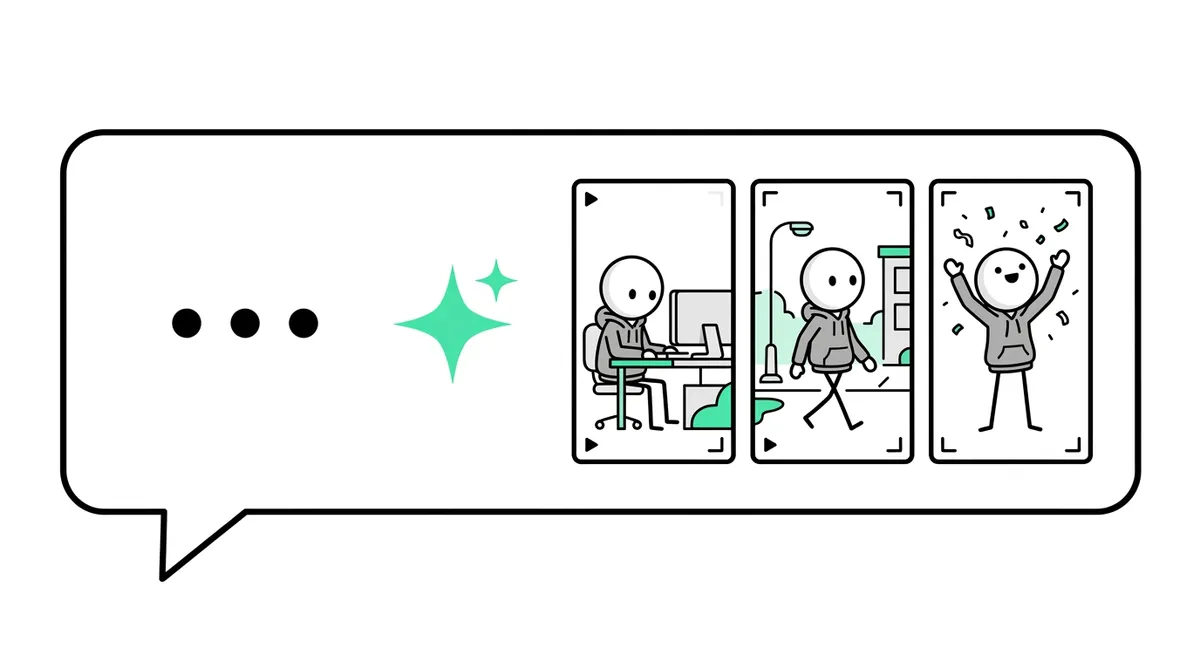
To make stickman animation with AI, you give a tool one line of text and it writes the script, voices it, draws every scene with the same stickman and animates it. In Autoclips that is six steps: pick a mode, type the idea, set voice and language, choose motion and look, check the plan, then download or post.
Quick answer
- Open Stickman in Autoclips and pick a mode: You Decide, True Story, Character Speaks, Explainer or Skit.
- Type one line ("The man who got rich selling rocks") or paste your own script with My script.
- Pick a voice, a language, how much it moves (Stills, Key moments, Full motion) and a look (Cinematic, Horror Glow, Rainy Noir, Bright Day, Golden Epic).
- Press Plan my video, read the plan, make it, then download the 9:16 video or post it from the app.
What you need before you start
- An Autoclips account. Signing up is free; making Stickman videos needs a paid plan and uses credits.
- One idea in one sentence. A real story, a "what would you do" moment, a tip or a joke.
- Optional: photos of people, logos or places you want in the story, or a script you wrote.
No drawing, no animation software, no microphone. It runs in the browser on a computer or a phone.
How to make stickman animation with AI in 6 steps
- 1
Pick a mode
Open Stickman from the Autoclips home page. The mode decides what kind of script gets written:
You Decide puts the viewer in a tense situation and ends on a comment vote. True Story researches a real person or brand. Character Speaks has the characters say every line, with no narrator. Explainer is a fast voiceover over pictures for tips and lists. Skit is a 10 to 15 second gag.
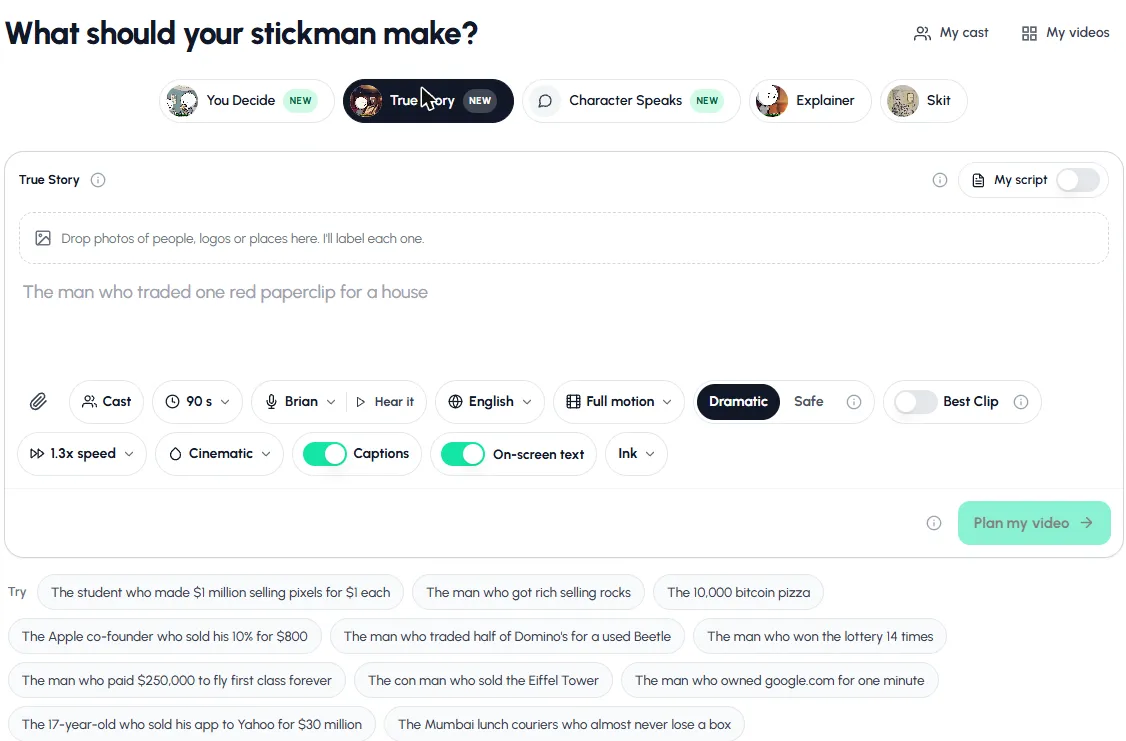
Step 1 and 2: pick a mode, then type one line or click a suggested story. - 2
Type one line, or paste a script
Write the idea the way a viewer would hear it: start with the number or the twist. "The 17-year-old who sold his app to Yahoo for $30 million" works better than "a story about an app".
To use your own words, switch on My script and paste it. It is spoken exactly as written; the AI only draws and animates around it. Our guide to turning a script into a stickman video covers this in detail.
- 3
Add faces, logos or places (optional)
Drop photos into the box above your idea. Each one is labelled (person, logo, prop or place) and drawn into the story in the stickman style. Use Cast to bring back a character from an earlier video so your series keeps the same hero.
- 4
Set voice, language, motion and look
Pick a length (30 to 120 seconds for stories) and a narrator, and press Hear it to listen. Pick the language; the script is written in it from the start.
Choose how much it moves: Stills are pictures with a slow camera move, Key moments animate the scenes where someone acts, and Full motion moves every scene. Then a tone (Dramatic or Safe), a speed and one of five looks.
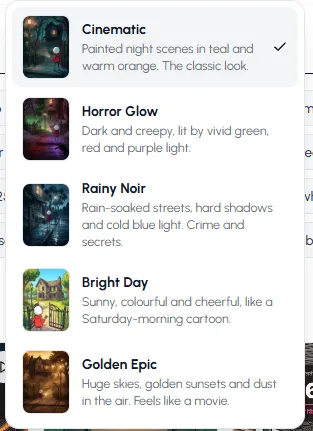
Step 4: the five looks. Each one changes the light, colour and mood of every scene. - 5
Plan the video and check it
Press Plan my video. The planner works out the story, the cast and every scene, and shows you the plan before anything is drawn. Read it like a viewer: is the hook in the first line? Does the ending pay off?
Not right? Ask for changes in plain words, like "punchier hook" or "a bigger twist in the middle". When it reads well, make the video. You can leave the page while it is made.
- 6
Download or post
The finished stickman animation is vertical (9:16), with captions and on-screen numbers. Download it, or post it to your connected YouTube, TikTok and Instagram accounts. For You Decide videos, make Part 2 from the finished video once the comments have voted.
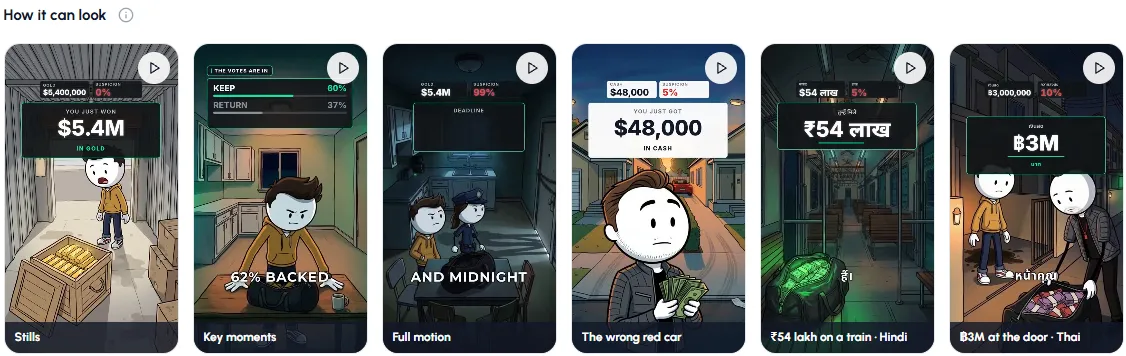
Use one of the suggested stories for your first try. It takes about a minute to set up.
Open StickmanPrompts you can copy
One good line is all the AI needs. These work as they are; swap in your own topic.
| Mode | Line to type |
|---|---|
| You Decide | A wrong bank transfer puts $7.3 million in your account. End on a vote: keep it or return it? |
| You Decide | A thrift store coat has a winning $340 million lottery ticket in it |
| True Story | The man who paid $250,000 to fly first class forever |
| True Story | The con man who sold the Eiffel Tower. Tell it like a crime documentary. |
| Explainer | Unethical but legal ways to get free food |
| Skit | The phone rings from inside the house |
AI stickman animation vs. the "free" workarounds
Many YouTube tutorials show a free method: ask a chatbot for a script and image prompts, generate pictures one by one in a free image tool, animate each in a free video tool, record or generate a voice, then put it all together in an editor. It works, but it means five or six tools, daily limits, and keeping the character looking the same by hand in every shot. An all-in-one tool does those steps in one place and keeps the same stickman from the first scene to the last. If cost is the main thing, read how to make stickman videos for free for the honest options.
How to make stickman animation without AI
The by-hand way still works, and it is free. Pick an app (Pivot Animator on Windows, Stick Nodes or FlipaClip on a phone), pose your stick figure on the key frames, fill in the frames between, then add a voice and captions in a video editor. Expect a few hours for a smooth minute. Step-by-step guides: stickman animation on PC, on mobile, and a comparison of every stickman animation maker.
Mistakes to avoid
- Vague ideas. "A video about money" gives the AI nothing to work with. Name the person, the number or the situation.
- Skipping the plan. A minute reading the plan saves remaking a video with a weak hook.
- Full motion for everything. Stills and Key moments are cheaper and work well for talky stories; save Full motion for action.
- Turning captions off. Most people watch short videos without sound.
- A new character every video. Use Cast so returning viewers see the same hero.
Next steps: pick a channel direction from stickman YouTube channel ideas, or read the AI stickman video generator guide for how the five formats compare.
Made with Autoclips
Real videos people made in the app. Tap one to watch it with sound.
Frequently asked questions
Can AI make stickman animation?
Yes. AI tools can now write the script, draw consistent stickman scenes, animate them and add a voice and captions. In Autoclips Stickman you type one line and get a finished 30 to 120 second vertical video.
What is the best AI for stickman animation?
The best one keeps the same character in every scene, writes a script with a real hook, speaks your audience's language and exports vertical video with captions. Autoclips Stickman does all of that in one place. Separate free tools can do each step, but you join them yourself.
How do you make stickman animation with AI for free?
Fully free AI methods chain free tiers of several tools: a chatbot for the script, an image tool for scenes, a video tool for motion and an editor for the voice and captions. They have daily limits and take hours per video. Autoclips is free to sign up, but making videos needs a paid plan and credits.
How long does AI stickman animation take?
Setting it up takes a minute or two. Planning and making the video then run on their own; you can close the page and come back when it's ready.
Can I animate my own stickman character with AI?
Yes. Drop a photo into the box and it is drawn into the story in the stickman style, or create a character in Cast and reuse it across videos.
Can I make stickman animation with AI on my phone?
Yes. Autoclips works in your phone's browser, with the same steps as on a computer. See stickman animation on mobile.
Try it with one line
Pick a mode, type the idea, choose a look. Autoclips does the script, voice and animation.
Make stickman animationAyaz Alam · Founder of Autoclips
Ayaz builds Autoclips and makes the tutorials on its YouTube channel. Every step in these guides is tested in the app before it is published.